Instagram Engagement Rate: How to Calculate It and Raise It
Three formulas for Instagram engagement rate, a worked example, how to read benchmarks, and the tactics that raise it, including rewarding comments with a DM link.
On this page
Your Instagram engagement rate is the share of people who interacted with a post, usually likes, comments, saves and shares divided by followers, reach or views. It is useful only if you calculate it the same way every time and compare it with the right benchmark. This guide shows the formulas, how to judge a benchmark, and the tactics that move the number: posts people save and share, captions that invite answers, fast replies, and rewarding comments with the link people asked for.
How to calculate engagement rate
Start by adding up interactions on a post: likes, comments, saves and shares. Meta’s own definition of total interactions for Instagram media counts the same four, minus unlikes, unsaves and deleted comments, as described in its Instagram media insights documentation. Then divide by one of three bases.
| Formula | Calculation | Best for |
|---|---|---|
| By followers | Interactions ÷ followers × 100 | Comparing your account with others, since follower counts are public |
| By reach | Interactions ÷ accounts reached × 100 | Judging how people who actually saw the post responded |
| By views | Interactions ÷ views × 100 | Reels and video, where views are the main measure |
A worked example
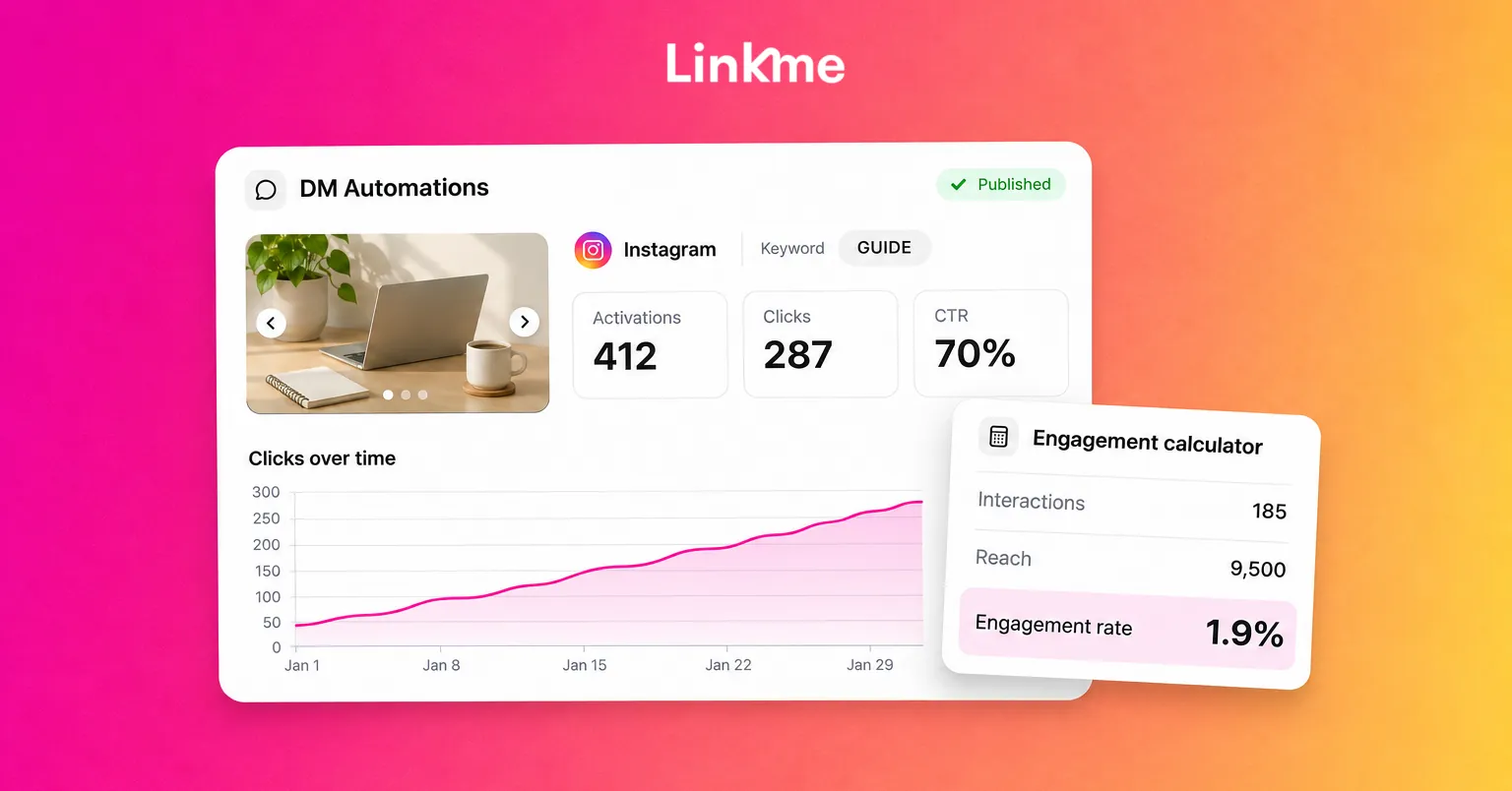
A carousel gets 120 likes, 18 comments, 25 saves and 22 shares, a total of 185 interactions. The account has 6,200 followers and the post reached 9,500 accounts.
- By followers: 185 ÷ 6,200 × 100 = 3.0%
- By reach: 185 ÷ 9,500 × 100 = 1.9%
Same post, two very different numbers. Neither is wrong, but you cannot compare a follower-based rate with someone else’s reach-based rate.
Practical rules for a clean number
- Exclude your own replies from the comment count if your tool includes them. Replying to every comment would otherwise double your comments.
- Measure each post after the same window, for example seven days, so new posts are not compared with old ones that have had months to collect likes.
- Separate formats. Reels, carousels and single images behave differently. Keep a rate for each.
- Note the metric change. Instagram moved to views as its main consumption metric and Meta has retired impressions in its API, so older reports built on impressions are not directly comparable with new ones.
How to judge an Instagram engagement benchmark
Benchmark reports disagree, often by a wide margin, because they use different formulas, different account sizes and different industries. Smaller accounts usually show higher rates than large ones, and brand accounts usually show lower rates than individual creators. Before you trust a benchmark, ask three questions:
- Divided by what? Followers, reach and views give very different results.
- Which accounts? A report built on large brands tells a creator with 5,000 followers very little.
- Which interactions? Some reports count only likes and comments. Others include saves and shares.
The most useful benchmark is your own. Take the median rate of your last ten posts in each format and aim to beat it. A rising trend against your own baseline means more than matching a number from someone else’s report.
Tactics that increase Instagram engagement
Make posts people save and share
Saves and shares tell you a post was useful enough to keep or pass on. Design for them on purpose:
- Checklists and step-by-step carousels that people will want later.
- Templates and swipe files: caption formulas, packing lists, workout plans.
- Opinions with reasons, which people send to a friend who agrees or disagrees.
- Short Reels that answer one question completely, so the viewer can share the answer.
End with a line that names the action: “Save this for your next shoot” works better than hoping people think of it.
Ask questions people can answer in a few words
“Thoughts?” rarely gets a reply. A question with an easy answer does.
- Give options: “Which would you try first, A or B?”
- Ask for experience: “What is the one tool you would not give up?”
- Ask people to finish a sentence: “The best advice I got this year was…”
Put the question in the first line of the caption or on screen, not buried under hashtags.
Reply to comments fast
Your most active followers tend to see a post soon after it goes up, and a visible conversation in the comments gives later visitors a reason to join in. Stay around after you publish and reply to early comments, ideally with a follow-up question so the thread keeps going. Pin a comment that adds information or asks the next question.
If your team handles comments, decide who owns them for each post so no one assumes someone else replied. Our guide to managing Instagram DMs and comments as a team covers that workflow.
Reward comments with the link
“Comment GUIDE and I’ll send it to you” gives people a clear reason to comment, and it moves the link into their inbox, where it does not get lost. Doing that by hand stops working after the first few dozen comments.
Linkme DM Automations handle it. You pick the post or Reel (or, on plans that include it, every post you publish later), set a keyword or answer every comment, and write the DM once with any link. Linkme can post a public reply under each matching comment, in up to five variations of up to 300 characters, and sends the DM after a delay you choose; the in-app advice is 30 to 90 seconds. Each automation reports its activations, clicks and click-through rate, so you can see which posts turned comments into visits. Every plan, including the free plan, can run automations, and the free plan includes up to three keyword automations.
Keep the offer honest. Send exactly what the post promised, and do not use a keyword ask on posts where you have nothing to send. For setup detail, see our guide to Instagram comment automation.
Post consistently, when your audience is around
Engagement rate drops when posts land while your audience is asleep or when you post in bursts and then go quiet. Use your insights to see when your followers are active, keep a steady cadence you can maintain, and test one change at a time so you know what moved the number.
What Linkme Analytics measures, and what it does not
Linkme Analytics also reports an engagement rate, along with profile views, link clicks and total interactions. Those numbers describe your Linkme page: how many people visited it and how many tapped a link. They do not come from Instagram, so they do not replace Instagram’s own insights.
Use the two together. Instagram insights tell you how a post performed in the app. Linkme tells you what happened after someone tapped through, and DM automation analytics tell you how many comments turned into clicks. That is the part of engagement that usually matters most to a business or creator.
Frequently asked questions
What is a good Instagram engagement rate?
It depends on the formula, your account size and your industry, which is why published benchmarks vary so much. Smaller accounts generally see higher rates than large ones. The most reliable target is your own median rate over your last ten posts in each format.
Do Reels views count in engagement rate?
Views are a base you can divide by, not an interaction. For Reels, many people calculate interactions divided by views, because views are the main measure of reach for video. Just do not compare that number with a follower-based rate.
Does replying to comments increase engagement rate?
Replying encourages more people to comment and keeps conversations going, which raises genuine engagement. Your own replies should not be counted in the rate, so exclude them if your tool includes them.
What is comment to DM on Instagram?
It is an automation that sends a private message to someone who comments a keyword, or any comment, on a post or Reel. The DM usually carries the link or resource the post promised. Linkme runs this on Instagram business and creator accounts and on Facebook Pages.


