Pay to Unlock Content: How to Sell Exclusive Posts From Your Page
The old Rolex invite promotion has ended. Here is what you can unlock instead: paid posts on your Linkme page, with how to choose, price, promote and get paid for them.
On this page
If you arrived looking for the old “unlock a Rolex” invite challenge, that promotion has ended, and Linkme does not give prizes or cash for inviting people. What you can unlock on Linkme today is income from your own work. Pay to unlock content lets you post something on your Linkme page with a blurred preview that opens once a fan pays. This guide covers how it works, what to put behind the paywall, how to price and promote it, and how fees and payouts work.
What happened to the Rolex invite reward
The original version of this page described a promotion that rewarded inviting thousands of people. It has ended, and nothing replaced it with prizes, watches, consoles or cash for invites. If you see a post or message promising a reward for signing people up to Linkme, treat it as out of date or a scam.
Linkme does run a separate brand ambassador program, where people work with the Linkme team to help creators grow. It is invite only, and you can apply at ambassador.link.me. It is a working partnership, not a giveaway.
The rest of this guide covers something you control: selling your own content from your page.
How pay to unlock content works on Linkme
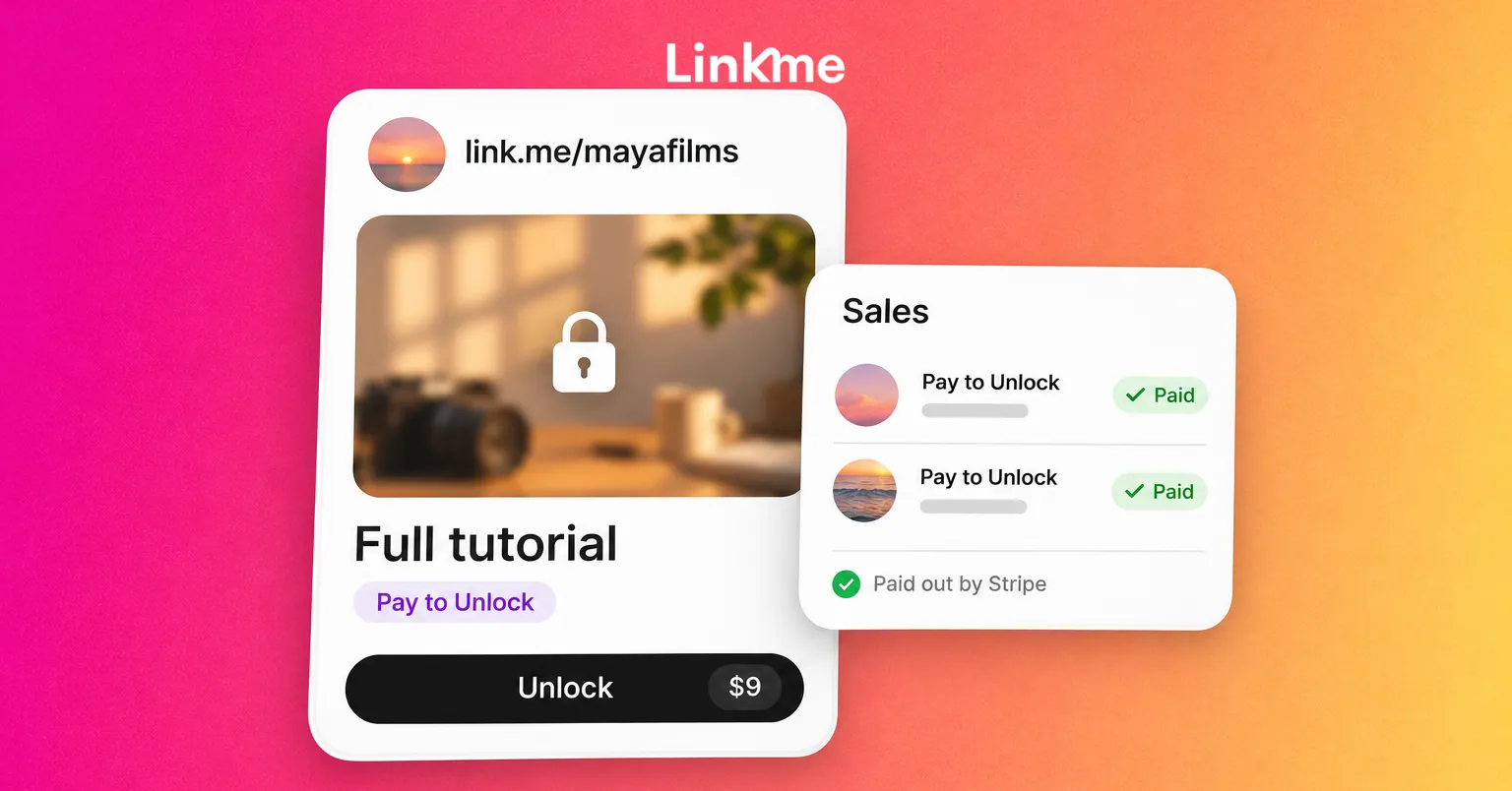
Pay to Unlock is one of the ways to sell a digital product on Linkme, alongside instant downloads such as presets, templates and guides. You choose Pay to Unlock when you create the product. On your page, visitors see a blurred preview. When someone pays, it unlocks for them.
The basics:
- Plans: Digital products, including Pay to Unlock, are on Linkme Plus and Pro.
- Checkout: Buyers pay on your page with Apple Pay, Google Pay or a card, processed by Stripe. Every product also appears in your shop at link.me/yourname/shop.
- Stripe first: Paid products need a verified Stripe account before they can be published.
- Scheduling: You can schedule a release. Buyers can pay before release day, and the product reaches them when it goes live.
- A code per product: Each digital product has its own QR code, which is handy for a poster, a merch insert or a slide at a live show.
The digital products guide walks through the setup screen by screen: add the product, set a title, description, price and cover image, connect your payout method and go live.
What to put behind the paywall
Paywalled content works when it is the fuller, deeper or earlier version of something people already like from you for free. Good candidates:
- The extended cut of a video whose short version did well.
- The full tutorial behind a Reel that only showed the result.
- The breakdown: your notes, settings or plan behind a project people asked about.
- Behind the scenes of a shoot, a fight camp, a recording session or a launch.
- Early access to something that will later be free, for the fans who do not want to wait.
Two rules keep buyers happy. First, the preview and the title must describe exactly what unlocks. Second, only sell content you own the rights to. Clips from other people’s work, licensed music you cannot resell and footage of people who did not agree to appear do not belong behind a paywall.
Pricing paywalled content
There is no single right price, but there is a sensible way to choose one:
| Question | What it tells you |
|---|---|
| How long did it take to make, and how long will it take to consume? | A detailed tutorial justifies a higher price than a short clip. |
| What do similar creators charge for comparable content? | Keeps you in the range your audience expects. |
| Is it a one-off or part of a series? | A lower price on the first item can bring buyers back for the next. |
| Who is it for? | Your most engaged fans will pay more than casual followers. |
Start with one product, see how people respond, then adjust. Before you publish, Linkme’s Transaction Fees & Earnings screen shows what you receive on a sale at the price you set, so you can price with the fees in view.
Promote it with a teaser and a keyword DM
A paywalled post nobody sees sells nothing. Most of the work is promotion.
- Post a teaser everywhere. Cut a short clip that shows what the full version contains. With Post to All, one upload goes to YouTube, Instagram, TikTok, Facebook, X, Threads and LinkedIn, with a caption per network if you need one.
- Ask for a keyword. “Comment FULL and I’ll send you the link.” With Linkme DM Automations, anyone who comments the keyword gets a DM with the product link, and each automation reports activations, clicks and click-through rate.
- Feature it on your page. Put the product near the top of your Linkme page for the launch week, then move it down.
- Email your list. On Linkme Pro, an email campaign to your subscribed contacts reaches people who might not see the post.
- Repeat at the right moments. Mention it again when a related post does well, rather than posting the same ad every day.
Fees and payouts
Each sale carries two fees: a Linkme platform fee set by your plan, and Stripe’s processing fee. The platform fee drops on higher plans; Stripe processing applies on every plan. You see your rate in Transaction Fees & Earnings before you publish anything, and every order in Sales shows its total, its fees and what you receive. The Sell & Monetize page sets out what each plan includes.
Payouts work through Stripe. Each Linkme page connects its own Stripe payout account once, and Stripe pays tips, shop sales and course revenue out to the bank account you connect. From Sales you can also export the email addresses of buyers in the orders you are looking at.
Pay to Unlock is one way to earn from your page, not a guaranteed income. What it earns depends on your audience, the content and how well you promote it.
A checklist before you publish
- The preview is clear and the title says exactly what unlocks.
- You own the rights to everything inside.
- Your Stripe account is connected and verified.
- You have checked the fees and what you receive at your price.
- The teaser, the keyword automation and the page placement are ready for launch day.
Frequently asked questions
Can I still win a Rolex by inviting friends to Linkme?
No. That promotion has ended, and Linkme does not give prizes, cash or rewards for inviting people. The ambassador program is separate, invite only, and you can apply at ambassador.link.me.
Which Linkme plan do I need for pay to unlock content?
Linkme Plus or Pro. Digital products, including Pay to Unlock, start on Plus. The free plan covers tips, merch and links to products you sell elsewhere.
How do fans pay to unlock a post?
They tap the blurred preview on your Linkme page and pay in a checkout on the page with Apple Pay, Google Pay or a card, processed by Stripe. The content unlocks once the payment goes through.
Can I put paywalled content behind my Instagram bio link?
Yes. Put your Linkme page in your Instagram bio and add your Pay to Unlock product to it. Followers tap through, see the preview and pay on your page. A keyword DM automation can also send the product link straight to anyone who comments on your teaser.