How to Build a Gaming Community Across Discord, Twitch, Kick and YouTube
Clips for discovery, live streams for the habit, Discord for everything in between. How gaming creators turn viewers into a community that returns.
On this page
- Key takeaways
- Give each platform one job
- Build a gaming Discord server that stays active
- Turn streams into gaming clips that bring people back
- Rituals turn viewers into a community
- One page for your schedule, channels and merch
- Keep it safe and welcoming
- Measure the community, not only the follower count
- Frequently asked questions
A gaming community is a group of people who show up for each other, not only for your stream. Viewers become members when they talk to each other in chat, join game nights, share clips and come back when you are offline. For most creators, that community lives across several places at once: short gaming clips for discovery, Twitch, Kick or YouTube for live sessions, and a Discord server as the home base. This guide shows how to give each platform a clear job, keep a server active between streams, and tie it all together with one page fans can always find.
Give each platform one job
Trying to grow everywhere at once usually means doing everything halfway. A gaming content creator does better treating each platform as one stage in a path from stranger to regular.
| Platform | Its job | What to post |
|---|---|---|
| TikTok, YouTube Shorts, Instagram Reels | Discovery | 15-60 second clips: a clutch play, a fail, a funny reaction |
| Twitch, Kick or YouTube Live | The live hangout | Regular streams on a predictable schedule |
| YouTube (long form) | Depth and search | Guides, highlights, challenge videos people look for |
| Discord | Home base | Conversation, game nights, announcements, fan content |
| X or Threads | Quick updates | Going-live posts, patch reactions, polls |
Pick one live platform and commit to it. Splitting a small audience across two streaming sites leaves both chats quiet, and a quiet chat is what makes new viewers leave.
Build a gaming Discord server that stays active
Discord is where a gaming community lives when you are not live. It is also where many servers go to die, usually because they launched with too many channels and no reason to come back.
Start with a small structure
Begin with four or five channels and add more only when one gets crowded:
- #welcome and #rules: short, specific rules that say what gets someone removed.
- #announcements: going-live alerts, schedule changes, events. Keep it read-only.
- #general: the main conversation.
- #clips: members share their own plays and your stream moments.
- One channel per main game, only once you play it regularly.
Use the community features
Discord lets server owners enable Community features, which include onboarding for new members, announcement channels that other servers can follow, AutoMod and Server Insights. Discord describes these in its community server documentation. Onboarding is especially useful for a gaming server: new members pick the games and roles they care about, so they see the right channels from day one instead of a wall of everything.
Give people a reason to come back
- Scheduled game nights where members play with you or each other.
- Off-stream conversation, like polls on what to play next or reactions to a patch.
- Member spotlights: pin the best clip a member posted that week.
- Early news: tell Discord first about a new series or a schedule change.
As the server grows, recruit moderators from your most consistent members. Moderators who already know the culture handle problems better than strangers, and being asked is itself a kind of recognition.
Turn streams into gaming clips that bring people back
Clips are how most people discover a streamer, so treat them as invitations rather than leftovers.
- Clip during or right after the stream, while you remember the best moments.
- Open on the action. The first second should show the play or the reaction, not an intro.
- Add captions. Many people scroll with the sound off.
- End with a pointer: “Live every Tuesday and Thursday, link in bio.”
- Post natively on each network in the right format, rather than one cropped file everywhere.
Posting the same clip to TikTok, Shorts, Reels and X by hand takes time you could spend streaming. Post to All on Linkme sends one upload to Instagram, TikTok, Facebook, YouTube, X, Threads and LinkedIn, with one caption for all of them or one per network, now or on a schedule. If you plan your Shorts in advance, the guide on how to schedule YouTube Shorts covers the details.
Rituals turn viewers into a community
The communities that last have habits people recognize. A few that work for gaming creators:
- A fixed schedule. Twitch’s Creator Camp advises adding your schedule to your channel page and your social accounts so viewers know when to tune in. The same applies on any platform.
- Recurring segments, such as a weekly viewer lobby, a ranked climb or a challenge run with a running scoreboard.
- Inside jokes and names. A name for your community, emotes and running bits give members a shared language.
- Recognition. Read out names, thank first-time chatters, and celebrate member milestones like a first win or a fan art piece.
- Community-made content. Invite fan art, member clips and thumbnails, and credit the creator every time.
Keep the tone consistent. If your stream is a relaxed hangout, a server full of hype and pings will feel wrong to the people who joined for the calm.
One page for your schedule, channels and merch
Your community is spread across five apps, and newcomers need one place that shows all of it. A link in bio page does that job when it answers three questions: when are you live, where do I join, and how do I support you.
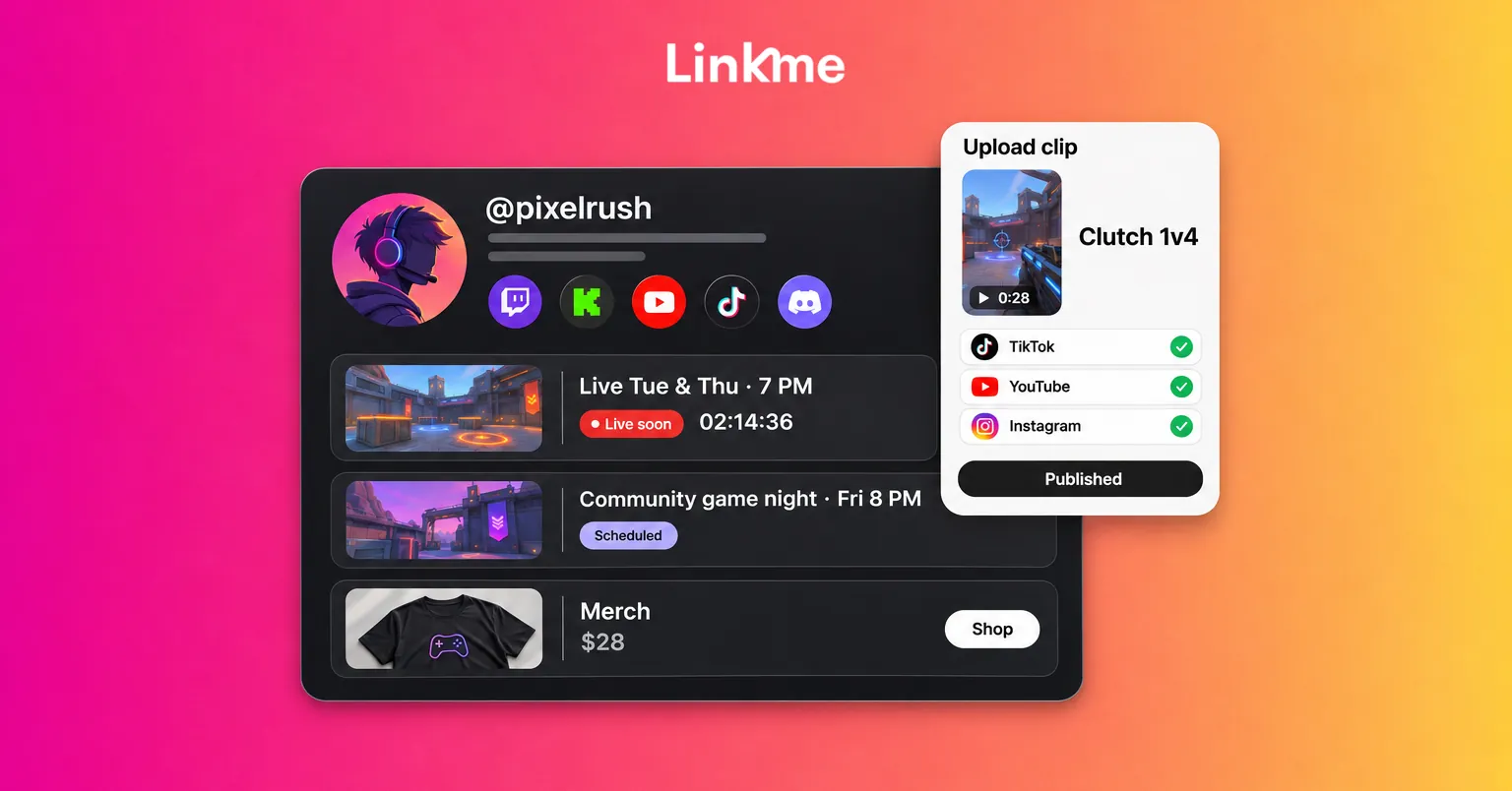
On a Linkme page for creators, you can put that in one place:
- Your channels: links to your streaming channel, Discord invite and socials, plus video feeds from YouTube, TikTok and Instagram so visitors see your latest clips.
- Your schedule or next event: events show in date order, and on Plus and Pro a link can be scheduled to go live at a set time with a countdown on the page, which suits a tournament or a launch stream.
- Ways to support you: print on demand merch that Linkme prints and ships, and tips, both available on every Linkme page.
- An email sign up: a Connect with button so fans can join your list, which you keep even if a platform changes its rules.
Put that page in every bio and in your stream panels, so a viewer who finds you on any platform reaches the rest of your community in one tap.
Keep it safe and welcoming
Gaming spaces can turn hostile quickly, and new members notice. Protect the community you are building:
- Write rules that name specific behavior, such as slurs, harassment, spoilers or self-promotion.
- Apply them the same way to everyone, including long-time regulars.
- Use automated filters for the obvious cases and moderators for judgment calls.
- Set an age-appropriate tone if younger viewers watch your content.
Measure the community, not only the follower count
Follower numbers tell you about reach. Community health shows up elsewhere:
- How many people talk in Discord each week, not just how many joined.
- Returning chatters on stream.
- Member-created clips, fan art and game night turnout.
- Which links on your page people actually tap.
If followers grow but these stay flat, you are getting views without building a community. Shift effort from posting more clips toward rituals and conversation.
Frequently asked questions
How do I start a gaming community with no followers?
Start where people already discover gaming content: short clips on TikTok, Shorts and Reels. Stream on one platform with a fixed schedule, open a small Discord with a few channels, and talk to every person who shows up. Early members who feel noticed bring the next ones.
Should I start with Discord or a streaming platform?
Usually the stream first. A Discord server needs a reason to exist, and an empty server can put people off. Open it once you have a few regular viewers who want to talk between streams, then use it for announcements and game nights.
How do I keep a gaming Discord server active?
Keep the channel list short, post announcements there before anywhere else, run scheduled game nights and spotlight member content. Recruit moderators from your regulars and remove channels nobody uses.
How many platforms should a gaming content creator use?
Pick one live platform, one or two short-form networks for clips, and Discord as the home base. Add more only when the ones you have run on a routine. One page in every bio keeps the whole set easy to find.


