How to Go Viral, and How to Be Ready When It Happens
Shares and participation drive viral posts. Learn what makes content spread and how to turn a spike into followers, sign ups and sales.
On this page
Nobody can promise you a viral post, but you can learn how to go viral more often and make sure a spike leaves something behind. Posts take off when people share them, talk about them and join in, and recommendation feeds reward exactly that. The part most accounts miss is preparation: a page ready for the traffic, an automatic reply for everyone who asks for the link, and an email sign up so the new audience is still yours next month.
What actually makes a post go viral
Most viral content today spreads through recommendation feeds, such as TikTok’s For You feed and Instagram Reels, that show posts to people who do not follow you. These feeds test a post with a small group, watch how people react and widen the audience if the reaction is strong.
The platforms are fairly open about what they look at. TikTok says its recommendations are based on user interactions such as likes, shares, comments and follows, with strong signals like watching a longer video to the end counting for more, plus video information like captions, sounds and hashtags, and that neither follower count nor previous high-performing videos are direct factors. Instagram says that for Reels it predicts how likely you are to reshare a reel, watch it all the way through and like it, and that likes, saves and shares are the most important actions it predicts in Explore.
Three things follow from that:
- Shares are the multiplier. A like ends with the viewer. A share puts the post in front of a new person who may share it again.
- Participation compounds. Comments, duets, stitches, remixes and replies give a post more life and more reasons to be shown.
- Timing is about reaction speed. A post that gets strong engagement soon after it goes up has a better chance of being tested with a wider audience.
The rest of this guide covers what you can control.
Content that people share
Viral content usually does one of a few jobs for the viewer. Ask which one your post does before you publish:
- It is useful. A tip, a shortcut or a checklist someone sends to a friend with “you need this.”
- It is relatable. A moment that makes people tag the person it describes.
- It is surprising. A result, a reveal or a before and after that people want to show someone.
- It invites a response. A question, a hot take or a trend format that people want to answer with their own version.
Then make it easy to watch:
- Show the payoff or the hook in the first second.
- Keep it as short as the idea allows. A loop that people rewatch beats a long build-up.
- Add on-screen text or captions for people watching with the sound off.
- Post natively on each network, in the format that network expects.
Community-driven reach
Big accounts do not have a monopoly on viral posts, but accounts with an engaged community have a head start. The first people to see a post are usually your followers. If they comment, share and come back, the post passes its first test.
Ways to give a post that first push:
- Reply quickly to early comments. Replies turn single comments into conversations, which keeps people on the post.
- Pin a good comment that adds context or starts a thread.
- Reply with a video to the best questions. It answers the commenter and gives you a new post.
- Invite participation with a clear prompt, such as “show me yours” or “which one would you pick?”
- Collaborate. Collab posts, duets and stitches put your content in front of another creator’s community.
- Credit and reshare. When people make their own version, repost it with credit. Instagram has native reposts, so sharing a fan’s public Reel no longer needs a workaround.
Prepare for going viral before it happens
When a post takes off, hundreds or thousands of people may ask the same question in a few hours: “Where can I get this?” or “Link?” If the answer is a stale bio link or a reply that comes two days later, most of that interest is gone.
A page ready for the traffic
Your bio link is where curious viewers go next. Make sure it shows what the viral post was about at the top, not a link from three months ago. On a Linkme page you can reorder links in seconds, make the relevant one bigger, and schedule a link to go live at a set time (on Plus and Pro), so a launch or offer appears exactly when you announce it. On Pro and every Business seat, the Deeplink Banner adds a button that opens your page in Safari or Chrome from inside the Instagram or Threads browser, where people are signed out of everything. Pages & QR covers what a page can hold.
A comment-keyword DM to catch interest
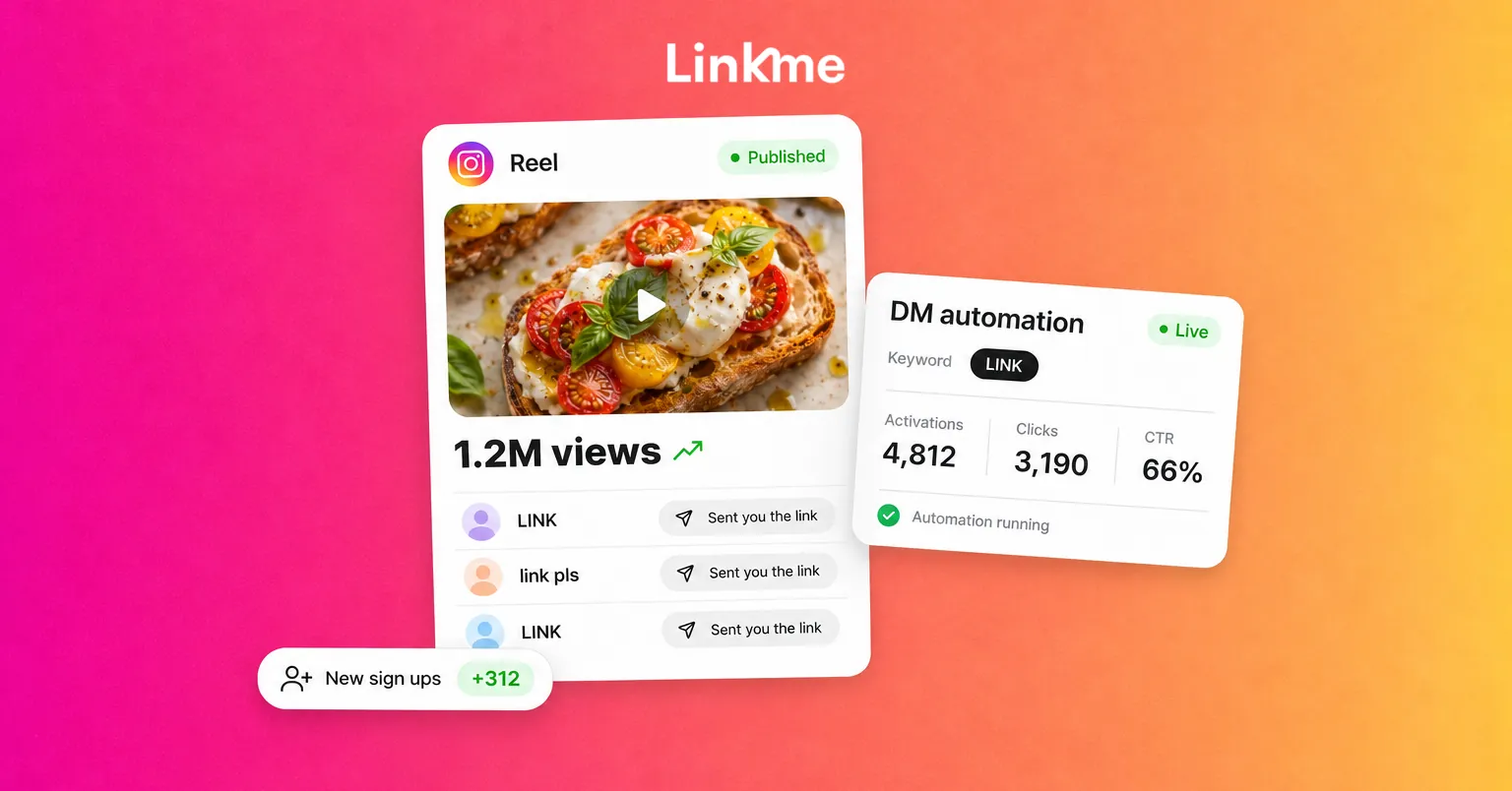
The fastest way to answer everyone is to let them ask in the comments and send the link automatically. With DM automations, you pick a post and a keyword, such as LINK or RECIPE, and Linkme sends each matching commenter a DM with your link, with an optional public reply under the comment.
A few settings matter during a spike:
- Any post or reel covers posts you publish later too, so an automation is already running if an unexpected post takes off.
- Reply variations. Up to five public reply variations keep the thread from looking copy-pasted.
- Delays. You can set a comment reply delay and a DM reply delay from 1 second to 15 minutes. Linkme suggests 30 to 90 seconds, which reads as natural.
- Results. Each automation counts activations, clicks and click-through rate, so you can see how much of the spike turned into visits.
- Contacts. The people your automations message count toward your plan’s limit. Check it during a spike, and buy more contacts if you run out.
Set it up early: the private reply to a comment goes out once per comment, within 7 days of it, so comments from a week ago cannot be caught later. For a step-by-step walkthrough, see the guide to Instagram comment automation.
An email sign up to keep them
Views fade within days, and a new follower may never see your next post. An email address reaches people directly. Put a sign up at the top of your page, such as Linkme’s Connect with button or a short form, and every sign up lands in Leads, where you can send an email campaign or export a CSV.
What to do in the first 48 hours
- Stay in the comments. Answer questions, thank people and pin the comment that points to the link.
- Update your bio link so the top of your page matches the post.
- Post a follow-up within a day or two: a part two, a behind the scenes, or an answer to the most common question.
- Do not delete and repost the original to “reset” it. You lose the engagement it already has.
- Watch the tone. Large audiences bring critics. Answer fair criticism once and calmly, and hide or report abuse.
After the spike
Look at what the post left behind: new followers who stayed, sign ups, clicks to your page and any sales. Compare them with your normal week. A post with fewer views that brought fifty new subscribers may matter more than one that reached a million people and moved nothing.
Then make more of what worked. Treat the viral post as research into what your audience wants, not a formula to copy.
Frequently asked questions
Can you go viral with a small account?
Yes. TikTok says follower count is not a direct factor in its recommendations, and Instagram Reels regularly shows content from accounts people do not follow. A small account with a post people share can reach far more people than its follower count.
How many views count as viral?
There is no official threshold. A useful way to think about it is relative: a post that reaches many times your usual audience, mostly people who do not follow you, has gone viral for your account.
What should I do when a post goes viral?
Reply to comments, update your bio link to match the post, and make sure people who ask for the link get it quickly, for example with a comment-keyword DM. Add an email sign up so you can reach the new audience later, and post a follow-up while interest is high.
Does buying followers or views help a post go viral?
No. Purchased followers and views do not share, comment or watch with real interest, which are the reactions recommendation feeds look for. They can also break platform rules and put your account at risk.