How to Get Verified on Instagram as a Creator: Meta Verified or a Free Request
Creators have two routes to Instagram's blue check: a Meta Verified subscription or a free notability request. Who qualifies for each, the steps, and how to get your profile ready.
On this page
If you want to know how to get verified on Instagram as an individual creator, there are two routes. You can subscribe to Meta Verified, which confirms your identity for a monthly fee, or you can request a free badge by showing Instagram that you are a notable public figure. Both give you the same blue check. They ask for different things, though, and suit different creators.
This guide explains each route, who qualifies, the steps in the app and how to get your profile ready before you apply. If you are verifying a brand or company account, the business process has its own requirements.
The two routes compared
| Meta Verified (subscription) | Notability request (free) | |
|---|---|---|
| What it checks | Your identity, using a government photo ID | Identity plus public notability |
| Cost | Monthly subscription, priced by region and plan | Free |
| Who it suits | Working creators who want a badge, impersonation protection and support | Public figures who already have independent press coverage |
| Main hurdle | Matching your profile name and photo to your ID | Coverage in multiple independent news sources |
| If it fails | Fix the mismatch and try again | Reapply after 30 days |
Route 1: Meta Verified for creators
Meta Verified is a paid subscription for Instagram and Facebook. Meta says the badge means your profile was verified based on your activity across Meta technologies, or on information or documents you provided. Depending on your plan and region, the subscription can also include proactive impersonation monitoring and access to account support. Meta notes that features, availability and pricing vary by region and app, so check the plan screen in your own account before you subscribe.
Who is eligible
Meta’s eligibility rules for individuals and creators include:
- You are at least 18, or the age of majority where you live, and you live in a country where Meta Verified is offered.
- Your profile name meets Meta’s naming standards and matches a valid government-issued photo ID.
- Your profile photo shows your face and can be matched to that ID.
- Your account meets a minimum level of activity, such as a history of posting.
- Two-factor authentication is turned on.
- You follow Instagram’s Terms of Use and Community Guidelines.
How to subscribe
- In the Instagram app, open your profile and tap the menu in the top right.
- Open Accounts Center and look for Meta Verified. Some accounts see it in the menu under subscriptions instead.
- Choose the profile you want to verify and pick a plan.
- Follow the prompts to upload your ID. Meta may also ask for a short selfie video.
- Complete the payment and wait for the review.
If Meta Verified does not appear anywhere in your settings, it is probably not available for your account or region yet.
Changing your profile name, username or photo after you are verified can affect your badge, and Meta’s help center has its own rules for those changes. Settle on all three before you apply.
Route 2: Request a free badge based on notability
The original verification route is still open. It is free, but it is meant for well-known people, brands and organizations, so it suits creators who already have independent press coverage.
Instagram’s four criteria
Instagram reviews requests against four criteria:
- Authentic. The account represents a real person, registered business or entity.
- Unique. It is the only account for that person, apart from language-specific accounts. Fan, meme and general-interest accounts are not verified.
- Complete. The account is public and active, with a bio, a profile photo and at least one post.
- Notable. You are a well-known, highly searched-for person, and you have been featured in multiple news sources. Paid or promotional content does not count.
How to apply in the app
- Open your profile in the Instagram mobile app and tap the menu.
- Find Request verification. On creator accounts it usually sits under Creator tools and controls, or in the Professional dashboard settings. Menu labels move between app versions.
- Enter your full legal name and upload an accepted ID, such as a passport, driver’s license or national ID card.
- Pick the category that describes you and your country or region. You can add a short description of your audience and any names you are also known by.
- Add links that show your notability: independent news articles about you, plus your official profiles on other platforms.
- Submit, then wait. Instagram sends its decision to your notifications, usually within 30 days.
Do not send a second request while the first is under review. Instagram can cancel a pending application if you apply again. If you are turned down, you can submit a new request after 30 days.
Get your profile ready before you apply
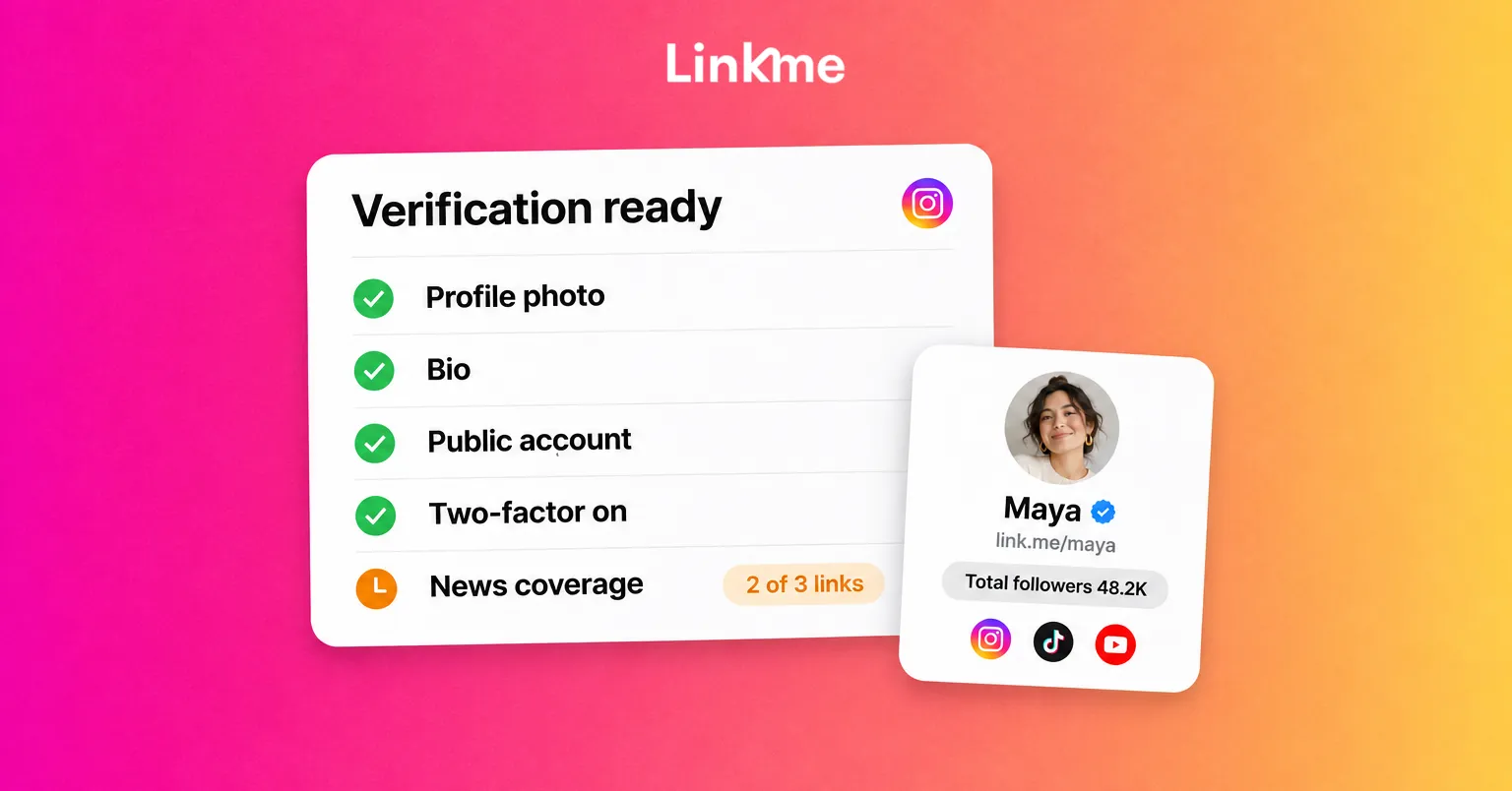
Both routes go more smoothly when your public presence is consistent and easy to check. Work through this list first.
Profile basics
- Use the name on your ID, or the name you are publicly known by alongside it, as your profile name.
- Use a clear, recent photo of your face. For Meta Verified it has to match your ID.
- Write a bio that says what you do, in plain words. A reviewer should understand who you are in five seconds.
- Make the account public and post regularly in the weeks before you apply.
Evidence of notability
For the free route, list the strongest coverage you have before you open the form. A good source is an established publication writing about you in some detail. An interview, a profile or reporting on your work all count. Weak sources include paid placements, your own blog, press releases and short lists that only mention your name.
If you do not have that coverage yet, applying again every 30 days will not change the answer. Build the record first: pitch stories to local and trade press, appear on podcasts and panels in your niche, and keep a running list of every article as it is published.
Consistency across platforms
Reviewers and fans both look you up elsewhere. Make sure your name, photo and handle match on TikTok, YouTube, X and anywhere else you post, and that each profile links back to the same home page. A Linkme page built for creators and athletes can serve as that home page, with every channel, your latest work and your contact details at one address.
Instagram’s badge and the Linkme badge are different things
Linkme’s Plus plan adds a Linkme verification badge to your Linkme page. It appears next to your total followers, one number that adds up the followers on every account you connect.
That badge belongs to your Linkme page only. It does not give you a blue check on Instagram or count as evidence in an Instagram request, and Instagram’s badge does not carry over to Linkme. The Instagram badge confirms your account inside Instagram. The Linkme badge and follower total show a first-time visitor to your page how big your audience is across platforms.
Avoid verification scams
Fake verification offers are one of the most common ways creator accounts get stolen. Keep these rules in mind:
- Instagram does not charge for the notability route, and Meta Verified is sold only inside Meta’s own apps and websites.
- Nobody can sell you a guaranteed badge or “fast-track” your request.
- Instagram will not ask for your password, or ask you to verify through a link in an unsolicited DM or email.
- Turn on two-factor authentication now, whichever route you choose.
Frequently asked questions
How many followers do you need to get verified on Instagram?
Instagram does not set a minimum. Meta Verified checks your identity and activity rather than your audience size. The free route depends on notability, so a smaller account with genuine press coverage can qualify, and a large account with none usually will not.
Is a Meta Verified badge different from a free badge?
Both show the same blue check on your profile. The difference is how you got it. Meta Verified confirms your identity for a monthly fee and can include extra features such as impersonation monitoring. The free badge is granted after Instagram reviews your notability.
How long does Instagram verification take?
For a notability request, Instagram usually sends a decision to your notifications within 30 days. For Meta Verified, the timing depends on the ID review, and the app shows the status of your application while you wait.
Can I reapply if Instagram rejects my request?
Yes. You can submit a new notability request 30 days after a rejection. Use that time to fix gaps in your profile and to collect stronger independent coverage. Sending the same application again rarely changes the result.
The badge brings trust and protection, but your audience still finds you through your work. Keep that work and your profile consistent, and the badge gets easier to earn.


