How to Request More Platforms on Linkme (and Add Any Site Today)
A missing platform rarely blocks you: add any site as a featured link today, and email support@link.me when you need Linkme to support it more deeply.
On this page
If a site you use is not in Linkme’s list, you do not have to wait for it. Paste its address as a featured link, give it your own label and icon, and it works on your page today. To request more platforms on Linkme, for example a new network you want to publish to or a service you want connected more deeply, email support@link.me with the platform’s name, a link to it and what you want it to do.
This guide explains what “supported” means on Linkme, how to add any other site yourself, and how to write a request that the team can act on.
First, work out which kind of platform support you need
People say “Linkme doesn’t support X” about very different things. Linkme’s integrations page groups what it connects to by job, and the right fix depends on which job you mean.
| What you want | How Linkme handles it today | If your platform is missing |
|---|---|---|
| Send visitors to your profile on another site | Platform links and featured links on your page | Add it as a featured link with any URL |
| Publish posts to that network | Post to All: YouTube, Instagram, TikTok, Facebook, X, Threads and LinkedIn; Linkme Business adds Pinterest, Reddit, Bluesky, Telegram, Discord and Google Business Profile | Post there natively and request it |
| Reply to comments and DMs automatically | DM automations on Instagram and Facebook Pages | Request it; answer by hand meanwhile |
| Get paid on your page | Stripe checkout and payouts | Link to the product where you already sell it |
| Share a song everywhere | Smart music link across nine streaming services | Add the missing service as a featured link |
| Sign in to Linkme | Google, Apple or email | Use email |
Most requests fall into the first row, and that one you can solve in a couple of minutes.
Add any platform today with a featured link
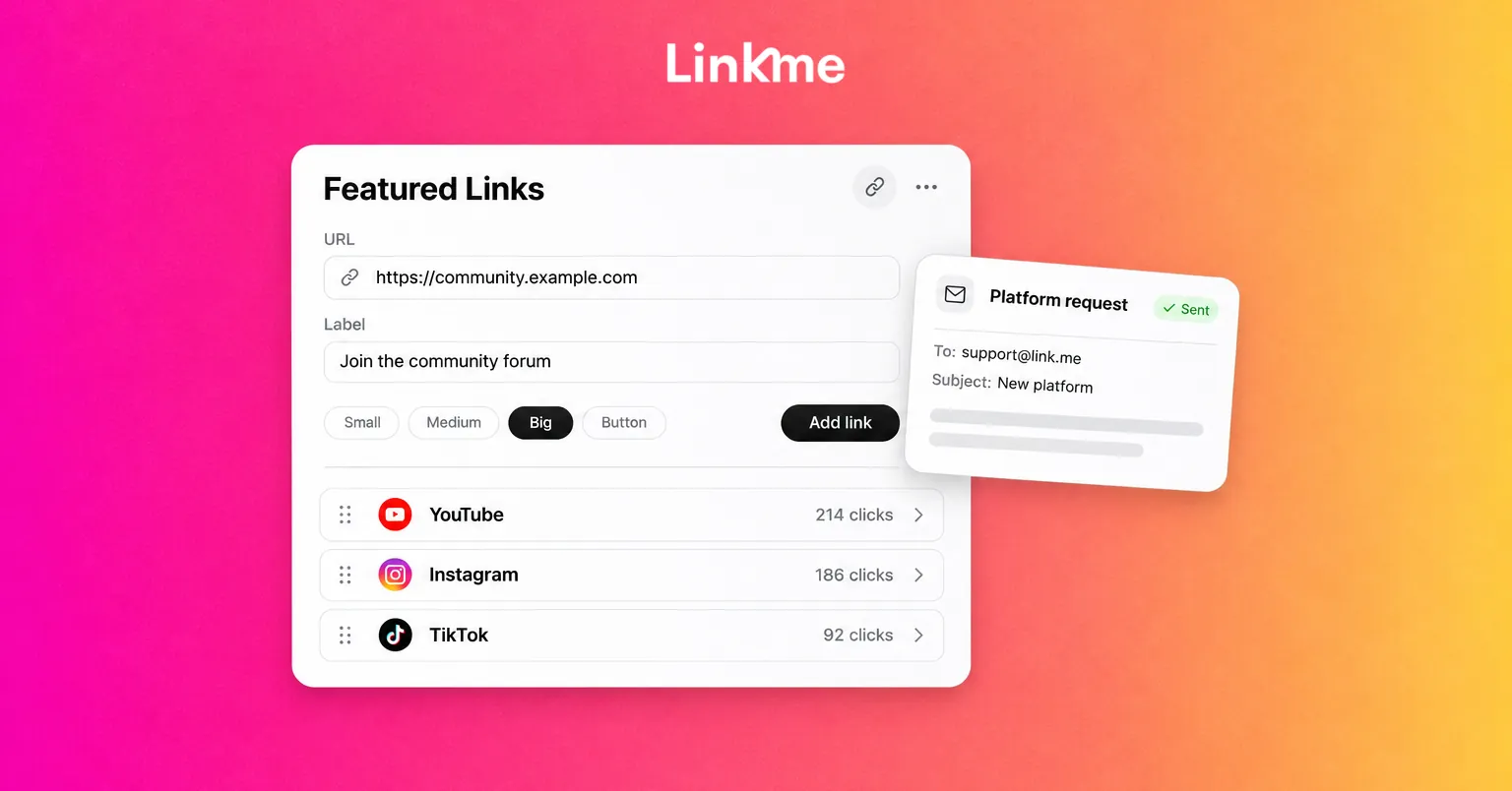
Featured links accept any web address, and the free plan includes unlimited links. Linkme’s Links & websites guide walks through the editor; the short version is:
- Open Edit Profile in your Linkme dashboard and go to Featured Links.
- Paste the URL of your profile on the platform and give it a clear label.
- Choose a size: small, medium, large or a button.
- Add an icon or a thumbnail so it is recognizable at a glance.
- Drag it into position. If your page is getting long, show a group of links as a horizontal carousel.
Make a featured link work like a built-in one
A featured link only helps if people understand it and it opens the right place. Before you publish, check:
- Use the profile address, not a share link. Copy the URL from the address bar of your public profile rather than a share button, which can add tracking parameters or point to a single post.
- Label it with the platform and the action. “Join the community forum” or “Read my newsletter archive” tells people what happens after the tap. A bare platform name works only for networks everyone knows.
- Use the platform’s own logo or a screenshot as the thumbnail. It helps people spot the link while they scroll.
- Test it on a phone, inside the apps. Open your page from your Instagram and TikTok bios and tap the link. Some sites behave differently in an in-app browser than in Safari or Chrome.
- Give it a few weeks, then check the clicks. Every link shows its own click count in your Linkme analytics. A platform nobody taps can move down the page or come off it.
When a featured link is not enough
Some platforms need more than a link, and Linkme has a specific tool for a few common cases.
Music services
If you release music, use the smart music link instead of one link per service. Paste a song or album link from any supported service and Linkme finds the same track on the others, so fans pick where they listen. If a fan’s preferred service is not one of them, add it as its own featured link under the smart link.
Ticketing and event sites
Events on your page accept a ticket link from any ticketing platform. Create the event with its name, date, venue and description, attach the ticket URL, and events sort themselves by date.
Networks you publish to
If you post to a network that Post to All does not cover, keep publishing there natively and put the profile on your page as a featured link. Snapchat, for example, is not available for posting on the web. Business teams get six more networks than the creator plans, so check the Post to All page for the current list before assuming a network is missing.
How to request more platforms on Linkme
Linkme’s support team takes requests by email at support@link.me. A specific request is easier to evaluate than “please add more platforms,” so include:
- The platform’s name and website. Spell it exactly as the company does.
- Your profile URL on it. It shows the team what a link to that platform looks like.
- The job you want done. A built-in platform link with its icon, publishing through Post to All, automated replies, or something else. Use the table above to name it.
- Why it matters to your audience. For example, that most of your paying customers find you there, or that your industry depends on it.
- Your Linkme username. So support can look at your page.
A short example:
Subject: Platform request: [platform name]
Hi, I’d like to request [platform name] ([website]) as a platform on Linkme. My profile there is [URL]. I’d mainly like it as a built-in platform link on my page, and eventually as a network I can publish to with Post to All. About a third of my audience follows me there. My Linkme is link.me/[username].
A request is not a promise that a platform will be added, and there is no set timeline for new ones. Add the featured link in the meantime so your audience can reach you there now. If you run Linkme for a business team, you can also raise it on a demo call, where the Linkme team helps connect your accounts.
Keep your platform links current
The platforms your audience uses change. A short review every few months keeps the page from filling up with places you no longer post:
- Remove links to accounts you have stopped updating.
- Move the platforms that get the most clicks toward the top.
- Replace a featured link with a built-in option if Linkme adds one for that platform. The What’s new page lists recent releases.
- Re-test every link inside the Instagram and TikTok browsers after any big change.
Frequently asked questions
Can I add a platform that Linkme does not list?
Yes. Paste the address of your profile as a featured link, add a label and an icon or thumbnail, and drag it into place. Featured links accept any URL, and the free plan includes unlimited links.
How do I request more platforms on Linkme?
Email support@link.me with the platform’s name and website, your profile URL on it, what you want it to do on Linkme and your username. There is no guaranteed timeline, so add a featured link in the meantime.
Which networks can Linkme post to?
Post to All publishes to YouTube, Instagram, TikTok, Facebook, X, Threads and LinkedIn on the creator plans. Linkme Business adds Pinterest, Reddit, Bluesky, Telegram, Discord and Google Business Profile, 13 networks in all.
Are clicks on a featured link tracked?
Yes. Every link on your page shows its own click count in your Linkme analytics, so you can see whether a platform is worth a top spot.
The quickest fix for a missing platform is a well-labeled featured link; a request to support is for the cases where you need more than a link. You can see everything Linkme connects to today on the integrations page.