Social Media for Non-Profits: Stories, Volunteers and a Donation Link That Works
How non-profits can turn stories into action: a page with a donate link to their own donation page, volunteer forms that land in one list, and email updates.
On this page
Social media for non-profits has three jobs: make people care about the cause, give them an easy way to act, and keep them involved after the first action. Stories build visibility. A single page turns that attention into donations, volunteer sign-ups and newsletter subscribers. Regular email updates turn one-time supporters into people who come back. This guide covers each step, with practical examples for small teams.
A nonprofit social media strategy built on stories
People respond to specific stories more than to statistics. A post about one family, one rescued animal or one restored park makes the mission concrete. A useful story post has four parts:
- A person or place the audience can picture.
- The problem they faced.
- What your organization did, including volunteers and donors.
- What changed, and what is still needed.
Formats that work
- Short videos from the field: a volunteer shift, a delivery, a before and after.
- Carousels that tell one story across several slides, ending with the call to action.
- Thank-you posts naming volunteers, partners or donors who agree to be named.
- Explainers showing where a donation goes, in plain numbers your organization can stand behind.
- Behind the scenes of the staff and volunteers who keep things running.
Tell stories responsibly
Ask for consent before featuring anyone, and explain where the post will appear. Protect the dignity of the people you serve: avoid images that show people at their most vulnerable without their agreement, and do not share identifying details of people in sensitive situations. Let people tell their own story in their own words where you can.
Post consistently, everywhere your supporters are
Small teams cannot create separate content for every network. Make one piece and publish it widely. Linkme’s Post to All lets you upload once and publish to YouTube, Instagram, TikTok, Facebook, X, Threads and LinkedIn, now or on a schedule, with a caption per network if you want one.
Build a page that turns attention into action
Every network lets you add a link to your profile. Use one page for all of them so you only maintain one place. Lead with the action that matters most right now, and keep the rest below it:
- Donate: a link to your organization’s donation page.
- Volunteer: a sign-up form.
- Stay in touch: an email sign-up for updates.
- Upcoming events: fundraisers, volunteer days and community events with dates.
- Your impact: a report, video or recent story.
- Links to your social accounts and website.
On Linkme, a page can hold featured links, events, video feeds from Instagram, TikTok and YouTube, a gallery, contact info, an email contact form and forms, arranged in any order. Its QR code always opens the live page, so you can print it on event signage, collection points and flyers without reprinting when your priorities change. See how pages and QR codes work.
A donation link in bio that goes to your own donation page
Linkme does not process donations. Your donate link should go to the donation page your organization already uses, whether that is your website’s donation form or the platform your finance team has set up. That keeps receipts, gift records and any tax documentation in your existing system.
Make the donation link easy to find:
- Put it at the top of your page and label it plainly: “Donate” or “Give monthly.”
- Add a short line underneath on what a gift does.
- During a campaign or giving day, use the link scheduler to make a campaign link appear at the start time and come off when the campaign ends, so the page stays current without someone updating it at midnight. On Linkme, the scheduler is on every Business plan and on the Plus and Pro People plans.
Volunteer sign-up forms that land in one list
Volunteer recruitment often runs through scattered DMs, emails and paper sheets. A form on your page puts every response in one place.
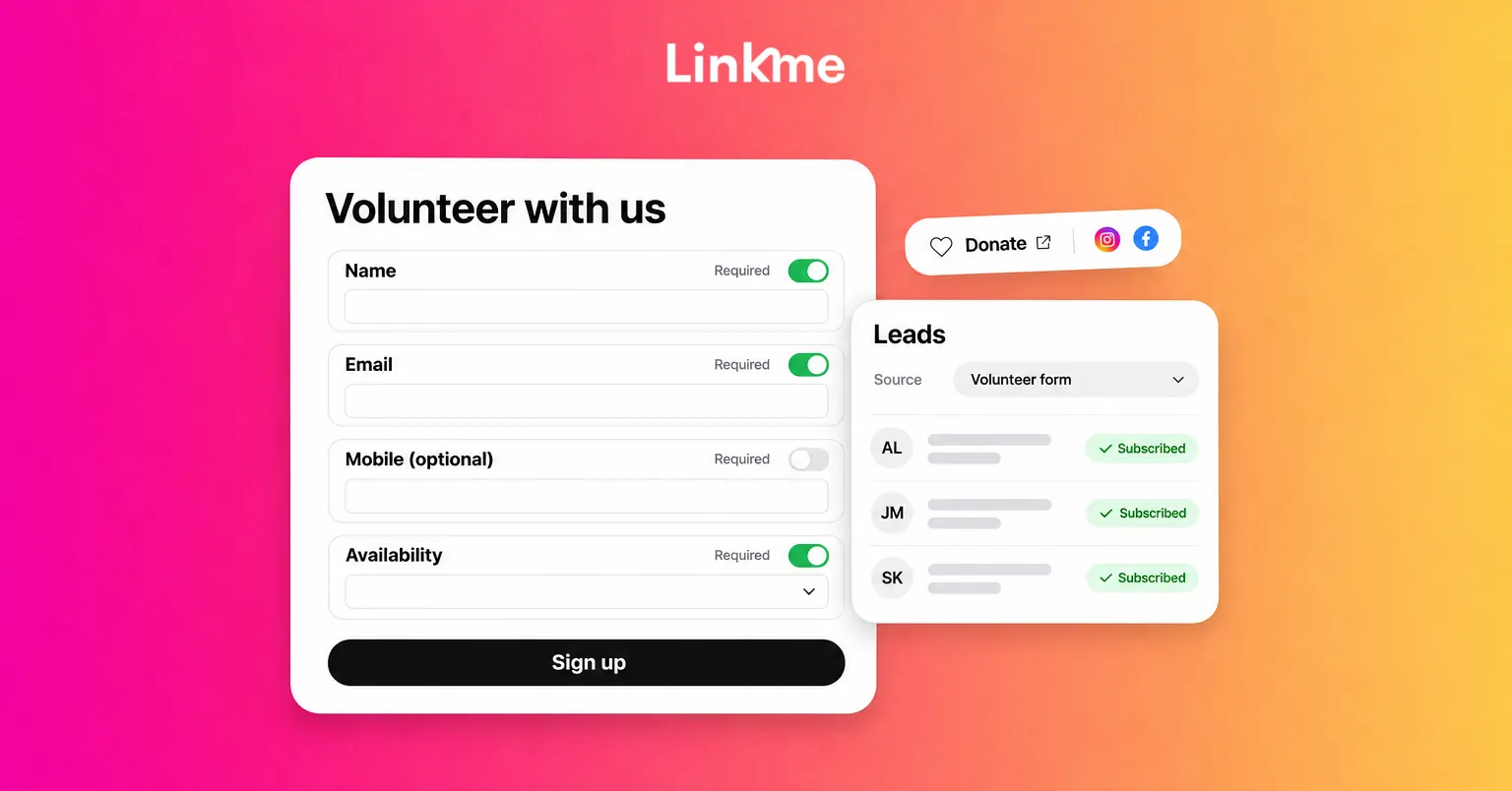
On Linkme, you build a form in the page editor with Text, Email and Mobile fields, each one Required or not, in any order. A volunteer form might ask for:
- Name (Text, required)
- Email (Email, required)
- Mobile number (Mobile, optional)
- Availability, such as “Weekday mornings” (Text)
- Skills or interests (Text)
Each form has its own name, and its responses are kept in Form Submissions. With Add submitters to my leads switched on, everyone who fills it in also joins your Leads list with that form as their source. You can then filter Leads by source to find just your volunteers, or export them as a CSV for your volunteer coordinator. Forms, Leads and email campaigns are included in every Linkme Business plan; on People plans, forms come with Plus and Leads with Pro. The lead capture overview and the lead forms guide explain the setup.
Use the same approach for other sign-ups:
- An email sign-up for supporters who want updates.
- A separate form for event registrations or a waiting list.
- A form for partners or corporate sponsors who want to get in touch.
Because each form is labeled as the source, you always know who signed up for what.
Answer common questions automatically
If people regularly comment “How can I help?” or “Where do I sign up?”, a DM automation on Instagram or a Facebook Page can reply with your volunteer form or donation page when someone comments a keyword such as HELP or VOLUNTEER. It saves a small team from answering the same question many times a day.
Email updates that keep supporters involved
Social posts reach whoever the algorithm shows them to. An email reaches everyone who asked to hear from you. Send supporters regular updates, not only appeals:
- Impact updates: what last month’s donations and volunteer hours achieved.
- Stories: a longer version of a story you posted.
- Volunteer calls: upcoming shifts, sent to the volunteers’ list only.
- Event invitations: fundraisers and community days.
- Campaign appeals: a clear ask, with a link to your donation page.
Linkme email campaigns send to everyone subscribed, to the contacts a filter in Leads finds, or to people you select, starting from one of 27 templates. You can personalize each email with the contact’s first name, send from a domain you have verified and see open and click rates for every send. Every email carries an unsubscribe link that cannot be removed, and anyone who unsubscribes is left out of later campaigns. Campaigns send when you press send.
Measure what matters
Likes are encouraging but rarely the goal. Track the actions that support the mission:
| Goal | What to watch |
|---|---|
| Visibility | Reach and follower growth on each network |
| Interest | Profile views and link clicks on your page |
| Volunteers | New submissions on the volunteer form |
| Supporters | New email sign-ups, and opens and clicks on updates |
| Donations | Gifts recorded in your own donation system |
Compare these month to month and note which stories and posts came before a rise. Then make more of what worked.
Frequently asked questions
What is the best social media platform for non-profits?
The one your supporters already use. Many organizations find Instagram and Facebook useful for community and storytelling, LinkedIn for partners and corporate sponsors, and TikTok or YouTube for reaching younger supporters. Choose two to focus on and repost to the others.
Can Linkme accept donations for my non-profit?
No. Linkme does not process donations. Add a link on your page to your organization’s own donation page, so gifts, receipts and records stay in the system you already use.
How do I recruit volunteers on social media?
Post specific opportunities with dates and tasks, show what volunteering looks like, and link to a short sign-up form. Collect every response in one list so your coordinator can contact volunteers and send updates to them as a group.
How often should a non-profit post on social media?
Post as often as your team can keep up with good stories and replies. A steady few posts a week usually works better than bursts followed by silence. Batch content and schedule it so posting continues during busy program periods.