Social Media Advertising Best Practices for Successful Campaigns
Five habits that prevent most wasted ad spend: one objective per campaign, creative testing, budgets that let ads learn, approvals with limits and fair comparisons.
On this page
The social media advertising best practices that matter most are simple to state and easy to skip: one clear objective per campaign, several creative versions tested against each other, a budget large enough for the platform to learn, an approval step before money is spent, and reporting that compares networks on the same terms. This guide turns each of those into a checklist you can apply on Meta, TikTok, LinkedIn, Pinterest or any other network you advertise on.
Start with one objective per campaign
Every major network asks you to pick an objective, and that choice tells its delivery system which people to look for. A traffic campaign finds people likely to click, not necessarily to buy. A sales campaign looks for buyers but needs conversion tracking to work.
Before you build anything, write one line for each campaign:
We are running [objective] to get [result] at or under [target cost], measured in [source of truth].
For example: “Lead generation to get booked consultations at or under $40 each, measured in our booking system.” If you cannot fill in the line, the campaign is not ready.
| Goal | Typical objective | Judge it on |
|---|---|---|
| New people hearing about you | Awareness or reach | Reach, frequency, cost per thousand |
| Visits to a page | Traffic | Landing page views, cost per visit |
| Sign ups or inquiries | Leads | Cost per qualified lead |
| Purchases | Sales or conversions | Revenue, return on ad spend |
Avoid mixing objectives in one campaign. A post you want to be both a brand video and a direct sale usually does neither well.
Test creative before anything else
Platform targeting has become broader and more automated, so the creative itself increasingly decides who sees the ad. Treat creative testing as the main job.
What to test, in order
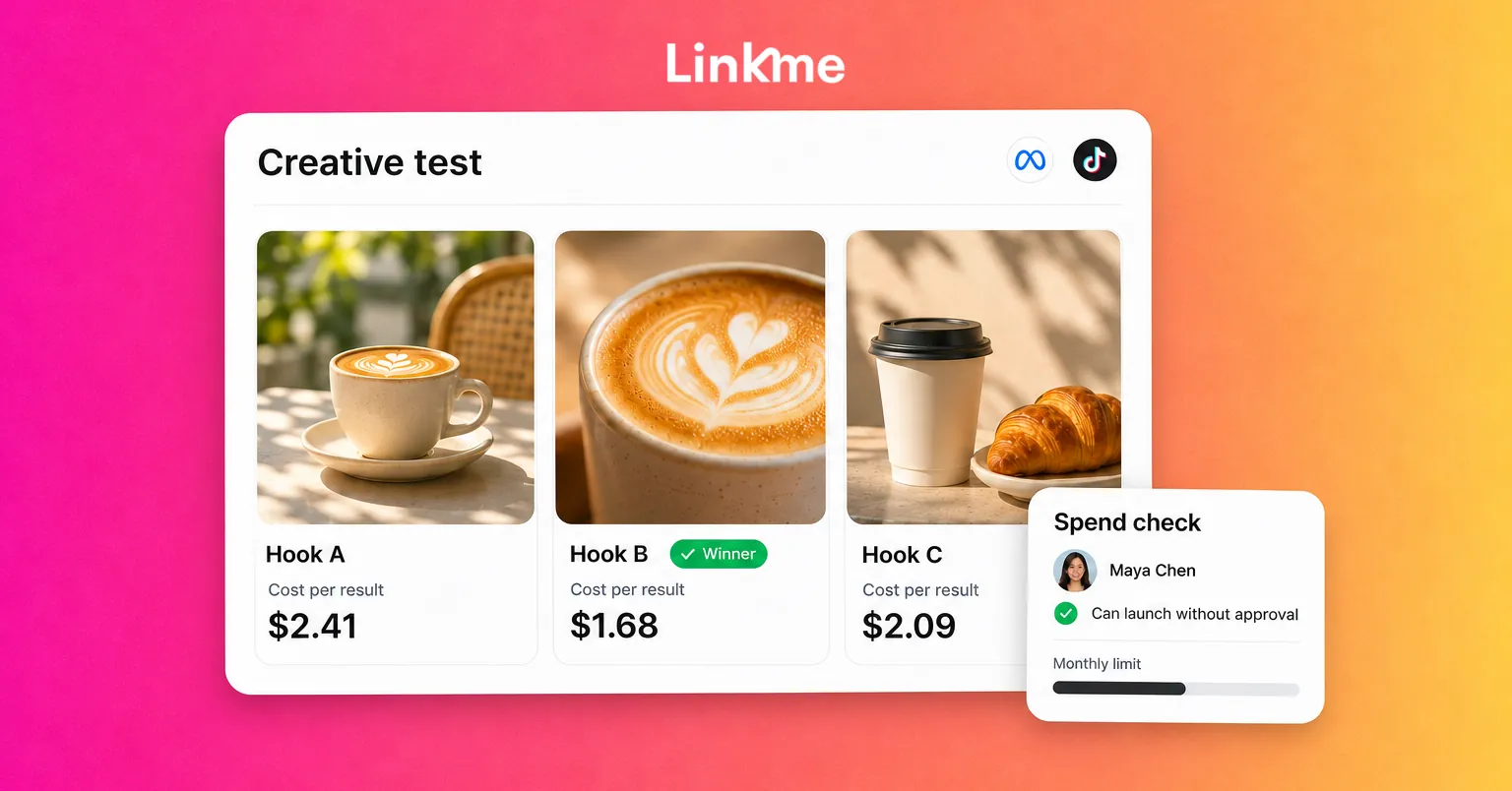
- The hook. The first two seconds of video or the first line of text.
- The format. Vertical video, carousel, single image or text.
- The offer or angle. Price, outcome, social proof or behind the scenes.
- The call to action and landing page.
How to test fairly
- Change one element at a time, so you know what caused the difference.
- Run three to five versions in the same ad set, and let the network distribute budget.
- Wait for enough results before declaring a winner. A handful of clicks is noise.
- Keep a running library of winning hooks and angles across campaigns.
Make every version native to the network it runs on. An ad that looks like an ad is easy to scroll past; one that looks like the posts around it earns a second look.
Set budgets the platform can learn from
Ad systems need data to optimize. Meta, for example, explains in its help center that an ad set can exit the learning phase after around 50 optimization events since its last significant edit, and that changes such as a new audience, new creative or a different optimization event count as significant edits. Other networks have their own learning periods and minimum budgets.
Practical budget rules:
- Fewer, better-funded ad sets. Splitting a small budget across many audiences starves each one.
- Optimize for an event you can reach. If purchases are rare, start with add to cart or lead, then move down the funnel.
- Hold changes for several days. Edits in the first days restart learning and make results hard to read.
- Scale gradually. Increase winning budgets in steps rather than all at once.
- Set a monthly ceiling per network before the month starts, not after the overspend.
Put approvals around the money
Most ad mistakes are not strategy failures. They are a wrong budget, a wrong link or an offer that ended last week, launched without anyone checking. An ad approval process catches those before they cost anything.
A workable process has three parts:
- Roles: who drafts ads, who approves them and who controls billing.
- A spending limit: how much a teammate can launch without approval each month.
- A checklist the approver uses: objective, budget and schedule, destination URL with UTM tags, creative and copy, legal or brand claims.
In Linkme, the owner connects each ad account through the network’s own sign in and controls billing, ad accounts and spending. Managers draft ads, and launching needs approval unless the owner allows it. The owner can let a teammate launch without approval up to a monthly limit; anything above that waits in Needs attention, where approving it launches it. Each person can also turn on Ad approvals alerts, in the app and by email. The Ads, Team & Security page covers the roles in detail, and the guide to a social media approval workflow shows how to design review steps that hold up.
Make the landing page match the ad
Many campaigns that look like ad problems are page problems. Check that:
- The ad’s offer is the first thing visible on the page.
- The page loads quickly on a phone and inside in-app browsers.
- There is one primary action, with the same wording as the ad’s call to action.
- Your pixels and analytics are installed, and the destination URL carries UTM tags.
If you send ads to a Linkme page, you can add your Meta Pixel ID, TikTok Pixel ID and Google Analytics Measurement ID to it, and the page’s analytics rank every link by the clicks it earns.
Compare networks on the same terms
Each network reports its own results with its own attribution rules, so comparing them from separate dashboards is misleading. Build one view with the same columns for every network: spend, results, cost per result and return.
Linkme shows spend, results and Return for each connected network side by side, across Meta, Google, TikTok, LinkedIn, X, Pinterest, Reddit and ChatGPT. Verified revenue counts sales on your Linkme pages from people who clicked an ad launched from Linkme, and Return is Verified revenue divided by the spend on those ads. The network’s own reported return shows separately, so you can see where the two disagree.
Review weekly with a fixed agenda:
- What did each network spend, and what did it return?
- Which creative versions won, and what will replace the losers?
- Is any campaign stuck in learning or limited by budget?
- What moves to next week’s tests?
Frequently asked questions
What are the most important social media advertising best practices?
Pick one objective per campaign, test several creative versions with one change at a time, fund each ad set enough to learn, approve ads before they launch, and compare networks on the same metrics. Those five habits prevent most wasted spend.
How much should I spend on social media ads?
Start with what you can afford to spend on learning for at least a few weeks, and check each network’s minimum budgets. A budget that allows dozens of results per week per ad set is far more useful than a smaller one spread across many audiences.
How often should I change my ads?
Avoid major edits in the first days so the campaign can learn. After that, replace creative when results decline or when the same people have seen it many times. Keep a steady pipeline of new versions so a tired ad never leaves you with nothing to swap in.
Who should approve social media ads?
Whoever owns the budget or the brand, often the business owner or a marketing lead. Write down who can launch without approval and up to what monthly amount, so routine ads move quickly and large or unusual spend gets a second look.
Paid social works best when strategy, approvals and reporting live in one place. Linkme lets your team draft and launch ads across networks, require approval above the spending limits you set and see the return side by side. Book a demo to see it on your ad accounts.