Podcast Promotion on Social Media: Clips, Links and an Email List
Turn each episode into short clips, post them to every network at once, send listeners to one page with every app and the latest episode, and email new episodes to your list.
On this page
Good podcast promotion on social media comes down to three things: short video clips that give people a reason to listen, one page where every episode and listening app is a tap away, and an email list so new episodes reach people without relying on an algorithm. Audio on its own does not travel well on social feeds, so the job is to turn each episode into video, post it everywhere your listeners scroll, and make the next step obvious. This guide covers a repeatable release-week routine you can run for every episode.
Turn each episode into clips
A podcast clip is a short, self-contained moment from the episode: a strong opinion, a surprising fact, a funny exchange, or a clear piece of advice. It needs to make sense to someone who has never heard of your show.
Pick the right moments
While editing, mark three to five moments that:
- Start strong. The first line should hook the viewer without any setup.
- Stand alone. No “as I said earlier” or references to a previous segment.
- End on a point, a punchline or an open question that makes people want the full episode.
If you record video, use the camera footage. If you record audio only, pair the audio with captions and a simple visual, such as the cover art or a waveform. Video podcasts give you far more options, so consider adding a camera if you can.
Format for the feed
- Vertical (9:16) for Reels, TikTok and Shorts; square or landscape can work on LinkedIn and X.
- Burned-in captions. Many people scroll with the sound off.
- Keep it short. Most clips work best well under a minute; save longer cuts for YouTube.
- A clear title card or first line that says what the clip is about.
Post clips to every network at once
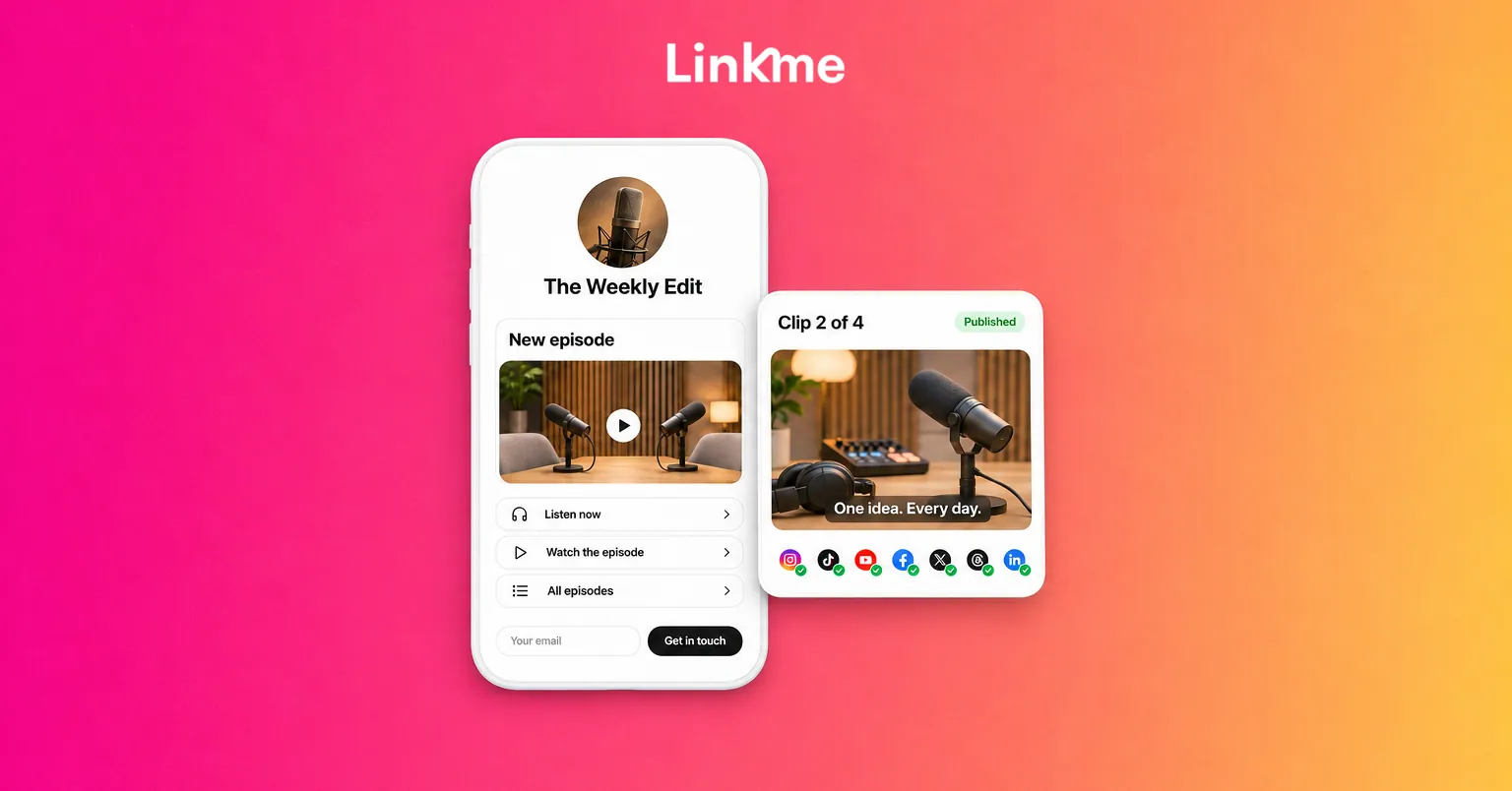
Uploading the same clip to six apps, one by one, is where most podcast promotion stalls. With Post to All, you upload a clip once and publish it to YouTube, Instagram, TikTok, Facebook, X, Threads and LinkedIn, now or on a schedule. Linkme Business adds Pinterest, Reddit, Bluesky, Telegram, Discord and Google Business Profile.
Write one caption for every network, or give a network its own when it needs one. The composer checks each limit as you type, from 280 characters on X to 5,000 on YouTube, where you also add a title. A live status shows where each post went out, and if one network misses, you can retry just that one.
Captions for clips should do three things:
- Say what the clip is about in a line.
- Name the guest and tag them.
- Tell people where to listen: “Full episode at the link in bio.”
For more on adapting one post for several networks, see our guide to cross-posting on social media.
Build a podcast link in bio page
Every clip ends with the same question: where do I listen? Most networks give you one link in your bio, and listeners use different apps. A page that lists them all solves both problems.
What to put on a podcast page, in order:
| Section | What it does |
|---|---|
| Latest episode | A big link to the newest episode, or the YouTube video playing on the page |
| Listening apps | One link each for the apps your show is on |
| Email sign up | A one-tap way to get new episodes by email |
| Back catalog | Your best or most popular episodes |
| Guest or sponsor links | Links you promised in the episode |
| Merch or support | If you sell anything or accept tips |
On a Linkme page, you can add featured links in Big, Medium, Small or Button sizes, video feeds from Instagram, TikTok and YouTube, and a YouTube video that autoplays on the page. With Plus or Pro, the Link Scheduler puts a link live at a start time and takes it down at an end time, so your new episode link can appear at release time without you touching it. Each page also has its own QR code, which you can print on event signage or show at the end of a video episode.
One practical detail: inside the Instagram and Threads in-app browser, people are signed out of everything, including their podcast apps. Linkme’s Deeplink Banner adds a button that opens your page in Safari or Chrome, where listening links behave the way people expect.
Grow an email list for new episodes
Social reach changes from week to week. An email list does not. People who signed up want to hear about your next episode, and an email reaches them whether or not the algorithm shows them your clip.
- Ask on your page. Linkme’s Connect with button puts an email field under your name; sign ups land in Leads with their source.
- Ask in the episode. A short mention at the end: “Get every episode by email at the link in my bio.”
- Send one email per release. The episode title, two lines on why it is worth hearing, and one button to listen.
With Linkme email campaigns, you can start from a template, fill in each contact’s first name, send to your list and see open and click rates for each send. Sending needs Linkme Pro or a Business plan.
Turn comments into listeners
When a clip does well, people ask in the comments where to find the full episode. DM automations can answer for you: pick the post, choose a keyword such as EPISODE, and Linkme sends a DM with the episode link, with an optional public reply under the comment. It works on Instagram business or creator accounts and Facebook Pages, and counts activations and clicks for each automation.
Make it easy for guests to share
Your guest’s audience has never heard of your show, which makes them the most valuable people to reach. Before release day, send each guest:
- Two or three clips featuring them, already captioned.
- The release date and time.
- The episode link and your page link.
- A suggested caption they can edit.
A guest with ready-made clips is more likely to post than one who is only asked to “share when it’s live.”
A release-week routine
| Day | Task |
|---|---|
| Before release | Edit clips, write captions, schedule posts, send the guest clip pack |
| Release day | Episode live; first clip posts; new episode link goes live on your page; email goes out |
| Day 2 to 4 | One clip per day to every network |
| Day 5 to 7 | Reply to comments, check which clip drove the most link clicks |
After a few episodes, your page analytics will show which links people tap most and where they come from. Use that to decide which apps to list first and which kind of clip to cut more of.
Frequently asked questions
How many clips should I make per episode?
Three to five is a good range. That gives you one clip a day for most of release week without repeating yourself, and enough variety to learn which kind of moment your audience responds to.
Where should a podcast link in bio point?
To one page that lists every listening app, with the newest episode at the top and an email sign up. Linking to a single app leaves out everyone who listens somewhere else.
Should I post full episodes on social media?
Post full video episodes on YouTube, where long videos are expected. On short-form feeds, post clips that send people to the full episode.
Is an email list worth it for a small podcast?
Yes. A small list of people who asked to hear from you is often more reliable than social reach, and it is much easier to start early than to build later.