How to Build a TikTok Community That Keeps Coming Back
Views come and go. A TikTok community comes back. Use video replies, Stitches, LIVE and recurring series, then give your biggest fans a page and an email list you own.
On this page
A TikTok community is the group of people who come back to your videos because of you, not because the algorithm happened to show them one clip. Views come and go with each upload; a community comments, replies to each other, shows up when you go LIVE and follows you when you ask them to go somewhere else. You build it by turning comments into conversations, giving people recurring reasons to return, and moving your most engaged fans to a page and an email list you control.
This guide covers the features and habits that build that loyalty. If you are still working on reach, hooks and posting cadence, start with growth first and come back here once people are watching.
Views versus a TikTok community
The difference shows up in the comments. A video that went wide but has no community behind it collects one-word reactions and then goes quiet. A video with a community behind it collects questions, callbacks to earlier videos, and replies between viewers who recognize each other.
Useful signs your audience is turning into a community:
- The same usernames appear in your comments across many videos.
- Viewers answer each other’s questions before you do.
- People reference your series names, catchphrases or past videos.
- Requests start appearing: “Do one about…”, “Part two?”
- LIVE viewers stay for most of the session, not just the first minute.
Track these alongside your analytics. Comments, shares and saves per video tell you more about community than raw views.
Turn comments into conversations
TikTok engagement starts in the comment section, and the creators with the strongest communities treat it as a second feed.
Reply with video
TikTok lets you reply to a comment with a new video, and the original comment appears on screen. This is the most direct community tool on the platform. It rewards the person who asked, shows everyone else that questions get answered, and gives you a steady supply of ideas your audience already wants.
Pick comments that:
- Ask something other viewers probably wonder too.
- Disagree respectfully, so you can explain your view.
- Come from regulars, to show that showing up gets noticed.
Use Stitches and Duets to include people
Stitch lets you clip part of another video and add your response. Duet puts your video side by side with someone else’s. Both work in two directions. You can stitch or duet viewers who make videos about your content, which tells your audience that their creations matter. You can also invite people to duet or stitch you by posting prompts, templates or challenges designed for a response.
Check your own privacy settings so the people you want to reach can actually stitch and duet your videos.
Pin and seed the comment section
Pin a comment that sets the tone or answers the obvious question. Ask a specific question at the end of the video rather than a generic “Thoughts?”. A specific prompt, such as “Which one would you pick?”, gets answers people can reply to.
Give people a reason to come back
Run recurring series
A series turns one-off viewers into followers who wait for the next part. Good series formats have a clear name, a repeatable structure and a regular day: a weekly review, a “day in the life”, a reader question every Friday. Add each episode to a playlist on your profile, if TikTok has made playlists available on your account, so new viewers can binge the back catalog.
Build shared language
Communities form around inside jokes, nicknames and rituals. Name your audience if it fits your style, repeat recognizable openings and sign-offs, and refer back to moments the regulars remember. Do not force it; pick up the phrases your audience already uses.
Go LIVE on a schedule
TikTok LIVE is where you talk with people in real time, answer questions and learn names. TikTok sets age and eligibility requirements for going LIVE and for features such as gifts, and they vary by region, so check the LIVE option in your app to see what is open to your account.
To make LIVE build community rather than just fill time:
- Go live at the same day and time each week, and announce it in a video beforehand.
- Have a loose plan: a topic, a Q&A, a behind-the-scenes look or a work session.
- Greet people by name and ask returning viewers what they want next.
- Turn on moderation tools and assign trusted viewers as moderators.
- Clip the best moments into regular videos afterward.
Protect the space
A community only grows if people feel comfortable commenting. Use TikTok’s comment controls to filter keywords and spam, decide who can comment, duet and stitch, and remove or block accounts that harass others. Write down a few simple rules for yourself and your moderators, and enforce them the same way every time. Regulars notice when the space is looked after.
Move your community somewhere you own
The feed decides who sees each video. A platform change, an account problem or a quiet month can cut you off from people who would happily hear from you. The fix is to give your most engaged fans a second way to stay in touch.
Put one page in your bio
TikTok limits where links appear: captions and comments are not clickable, and the profile website field is only available to some accounts. That makes your bio link the main exit from TikTok, so it should open a page that does several jobs at once: your other channels, your latest videos, anything you sell and a way to join your list.
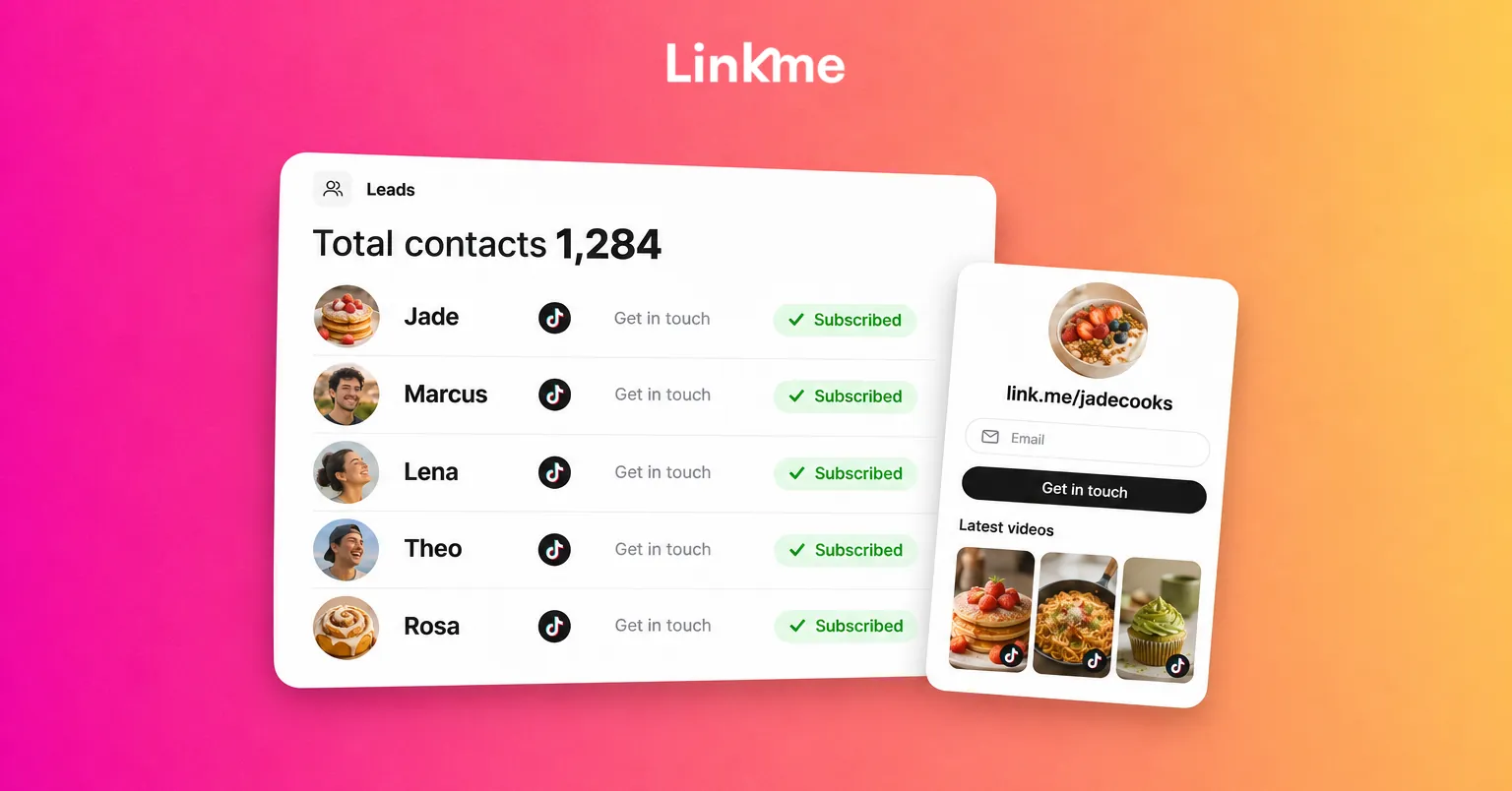
A Linkme page for creators and athletes is built for this. You can add a section for your TikTok videos, list your other networks as platform links, and put a “Connect with” email sign up under your name so fans can join your list in one tap.
Collect emails, then use them
With Linkme’s lead capture, every fan who chooses to share an email lands in Leads with the source they came from. On Pro or a Business plan, email campaigns let you send to that list from the same dashboard and see opens and clicks. Use it the way you use LIVE: a predictable rhythm, such as a short note before each new series or drop, rather than an email every time you post.
Tell fans what they get for joining: early access, behind-the-scenes notes or first word on merch. Mention it in videos and on LIVE, then point to the link in your bio.
Frequently asked questions
How do you build a community on TikTok?
Reply to comments, especially with video replies, run recurring series, use Stitches and Duets to include your audience, and go LIVE on a schedule. Look after the comment section with filters and moderators. Then give engaged fans a page and email list so you can reach them outside the feed.
What is the difference between TikTok engagement and community?
Engagement is the activity on a single video: likes, comments, shares and saves. Community is when the same people engage again and again, talk to each other and follow you across videos and platforms. High engagement on one viral video does not mean you have a community yet.
Do you need TikTok LIVE to build a community?
No, but it helps. LIVE lets you talk with viewers in real time, which is where many casual viewers become regulars. TikTok sets eligibility requirements for LIVE, so check whether it is available on your account. If it is not yet, video replies and series do much of the same work.
Why should TikTok creators collect emails?
Because the feed controls who sees each video. An email list lets you reach your most engaged fans directly about a new series, a LIVE or a launch, and it stays with you if your reach changes or you move to a new platform.
Community takes longer to build than reach, but it lasts longer too. If you want one page that connects your TikTok to everything else you run, see how creators use Linkme.


