Twitter Community Building: A Beginner's Step-by-Step Guide for X
A beginner's step-by-step guide to building a community on X: niche, replies, Lists, Spaces, group chats and how to measure it.
On this page
- Key takeaways
- Step 1: Pick a niche you can keep talking about
- Step 2: Set up your profile for the people you want
- Step 3: Find your people with Lists and search
- Step 4: Reply and quote before you broadcast
- Step 5: Give people a regular place to meet
- Step 6: Post on a rhythm you can keep
- Step 7: Measure community, not only followers
- Frequently asked questions
A follower count tells you how many people could see your post. A community is the smaller group who reply, come back, recognize each other and show up when you ask. Twitter community building on X starts with that smaller group: a clear topic, consistent replies, a regular place to talk and a way to keep in touch beyond the timeline. This step-by-step guide is for beginners, and it reflects how X works now, including the changes to Communities.
Step 1: Pick a niche you can keep talking about
Communities form around a shared interest, not around a person posting about everything. “Marketing” is too wide. “Email marketing for independent bakeries” or “budget travel in Southeast Asia” is narrow enough that you start recognizing the same names within a few weeks.
A useful test: can you list 20 questions people in this niche ask, and 10 accounts already talking about it? If yes, there is a conversation to join. If you struggle with either list, narrow or shift the topic.
Write one sentence that says who the community is for and what they get from you. You will use it in your bio, your pinned post and when you invite people to anything.
Step 2: Set up your profile for the people you want
When someone sees a good reply from you, they tap your profile to decide whether to follow. Make that decision easy.
- Name and handle. Use the name people will search for. Avoid numbers and underscores that make it hard to say out loud.
- Bio. Your one sentence from Step 1, plus what you post and how often. “Weekly breakdowns of bakery email campaigns. Live Q&A every other Thursday.”
- Header image. Show the topic or announce your recurring event.
- Pinned post. Your most useful post, or an invitation to your next Space or group chat.
- Website link. X gives you one link field. Point it to a link in bio page that holds your newsletter sign-up, other channels and anything you sell, so new members can find the rest of what you do.
Step 3: Find your people with Lists and search
You cannot reply to conversations you never see. Two built-in tools fix that.
Lists. Create a List of 30 to 50 accounts in your niche: people asking questions, people answering them and peers at your level. You can keep a List private if you would rather not announce who is on it. Read it daily instead of relying on the main timeline, which mixes in everything else.
Search. Save searches for the phrases your audience uses, such as a product name plus “help” or “recommend.” Filter to latest posts so you catch questions while they are fresh.
Step 4: Reply and quote before you broadcast
In the first month, aim for roughly three replies for every original post. Replies are where new people discover you, and they show what you know without asking anyone to follow you.
A good reply adds something:
- Answer the question directly, then add one detail the original poster did not mention.
- Share a short example from your own experience.
- Ask a follow-up question that keeps the thread going.
Quote posts work when you add a view of your own, such as a counterpoint, a step-by-step breakdown or a “here’s how this applies to small teams.” A quote that only says “this” adds nothing.
When people reply to you, answer them. Early on, every reply you get is a person testing whether you are worth talking to.
Step 5: Give people a regular place to meet
A community needs a time and place where members show up together. On X, the main options today are Spaces and group chats.
Host a recurring Space
Spaces are live audio conversations that anyone on X can listen to and that you can invite people to speak in. See X’s guide to hosting a Space for the current steps, controls and which devices can host.
Keep it simple:
- Pick a fixed slot, such as every other Thursday at 6 p.m., so people can plan around it.
- Bring one topic and one or two guests from your List.
- Invite listeners up to speak. A Space where only the host talks is a podcast with fewer listeners.
- Post a short recap afterward with the three most useful points and tag the speakers.
What happened to X Communities
Older guides tell you to start an X Community. In April 2026, X announced it was retiring Communities, citing low usage and spam, with a shutdown date set for the end of May. Admins were pointed to group chats in XChat, which can be joined through shareable invite links that you post or pin on your timeline. In the same week, X launched custom timelines for Premium subscribers, topic feeds you can pin to your Home tab.
If you are starting today, don’t build on Communities. For your most engaged members, a group chat with an invite link you pin or share in your posts is the closer replacement. Keep it focused on the topic, set a few simple rules in the first message and be present in it.
Step 6: Post on a rhythm you can keep
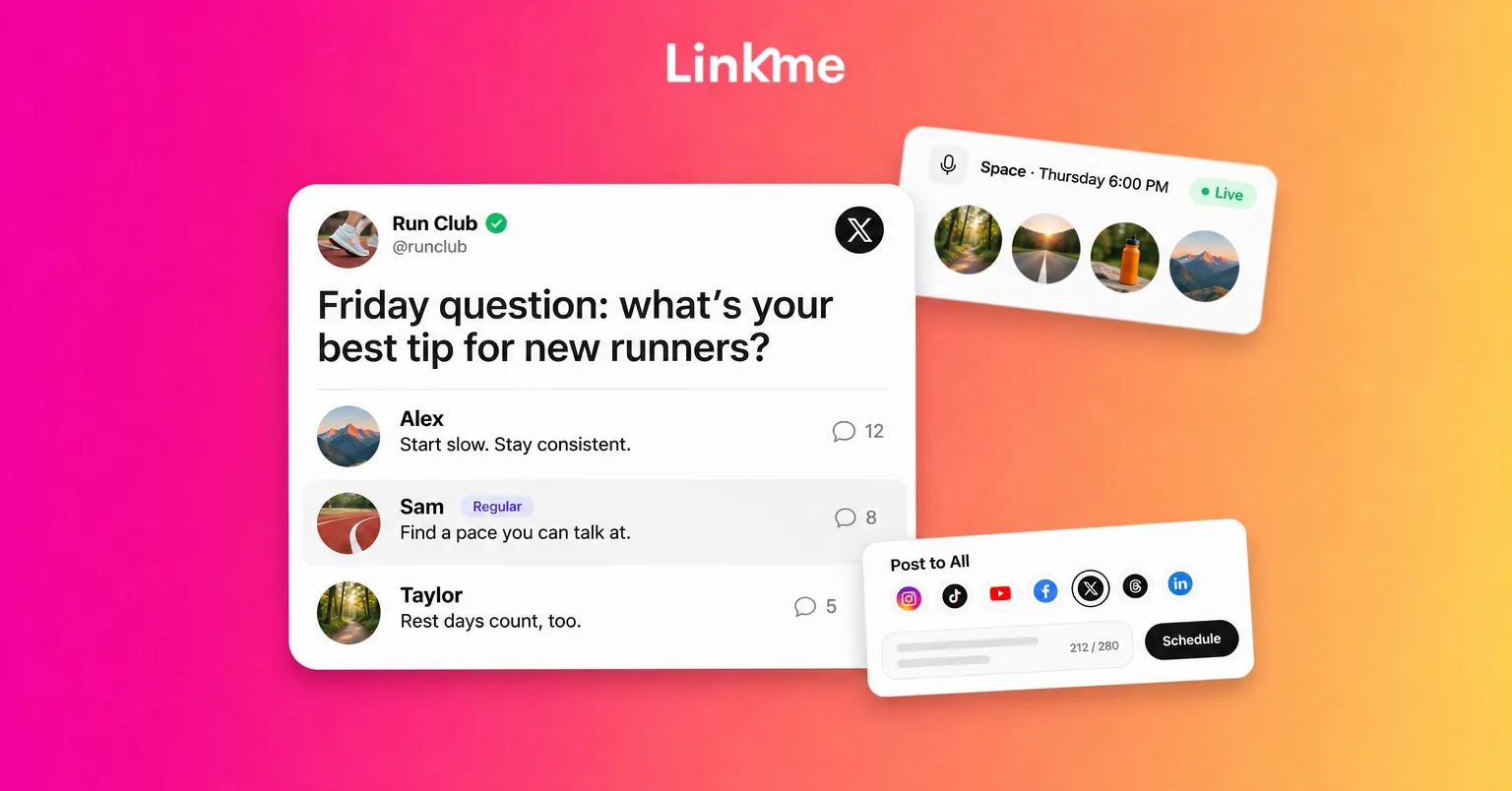
Original posts still matter. They give people something to reply to and a reason to check your profile. Pick a few repeatable formats tied to your niche, such as a weekly breakdown, a Friday question or a short tip with a screenshot, and post them on the same days.
If you also post on Threads, LinkedIn or Instagram, you don’t need to write everything twice. With Post to All, you upload once and write one caption or one per network, then publish now or schedule it to X and up to six other networks. The X caption is checked against its 280-character limit as you type, and X posts can be text, an image, a video or up to four images. The guide to cross-posting covers how to adapt a post for each network.
Save your replies, Spaces and group chat for X itself. Those are what turn followers into regulars, and they don’t cross-post.
Step 7: Measure community, not only followers
Follower growth is easy to see and easy to misread. Track signs that people are coming back:
| Signal | What it tells you |
|---|---|
| Repeat names in your replies | People are returning, not just passing through |
| Members replying to each other | The conversation no longer depends on you |
| Space attendance over several weeks | Your regular slot is working |
| Group chat joins from your posts | People want closer contact |
| Clicks from X to your page and sign-ups | Members are following you beyond the timeline |
Review these once a month, keep the formats that bring people back and drop the ones that don’t.
Frequently asked questions
How long does it take to build a community on X?
Expect a few months of steady replies and posts before you see the same people returning. Recurring events like Spaces usually start small and grow as attendees bring others. Consistency matters more than volume.
Are X Communities still available?
X announced in April 2026 that it was retiring Communities, with a shutdown planned for the end of May, and pointed groups toward XChat group chats with joinable invite links. Check the X app for the current state of any Community you belong to, and use group chats or Spaces when you start something new.
Do I need X Premium to build a community?
No. Replies, quote posts, Lists, search and Spaces are all available without a subscription. Premium adds extra features such as custom timelines, so check X’s Premium page for what the current tiers include before paying.
What is the difference between followers and a community?
Followers may see your posts. A community talks back, recognizes other members and shows up for things you organize. You can have a small following and a strong community, and that group is usually the one that buys, shares and supports what you do.
Building a community on X is mostly showing up: the same topic, the same reply habits and the same meeting time, week after week. Give the people who stick around a page where they can join your list and find your other channels, so the relationship lasts even when the platform changes.


