AI-Powered Conversations on Social Media: What to Automate and What Needs a Person
Which social media conversations to hand to automation, which need a person, where generative chatbots go wrong and how to design a handoff that never leaves customers stuck.
On this page
AI-powered conversations on social media work best when the AI handles the predictable questions and a person handles everything that needs judgment. Automate the messages that always get the same answer, such as “send me the link” or “what are your hours?”, and route complaints, custom requests and anything sensitive to a human. This guide explains the different kinds of conversational AI for business, where each fits, and how to set up the handoff so customers never get stuck with a bot that cannot help.
Three kinds of AI-powered conversations
When people talk about an AI chatbot for Instagram or AI DM replies, they usually mean one of these.
| Type | How it works | Best for | Main risk |
|---|---|---|---|
| Rule-based automation | A keyword, emoji or any comment triggers a reply you wrote | Sending links, repeat questions, lead magnets | Feels robotic if the message is long or off-topic |
| Generative chatbot | A language model writes each reply in real time | Open-ended FAQs with a well-defined knowledge base | Confident wrong answers, off-brand tone |
| AI-drafted, human-sent | AI suggests a reply, a person edits and sends it | Busy inboxes where accuracy matters | Slower than full automation |
Many businesses get the most value from the first and third types. The rule-based reply is predictable because you wrote it. The drafted reply saves typing while a person stays responsible for what is sent.
What to automate
Good candidates share three traits: the question comes up often, the answer is the same for everyone, and a wrong answer would be rare and cheap.
- “Link?” under a post about a product, event or booking.
- Opening hours, location and parking.
- Where to find the menu, price list, schedule or ticket page.
- A free guide, checklist or discount page promised in a post (“Comment GUIDE and I’ll send it”).
- Event details that are published and unlikely to change.
For these, a short reply with the right link beats a long conversation. People want the page, not a chat.
What needs a person
Route these to a human every time, even if a model could produce a plausible answer:
- Complaints, refunds, cancellations and order problems.
- Anything involving health, safety, legal or financial details.
- Custom quotes, group bookings and partnership or press requests.
- Messages that share personal information, or ask you to.
- Conversations where someone is upset, confused or has already received an automated reply that did not help.
- Anything about availability or price that changes daily.
A useful rule: if a wrong answer could cost money, trust or safety, a person answers.
Where generative chatbots go wrong
Conversational AI can be impressive in a demo and risky in production. The common failures are predictable:
- Invented details. A model asked about a refund policy it was never given may write one that sounds right.
- Out-of-date answers. Last month’s opening hours or sold-out dates stay in the knowledge base.
- Tone drift. Replies that are too casual for a complaint or too formal for a fan.
- No exit. The customer asks for a person and the bot keeps answering.
If you use a generative chatbot, give it a narrow, current knowledge base, tell it to hand off when it is unsure, and review a sample of its conversations every week. Be honest that replies are automated; customers are more forgiving of a clear automated message than of a bot pretending to be a person.
How this works on Linkme
Linkme takes the predictable route for automated replies and keeps people in charge of the rest.
DM automations reply with what you wrote
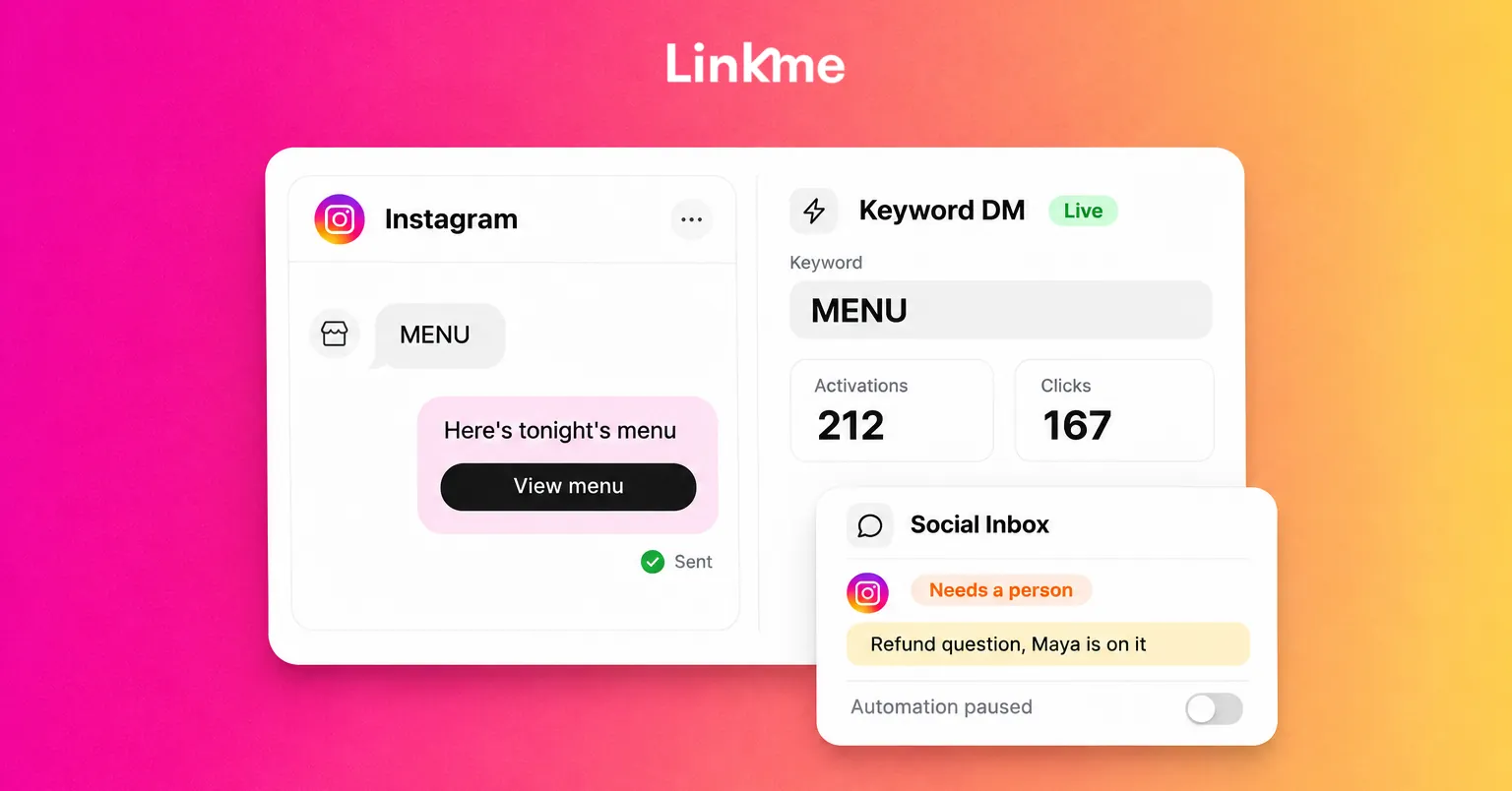
DM automations turn Instagram and Facebook comments into DMs and answer messages people send you. You pick the posts, set the trigger (keywords, emoji or any comment) and write the DM once with any link. Linkme can post a public reply under the comment, rotating through up to five variations of up to 300 characters, and sends the DM. For messages people send you, a DM automation can reply on keywords or to any message, with up to three links as buttons on Instagram, and an any-message reply reaches the same person once every 24 hours at most.
You can set separate delays for the public reply and the DM, anywhere from 1 second to 15 minutes. The advice in the app is 30 to 90 seconds, which feels natural. Every automation counts its activations, clicks and click-through rate, so you can see which keyword earns its keep.
Link sets things up but never replies
Link, Linkme’s AI social media manager, can draft an automation for you, and it turns it on only after you approve it. On Linkme Business, Link can also draft replies, and you decide what gets sent. Link never replies to comments or DMs itself: DM automations do the replying with the text you approved, and your team answers the rest. More on what Link does is on the Link page.
People answer the rest in the inbox
Everything that needs a person lands in the Social Inbox, with Instagram and Facebook comments and DMs together. Each comment opens with the post it was left on, internal notes stay inside Linkme, and saved replies keep your standard answers ready. When an automated conversation needs a person, pause the automation for that one conversation, answer yourself and resume it. Manual replies do not pause it on their own, so make pausing a habit.
Design the handoff before you go live
Use this checklist for any automated conversation:
- Write the reply for a phone screen. One or two sentences and one link.
- Match the trigger to the post. “Comment MENU” on a menu post, not “Comment YES” on everything.
- Say what happens next. “I’ve sent the booking link to your DMs” is clearer than silence.
- Offer a person. End with “Reply here if you need anything else and our team will answer.”
- Name who checks the inbox. Decide who covers it and when, so the handoff actually lands somewhere.
- Review weekly. Read a sample of automated threads and update replies that caused follow-up questions.
The live guide to managing Instagram DMs and comments as a team covers the people side of that workflow in more detail.
Frequently asked questions
Can AI answer Instagram DMs automatically?
Yes. Rule-based automations can reply to keywords, emoji or any message with text and links you wrote, and some tools use generative AI to write replies. Keep automated answers to predictable questions and give people an easy way to reach a person.
Is an AI chatbot for Instagram worth it for a small business?
For repeat questions and link requests, usually yes, because it answers instantly at any hour. A fully generative chatbot is harder to keep accurate. Start with keyword automations for your most common question and expand only if the inbox still overflows.
Should I tell customers they are talking to a bot?
Yes. Being clear that a reply is automated sets expectations and builds trust. Pair it with a simple way to reach a person, and make sure someone actually checks the inbox.
What is the difference between conversational AI and a keyword automation?
Conversational AI generates a new reply for each message, so it can handle varied wording but can also get facts wrong. A keyword automation sends the reply you wrote when a trigger matches, so it is predictable and easy to check. Many businesses use automations for the common questions and people for the rest.
If the same questions fill your comments every week, Linkme’s DM automations send the answer and the link, and the Social Inbox keeps everything else in front of a person. Book a demo to see it on your own posts.