Best Tools for Gaming Influencers: The Stack That Saves You Time
A gaming influencer's tool stack in eight layers, from capture and clipping to cross-posting, comment DMs, merch, tips and brand deals, with the parts Linkme covers and the parts to keep elsewhere.
On this page
- Key takeaways
- The gaming influencer tool stack at a glance
- Capture, broadcast and clipping
- Your streaming platform and your community
- Publishing clips to every network
- Answering comments automatically
- One page for merch, tips and links
- Brand deals and your media kit
- What Linkme covers, and what to keep elsewhere
- Frequently asked questions
The best tools for gaming influencers cover eight jobs: capturing and streaming gameplay, cutting clips, a main streaming platform, a community space, a scheduler that sends clips to every short-form network, automated replies to comments, one page for merch and tips, and a way for brands to find you. You do not need a premium version of every category on day one. This guide lays out the stack, what each layer should do, and which parts Linkme covers so you can keep the rest of your setup simple.
The gaming influencer tool stack at a glance
| Layer | What it does | What to look for |
|---|---|---|
| Capture and broadcast | Records and streams your gameplay, camera and mic | Scene switching, stable encoding, alerts |
| Clipping and editing | Turns long streams into short vertical clips | Fast trims, 9:16 crops, captions |
| Streaming platform | Where your live audience gathers | Discoverability for your game, a monetization path |
| Community | Where regulars talk between streams | Roles, channels, moderation tools |
| Publishing | Sends clips to every short-form network | One upload, per-network captions, scheduling |
| Engagement | Answers repeat questions in comments and DMs | Keyword triggers, links in DMs |
| Page and income | Merch, tips, products, links and contact | Checkout on the page, payouts, analytics |
| Brand deals | Helps brands find and evaluate you | Audience numbers in one place, clear contact |
Capture, broadcast and clipping
Broadcasting software and hardware
Most streamers start with free broadcasting software such as OBS Studio, which handles scenes, overlays and recording. Spend money first on a decent microphone, then lighting, then a capture card if you play on console. Viewers forgive a soft webcam far sooner than bad audio.
Record locally while you stream when your setup can handle it. A clean local file gives you better clips than a compressed broadcast copy.
Clipping tools
The major streaming platforms have built-in clip tools, and viewers who clip your best moments are doing marketing for you. For your own edits, use an editor that crops to 9:16, burns in captions and exports quickly. Set a target, such as three clips from every stream, and cut them the same day while you remember the moments.
Your streaming platform and your community
Pick one main live platform
Twitch, Kick and YouTube all host gaming streams, and each has its own monetization rules that change over time. On Twitch, for example, subs, Bits, emotes and Channel Points are now open to all streamers, but Twitch says you still need Affiliate or Partner status to receive a payout. Check the current rules for your platform rather than relying on an old guide.
Commit to one main platform for live streams. Splitting a small audience between two chats leaves both quiet.
Discord as home base
A Discord server is where regulars talk when you are offline: stream announcements, clips, game nights and feedback. Start with a handful of channels and add more only when the existing ones are busy.
Publishing clips to every network
Short clips on TikTok, YouTube Shorts and Instagram Reels are where many new viewers find a gaming creator. Uploading each clip to each app by hand is where many creators lose an evening.
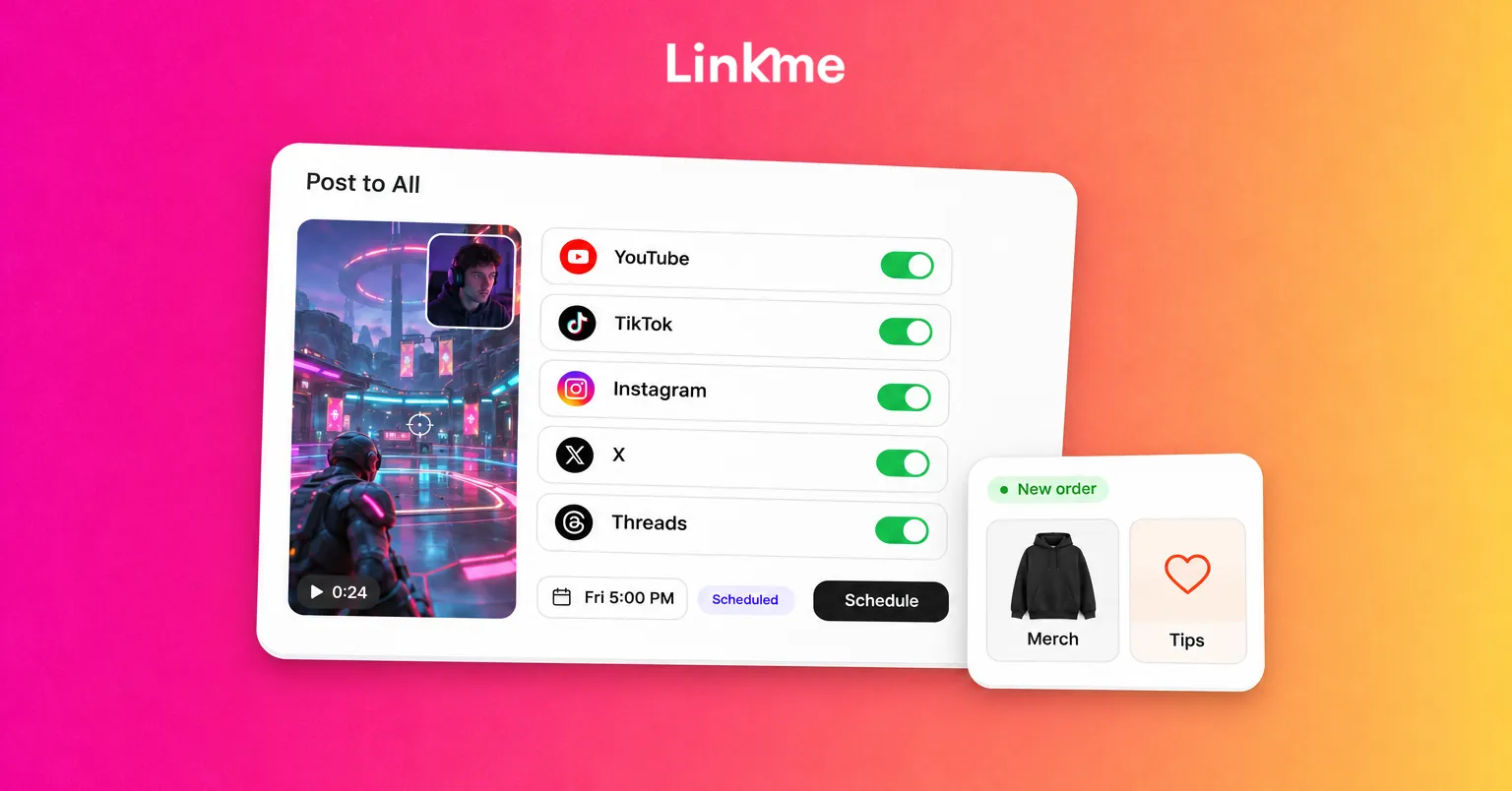
A cross-posting tool lets you upload once and publish everywhere. With Linkme’s Post to All, one video, image or carousel goes to YouTube, Instagram, TikTok, Facebook, X, Threads and LinkedIn, now or at a scheduled time. You can write one caption or one per network, and each limit is checked as you type, from 280 characters on X to 5,000 on YouTube. Every network shows a status, and if one misses, Retry failed platforms sends it again to just that network.
Two practical tips:
- Write the caption for the clip, not the stream. “This flank should not have worked” earns more watch time than “highlights from last night.”
- Schedule clips around your live schedule. Post a clip a few hours before you go live, with your page link, so new viewers know when to show up.
Post to All publishes to social networks, not to streaming platforms, so go-live alerts on Twitch or Kick still come from those platforms.
Answering comments automatically
Every gaming clip that performs well gets the same comments: what settings, what mouse, where is the merch, when is the next stream. Answering each one by hand does not scale.
DM automations run on an Instagram Business account or a Facebook Page. Pick a post and a keyword, such as SETUP, and when someone comments that word Linkme posts a public reply and sends them a DM with your text and link. You can also answer every comment on a post. Every plan, Free included, can run automations, and you see how many people triggered each one and clicked.
Good gaming triggers include:
- SETUP for your gear list or settings page
- MERCH for your newest drop
- SCHEDULE for your stream times
- DISCORD for your server invite
One page for merch, tips and links
Your bio link is where all of that traffic lands, so it should do more than list channels. A Linkme page at link.me/yourname can hold your social and streaming links, video feeds from Instagram, TikTok and YouTube, events and a shop.
Selling and tips
Linkme’s Sell & Monetize tools let you sell print-on-demand merch, digital downloads such as overlays or settings guides, pay-to-unlock content and courses, and take tips, with checkout on your page and payouts to your bank through Stripe. Merch and tips are available on the free plan, with a lower merch fee on paid plans; digital products and courses start on Plus. Linkme takes a platform fee set by your plan, plus Stripe processing.
None of this depends on reaching a platform’s partner program, so a small, loyal audience can support you before your channel qualifies for anything.
Timed drops and the in-app browser
On Plus and Pro, the link scheduler puts a link live at a set time and shows a countdown on your page, which suits merch drops and tournament sign ups. On Pro, the Deeplink Banner adds a button that opens your page in Safari or Chrome from the Instagram and Threads browsers, where people are often signed out of everything.
Brand deals and your media kit
Brands want to know how big your audience is, where it is and how to reach you. A page that shows all of that saves a dozen emails.
- Total followers. On Plus and Pro, your page can show one total for every social account you connect.
- Audience data. Linkme analytics show profile views, link clicks, engagement and the countries and cities your visitors come from.
- Discovery. Brands on Linkme Business can use the creator marketplace, where Link searches creators who run their pages on Linkme by follower count, industry, niche and city, and sends the brand’s brief only to the creators the brand approves.
Keep a short rate sheet and a sponsorship email address on your page so a brand that finds you knows the next step.
What Linkme covers, and what to keep elsewhere
| Covered by Linkme | Keep a dedicated tool |
|---|---|
| Your page, links and QR code | Broadcasting software and hardware |
| Post to All for clips across seven networks | Video editing and clipping |
| Comment and DM automations on Instagram and Facebook | Your streaming platform and its alerts |
| Merch, tips, downloads and courses | Discord and community moderation |
| Page analytics and total followers | Platform-native stream analytics |
Frequently asked questions
What tools do I need to start as a gaming influencer?
Broadcasting software, a good microphone, one main streaming platform, a clip editor and a bio link page. Add a community space, a cross-posting tool and comment automations once you are posting clips regularly.
How do I post the same clip to TikTok, Shorts and Reels at once?
Use a cross-posting tool. With Linkme’s Post to All, you upload the clip once, adjust the caption per network if needed, and publish or schedule it to every connected account.
Do I need Twitch Affiliate to make money?
To receive Twitch payouts, yes: Twitch says payouts require Affiliate or Partner status. Merch, tips and digital products sold from your own page do not depend on your Twitch status.
How do gaming influencers get brand deals?
Make it easy to be found and evaluated: show your audience numbers, link your best clips and list a contact. Brands using Linkme’s creator marketplace search creators who run their pages on Linkme by follower count, industry, niche and city.
The right stack is the smallest one that covers every job. Start with capture, one platform and one page, then add publishing and automation as your clips start to travel. See how other creators set up their page on the Linkme for creators and athletes page.


