Social Media for Authors: BookTok, Newsletters and Selling Your Books
How authors use BookTok, Bookstagram and a newsletter to find readers, and what to put on an author page: retailer links, ebooks, merch and events.
On this page
Social media for authors works best when it does three jobs: helps readers discover your books, gives them a reason to keep following you, and moves the most interested ones onto a list you own. BookTok and Bookstagram handle discovery. A newsletter and a single author page handle the rest, with links to every retailer, a sign-up form, events and anything you sell directly.
This guide covers what to post, how to set up your author link in bio, how to sell ebooks and merch from it, and how to promote signings and launches without spending all your writing time online.
What book marketing on social media looks like now
Readers find books through other readers. Short videos and photo posts about how a book made someone feel, which tropes it contains or what it pairs well with travel further than announcements. Authors who do well on social media tend to post as a reader and a writer, not as a sales channel.
BookTok for authors
BookTok is the book community on TikTok. Formats that work for authors include:
- Trope and mood videos: “If you like enemies to lovers and a small-town bakery, this is for you.”
- Line or scene reads: a short excerpt over a relevant visual.
- Behind the writing: research trips, plotting boards, edits, the cover reveal process.
- Reader reactions: stitches or duets of readers who have posted about your book, with their permission.
- Recommendations of other authors’ books in your genre. It builds goodwill and places you in the conversation.
Note that TikTok shows a website link on your profile only once your account meets its eligibility rules, which depend on your follower count or account type and region, as explained in TikTok’s help center. Until then, tell viewers to find you on another network or search your name.
Bookstagram and other networks
Bookstagram (books on Instagram) leans on visuals: flat lays, shelf photos, carousels of quotes, Reels of the same formats that work on TikTok. Threads and X suit conversation with readers and other writers. YouTube suits longer talks about craft and publishing. Pick two networks you can sustain and repost to the rest.
A simple weekly rhythm for a working author:
| Day | Post |
|---|---|
| Monday | A short video on a trope, mood or character |
| Wednesday | A behind-the-writing photo or carousel |
| Friday | A reader post you reshare, or a recommendation |
| Once a month | A newsletter that goes deeper than any post |
If you publish the same video on several networks, a tool such as Linkme’s Post to All lets you upload once, adjust the caption per network and publish to YouTube, Instagram, TikTok, Facebook, X, Threads and LinkedIn, now or on a schedule.
Why your newsletter matters more than your follower count
Algorithms decide who sees a post. An email list does not depend on them. When a new book comes out, the readers on your list hear about it directly, and they are the ones most likely to preorder, review and tell friends.
Ways to grow the list from social media:
- A reason to join. A bonus chapter, a deleted scene, a character guide or early cover reveals.
- A clear place to join. A sign-up form on your author page, linked from every bio.
- A reminder in your content. Mention the bonus at the end of videos and in captions.
On Linkme, the Email Contact Form adds an email field with a “Connect with” button under your bio, and forms can add text, email and mobile fields. Everyone who signs up lands in Leads with their source, ready for an email campaign or a CSV export to your existing newsletter tool. Forms come with Plus; Leads and email campaigns with Pro. You can read how this works in Linkme lead capture.
If someone comments a keyword such as “CHAPTER” on an Instagram post, a DM automation can reply with the link to your sign-up page, so the bonus reaches people at the moment they ask for it.
What to put on your author link in bio
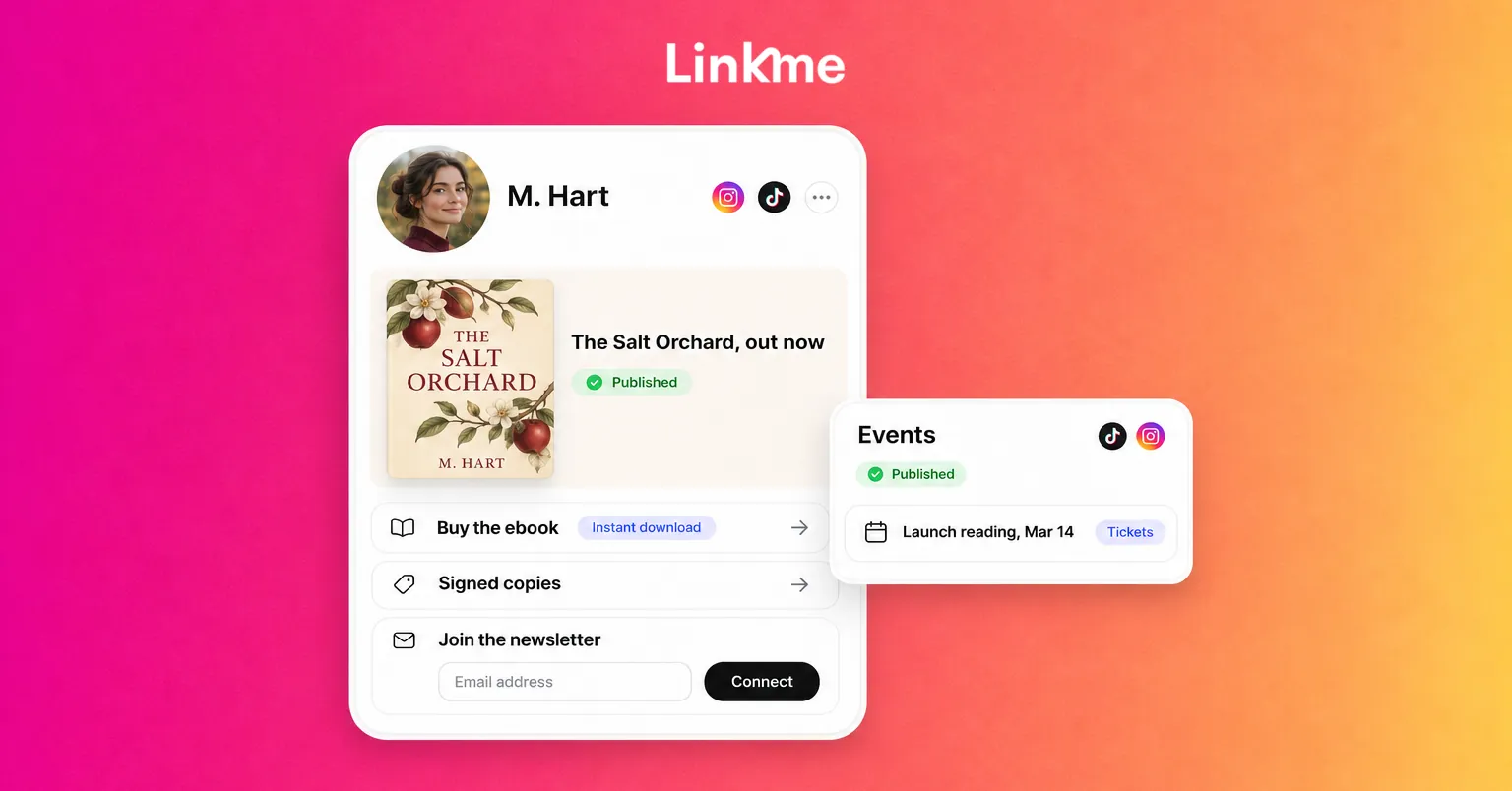
Your author link in bio is the page every profile points to. Readers arrive from a video and want to do one thing, so lead with it.
A practical order:
- Your latest or upcoming book as the biggest link, with separate links for each retailer where it is sold, including independent bookstores and libraries if you want to support them.
- Newsletter sign-up, with the bonus named in one line.
- Events: signings, readings, festivals and virtual launches with dates and links.
- Your backlist, as smaller links or a carousel.
- Anything you sell directly: signed copies, ebooks, merch.
- Links to your social accounts.
Use a link scheduler for preorders and launch day. On Linkme (Plus and Pro), you can give any link a start and end date and time, so the preorder link comes off and the “buy now” link goes live on release day without you being online.
How to sell ebooks online from your page
Selling direct gives you the reader’s email and often a larger share of the sale, but it has trade-offs.
Check your retailer agreements first
Some programs require digital exclusivity. Amazon’s KDP Select, for example, requires the Kindle ebook to be exclusive to the Kindle Store during each 90-day enrollment period, with distribution only through KDP and public libraries, according to KDP’s enrollment help page. If your book is enrolled, do not sell the same ebook from your own page. Print editions are a different matter, so check the terms for each format.
Selling digital products directly
If your ebook is not under an exclusive agreement, Linkme lets you sell it as a digital product: add a title, description, price and cover image, upload the file and connect your payout method. Buyers get the download the moment they pay, and checkout runs on your page through Stripe with Apple Pay, Google Pay or a card. Digital products are available on the Plus and Pro plans, and paid products need a verified Stripe account. The digital products guide walks through each step.
Good candidates for direct sales:
- Novellas, short story collections and bonus content you do not sell elsewhere.
- Writing guides, worksheets or templates if you teach.
- Audio extras or illustrated editions.
Merch and signed copies
Linkme’s print-on-demand merch lets you put cover art, quotes or character designs on tees and other items with no inventory: you set the price above the base cost and Linkme prints and ships each order. Signed books are different, because someone has to sign them. Sell those through your own store or a partner bookstore and add them to your page as external products that link to that checkout.
Promoting signings, readings and launches
Events turn online readers into people who meet you, and they give you content for weeks.
Before the event
- Add the event to your page with its date, venue, description and the bookstore’s event or ticket link. Events show on your page in date order.
- Announce it on every network at the same time, then post reminders a week before and the day before.
- Partner with the venue. Ask the bookstore to share your posts and tag you in theirs.
- Email your list. Local readers on your newsletter are the most likely to come.
During and after
- Post photos and short clips, with permission from attendees.
- Thank the venue publicly.
- Email the list with photos and a link to buy signed copies if any are left.
For virtual launches, put the streaming or registration link on your page with a start time so it appears when the event is about to begin.
Frequently asked questions
What social media is best for authors?
Many authors get the most discovery from TikTok and Instagram, where BookTok and Bookstagram communities are active. Choose the two networks where your genre’s readers spend time, post consistently there and repost to others.
How do authors use BookTok without being salesy?
Post as a reader and a writer. Talk about tropes, moods, characters, research and other authors’ books. Mention your own book when it fits naturally, and point people to your page for links rather than ending every video with a sales pitch.
Can I sell my ebook from my link in bio?
Yes, if your ebook is not under a digital exclusivity agreement. On Linkme, digital products on the Plus and Pro plans let readers pay on your page and download the file instantly. If your ebook is enrolled in an exclusive program such as KDP Select, link to that retailer instead.
Should authors have a newsletter?
Yes. A newsletter reaches readers directly, without depending on an algorithm, and the readers on it are the ones most likely to buy in launch week. Use your social posts to bring readers to the sign-up and give them a reason to join.