Social Media for Entrepreneurs: A Weekly System for Solo Founders
A small, repeatable social media system for solo founders: one page, cross-posting, automatic DMs, an email list and sales, in a few hours a week.
On this page
Social media for entrepreneurs has to fit around everything else a founder does. You are the marketer, the support desk and the sales team, so the system has to be small: one page every profile points to, one post that goes to every network, replies to common questions that send themselves, a list of people who asked to hear from you, and something they can buy. This guide sets that up inside a realistic weekly time budget of about three to four hours.
Start with a weekly time budget
Most solo founders do not fail at social media because of strategy. They fail because posting, replying and updating links quietly takes over the week, then stops entirely when a launch or a customer issue arrives.
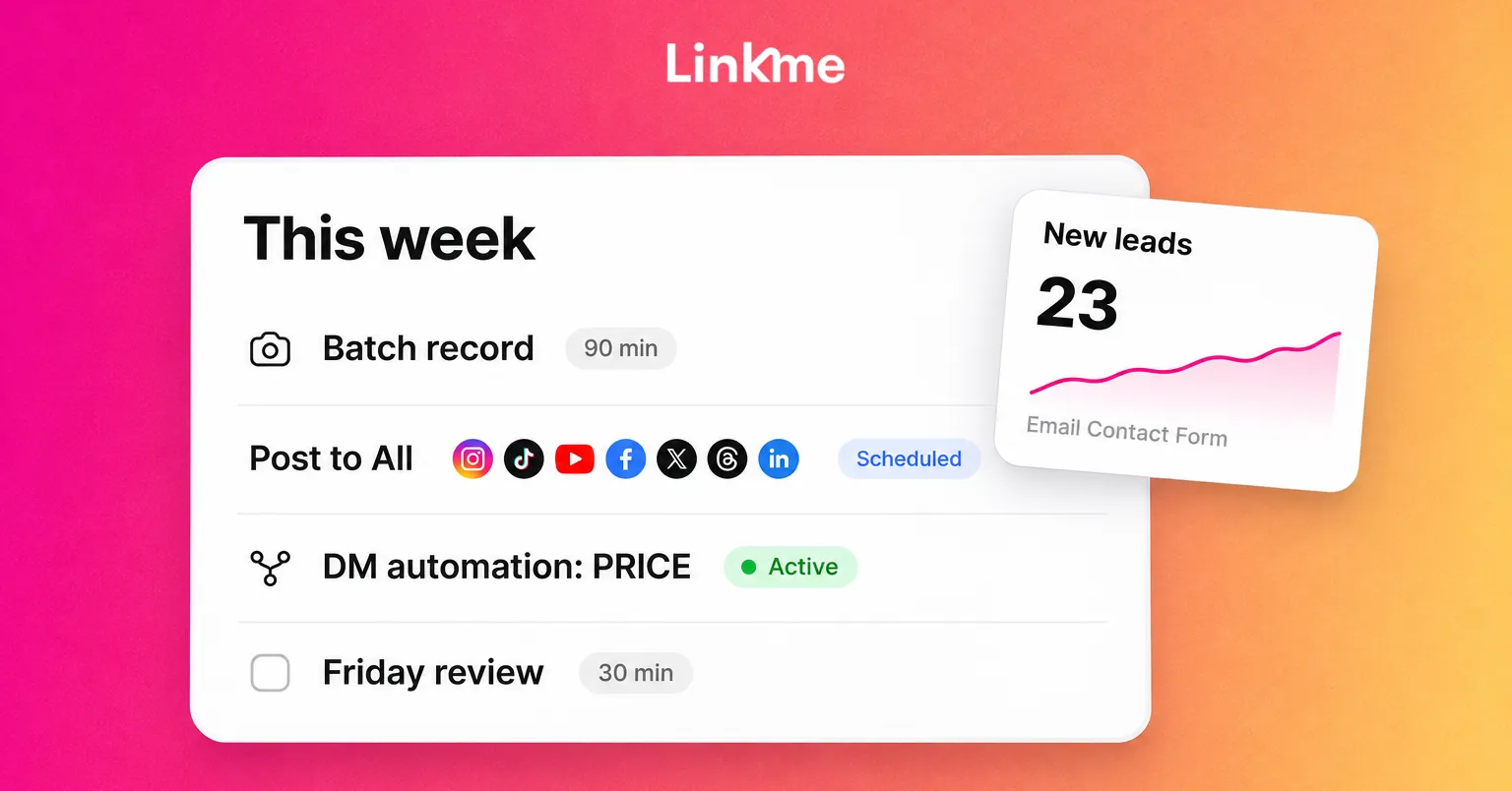
Set a fixed budget and protect it. Here is a week that fits in roughly three to four hours:
| When | Task | Time |
|---|---|---|
| Monday | Plan the week: three post ideas from customer questions | 20 min |
| Monday | Record or design the week’s content in one batch | 90 min |
| Monday | Write captions, schedule everything | 20 min |
| Daily | Check comments and messages that need a person | 10 min |
| Friday | Review what worked, update your page, email your list if there is news | 30 min |
The numbers matter less than the habit: create in one block, publish on a schedule, and keep replies to short daily windows.
Founder social media: what to post
You do not need a content calendar full of themes. You need posts that make a buyer more likely to trust you. Three types do most of the work:
- Answers. Take the questions customers ask before they buy and answer one per post. These are useful to people searching and easy to write because you answer them anyway.
- Proof. Show the product in use, a before and after, a short customer comment (with permission), or the process behind your work.
- The founder. Why you started, what you are building next, a mistake you fixed. People buy from small businesses partly because of the person behind them.
Finish each post with one clear next step, such as “comment GUIDE and I will send it” or “the link is on my page,” not five different requests.
One page for every profile
Every bio on every network can hold a link, and most founders end up with a different link on each. Use one page instead and point every profile at it. Then you only update one place.
A founder page should lead with the action that matters this month, followed by everything else:
- The main action: book a call, shop the new product, join the waitlist.
- An email sign-up.
- Your products or services.
- Proof: a video, reviews or a short case study.
- Links to your social accounts and website.
On Linkme, a page can hold featured links, video feeds, events, a gallery, contact info, an email contact form, products and merch, and you can drag sections into any order. Its QR code always opens the live page, so it can go on packaging, invoices and a market stall sign without reprinting when the page changes. For founders running more than one brand or location, Linkme for Business puts every page under one account.
Post once to seven networks
Making separate content for every network is the fastest way to blow the time budget. Make one piece, then adapt it.
Linkme’s Post to All lets you upload a video, image or carousel once, write one caption or one per network, and publish to YouTube, Instagram, TikTok, Facebook, X, Threads and LinkedIn at once or on a schedule. Linkme Business adds six more networks, including Pinterest and Google Business Profile, for 13 in total. Each network shows its own status, and if one fails you can retry just that network.
A few rules keep cross-posting from looking lazy:
- Adjust the first line of the caption for each network’s audience.
- Check that text on the video is readable in every crop.
- Answer comments on the networks where people actually engage, rather than trying to be everywhere.
If writing captions is the bottleneck, Link, Linkme’s AI on the Pro plan and Business plans, drafts posts and makes images and videos. Nothing goes live until you approve it.
Let DMs answer themselves
The same questions arrive every day: price, availability, where to buy, how to book. Answering each one by hand eats the daily window.
Linkme DM automations turn Instagram and Facebook comments into DMs. You pick a post or every post, choose a keyword or any comment, and write the DM once with any link: your booking page, your store or your Linkme page. Linkme can also post a public reply under the comment and answer messages people send you directly. Each automation shows activations, clicks and click-through rate, so you can see which posts bring people to your link. See how it works in DM Automations.
Good automations for a solo business:
- “PRICE” sends your pricing or product page.
- “BOOK” sends your booking link.
- “GUIDE” sends a free resource and your email sign-up.
Keep the inbox check for messages that need judgment: unhappy customers, partnership requests and detailed questions.
Build a list you own
Followers belong to the platform. An email list belongs to you, and it still works when reach drops or an account has a problem.
On a Linkme page, a “Connect with” email field or a form with text, email and mobile fields puts everyone who signs up into Leads, with the source of each contact. From Leads you can send an email campaign to everyone subscribed, a filtered group or one person, starting from one of 27 templates. Campaigns send when you press send, and every email carries an unsubscribe link. You can export the list as a CSV whenever you want. Leads and campaigns come with Linkme Pro and every Business plan.
Give people a reason to join: early access, a short guide, a discount you announce only by email, or a monthly note on what you are building.
Sell from the same page
If people can buy without leaving the page, you lose fewer of them along the way. Linkme supports several ways to sell:
- Digital products such as guides, templates and presets, delivered as soon as someone pays (Plus and Pro).
- Courses with video lessons, sold once (Plus and Pro).
- Print-on-demand merch with no inventory, from the free plan.
- External products that link straight to your existing store checkout.
Checkout runs on your page through Stripe, with Apple Pay, Google Pay or a card. Linkme takes a platform fee set by your plan plus Stripe’s processing fee, and both are shown before you publish.
Review on Friday
Use the last half hour of the week to decide what to keep doing. Look at four numbers:
- Profile views: how many people reached your page.
- Link clicks: which links they tapped.
- New leads: how many joined your list, and from where.
- Sales or bookings: what actually happened.
Then make one change for next week: move a link up, repeat a post type that worked, or add an automation for a question you answered three times. Small adjustments made every week add up faster than occasional overhauls.
Frequently asked questions
How much time should an entrepreneur spend on social media?
Set a fixed weekly budget you can sustain. Three to four hours a week is enough for most solo founders if you batch content, schedule it and automate repetitive replies. Consistency over months matters more than the number of hours in any one week.
Which social media platforms should a small business owner use?
Start with the networks where your customers already spend time, and focus your replies there. Publishing the same content to other networks costs little extra time with a cross-posting tool, so you can test reach elsewhere without creating more.
What is the best link in bio for a small business?
One page that leads with your most important action and also holds an email sign-up, your products, proof and contact details. Keep it current and use the same link on every profile so you only update one place.
Can I automate Instagram DMs as a solo founder?
Yes. Comment-to-DM automations send a link when someone comments a keyword, and DM automations can reply to messages you receive. Use them for repeated questions and keep personal replies for conversations that need your judgment.