Social Media for Event Planners: Promote an Event From Announcement to Follow-Up
Promote an event from announcement to follow-up: an event page, scheduled ticket links, one QR code for signage, ticket DMs and the post-event email.
On this page
Social media for event planners is a sequence, not a single announcement. People need to hear about the event, find the ticket link the moment sales open, get their questions answered, find the schedule on the day and hear about the next one afterward. This guide walks through that sequence for conferences, shows, festivals and community events, with what to post and what to set up at each stage.
Set up the event page before you post anything
Every promotion you run will send people somewhere. Decide where before the first teaser goes out. An event page should answer the questions people actually ask:
- What and when: event name, date, start time and venue.
- Tickets: a clear link to your ticketing platform.
- Schedule or lineup: speakers, performers or sessions.
- Practical details: location, parking or transit, accessibility, age policy.
- Sign-up: a way to hear about updates, presales or next year’s edition.
On Linkme, you can add events to a page with a name, date, venue, description and a ticket link from any ticketing platform, and they display in date order. Artists and promoters can sync tour dates from BandsInTown. Linkme does not sell tickets: each Tickets button opens your own ticket seller. The tickets and events guide shows the setup step by step.
If you run several events or venues, give each its own page so the schedule, sign-ups and results stay separate.
Event marketing on social media, stage by stage
1. Announce and build anticipation
Lead with the reason to care: the headliner, the keynote, the theme, the city. Then release details in steps rather than all at once, so you have a reason to post every week.
- Save-the-date post with the date and city.
- Lineup or speaker reveals, one or a few at a time.
- Short clips from last year’s event, if you have them.
- Venue reveal with a photo or walkthrough.
Post the same announcement on every network your audience uses at the same time. Linkme’s Post to All publishes one upload to YouTube, Instagram, TikTok, Facebook, X, Threads and LinkedIn, with a caption per network if you want one; Linkme Business adds more networks for 13 in total.
2. Collect interest before tickets go on sale
Not everyone is ready to buy at the announcement. Give them a way to raise their hand:
- Add an email sign-up to your event page for presale access or the on-sale reminder.
- Build a form if you need more: name, email and mobile number, each marked Required or not.
- Mention the sign-up in every announcement post.
On Linkme, everyone who signs up lands in Leads with the source they came from, so you can see which part of the page brought them in and email them when sales open. Leads and email campaigns come with every Business plan, and with Pro on People plans.
3. Open ticket sales on time
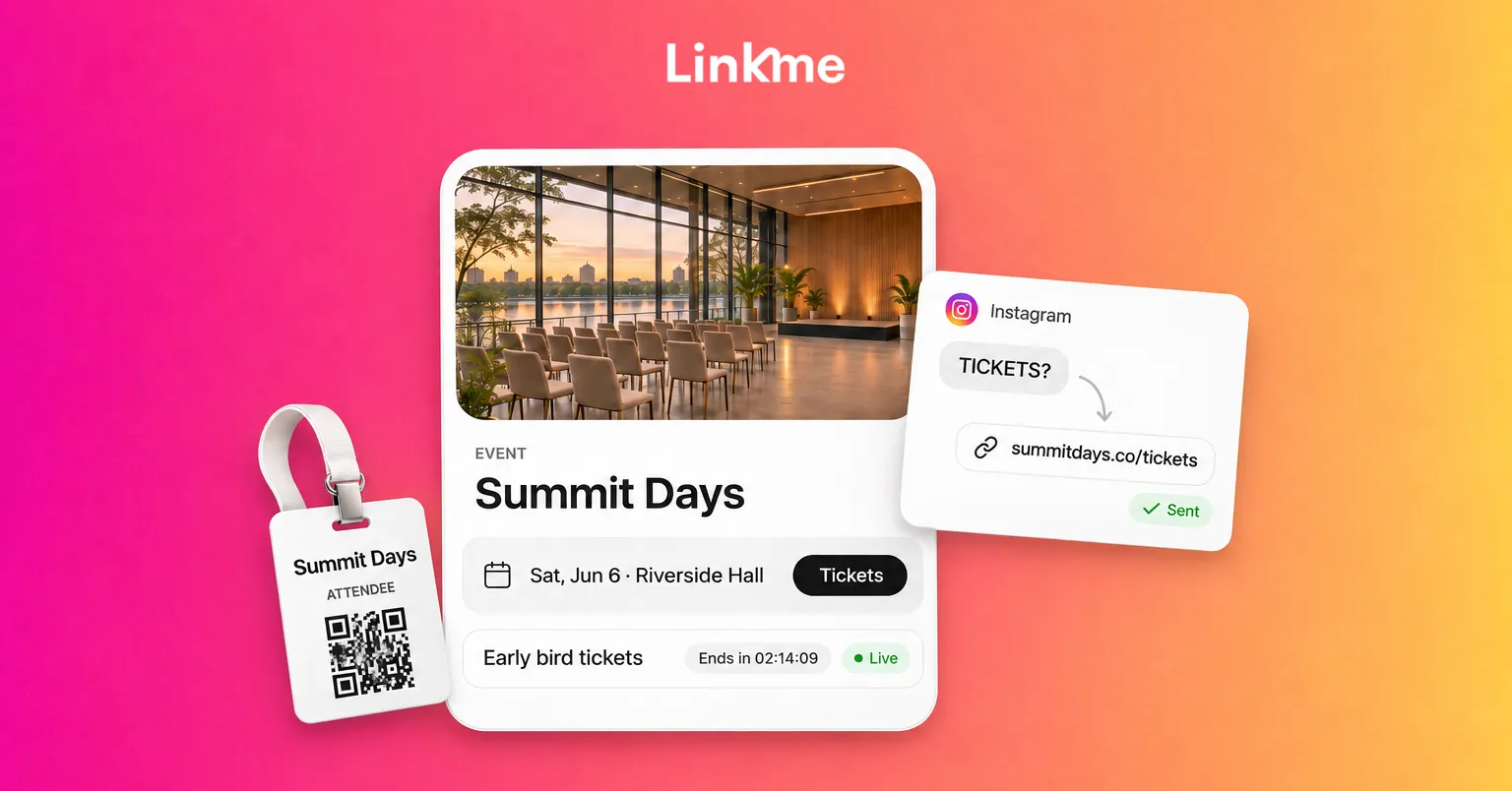
The ticket link should appear at the exact moment sales open. With a link scheduler, you give the link a start date and time and an end date and time; it goes live on its own, with a countdown on the page, and comes down when the window closes. On Linkme, the scheduler comes with every Business plan and with the Plus and Pro People plans. See the link scheduler guide.
On sale day:
- Email everyone who signed up for the presale or reminder.
- Post the on-sale announcement on every network.
- Add the ticket link to your Instagram Stories with a link sticker.
- Turn on a DM automation for the ticket keyword.
4. Send the ticket link by DM
People comment “TICKETS?” or “link?” under event posts all day. Answer automatically. A Linkme DM automation watches the posts you choose, and when someone comments a keyword such as TICKETS or LINEUP, it can post a public reply and send a DM with the ticket link or your event page. It works on Instagram business and creator accounts and on Facebook Pages, and every click on the link is counted.
Questions that need a person, such as group bookings, accessibility requests and sponsorship inquiries, belong in a shared inbox where your team can reply and leave notes.
5. Countdown and final details
In the last week, shift from selling to helping:
- Schedule, map and arrival times.
- What to bring and what is not allowed.
- Reminders for ticket holders to check their confirmation.
- A last call for remaining tickets.
Move the schedule to the top of your page and the ticket link just below it.
Use one QR code on everything you print
Events produce a lot of print: posters, banners, badges, wristbands, table cards, screens. If each piece carries a different link, any change means reprinting.
Print one event QR code instead. On Linkme, every page has its own QR code, and it always opens the live page. When a session moves rooms or a set time changes, update the page and every printed code shows the new information. Put the code on:
- Entrance signage and registration desks.
- Badges or wristbands, linking to the day’s schedule.
- Screens between sessions or sets.
- Posters around the city before the event.
Each scan opens your page, so it counts as a profile view in your analytics, and the links people tap count as link clicks. Linkme does not show scans as a separate number.
Promote an event on Instagram during the day
Event days create content without much effort. Plan who captures it:
- Stories throughout the day: arrivals, behind the scenes, sessions or sets.
- Reshares of attendees’ posts and stories that tag you, with permission.
- A short recap Reel or video the same night or the next morning.
Keep the page useful during the event. Update it with session links, slides, the photo gallery or the next event as soon as they are ready.
Follow up after the event
The days after an event are when attendees are most receptive. Send an email to everyone on your list with:
- A thank you and a few photos.
- Recordings, slides or a gallery link.
- A short feedback survey.
- The date of the next event and a sign-up for early access.
Linkme email campaigns send to everyone who signed up on your page, starting from one of 27 templates, with open and click rates on every send. Campaigns send when you press send, so plan time the morning after the event to write and send it. Learn more about Linkme for events and entertainment.
A simple event promotion timeline
| When | What to do |
|---|---|
| 8 or more weeks out | Build the event page, post the save-the-date, add the email sign-up |
| 6 weeks out | Lineup or speaker reveals, schedule the ticket link |
| On-sale day | Email sign-ups, post everywhere, Stories link, DM automation on |
| Final 2 weeks | Reminders, logistics, last-call posts |
| Event day | Live content, schedule at the top of the page |
| Day after | Thank-you email, recap video, next event sign-up |
Adjust the timeline to your event’s size. A local meetup might compress it into three weeks; a festival may start months ahead.
Frequently asked questions
How do event planners use social media to sell tickets?
They announce early, collect sign-ups before sales open, post the ticket link on every network on sale day and answer “where are tickets?” comments with an automatic DM. One event page with the ticket link at the top keeps every channel pointing to the same place.
Can I sell tickets through Linkme?
No. Linkme links to your ticketing platform. Add the ticket link to your event on the page, and buyers check out where you already sell. You can schedule that link to go live at the moment sales open.
What should an event QR code link to?
A page you can update, not a fixed file or a ticket page that will expire. Put the schedule, map and key links on that page, and change them as the event changes. The printed code keeps working.
What should I post after an event?
A thank-you, a recap video or photo set, reshares of attendee posts and a clear sign-up for the next event. Email the same message to your list so people who do not see your posts still hear from you.