How to Promote Digital Art and Sell It From Your Link in Bio
A practical playbook for digital artists: a portfolio page, a price ladder from downloads to commissions, and posting every piece everywhere.
On this page
To promote digital art on social media, you need three things working together: a steady stream of posts that show your work and how you make it, one page where people can see your portfolio and buy, and a small set of products at different price points. Followers who love a piece need somewhere to go next. If the only option is “DM me,” most of them never will.
This playbook covers how digital artists can set up a portfolio page, decide what to sell, post new work everywhere without extra hours, and turn followers into a community that buys.
Build an artist link in bio page that works as a portfolio
Your social profiles are feeds, not portfolios. A new visitor scrolling your grid sees whatever you posted last week, not your best work. An artist link in bio page fixes that by putting the right things in the right order.
What to put on the page
In rough order of priority:
- Your best ten to twenty pieces. A gallery is better than a link to a separate portfolio site, because people on a phone rarely tap twice.
- What you sell. Prints, downloads and merch, with prices visible.
- Commissions. A short form that asks for the brief, size, deadline and budget, so you are not negotiating from scratch in DMs.
- An email sign-up. For drops, new releases and open commission slots.
- Your channels. Every network you post on, so fans can follow where they prefer.
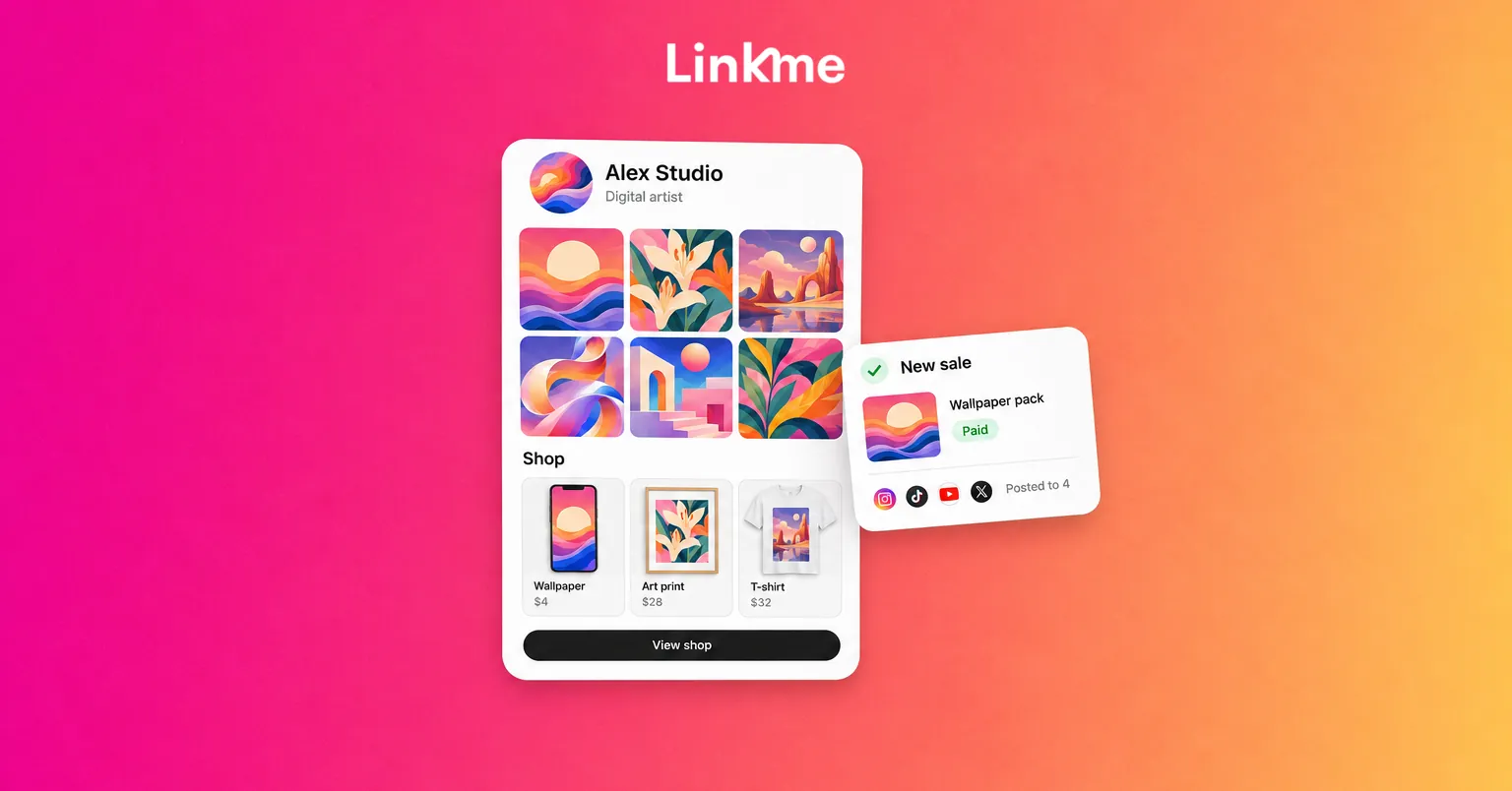
A Linkme page can hold all of this in one place: a photo and video gallery, featured links with thumbnails, your social accounts, an email contact form, video feeds from Instagram, TikTok and YouTube, and sections for merch, digital products and courses. You drag sections into the order you want, and the page has its own QR code you can print on stickers, prints and convention table signs.
Keep the portfolio current
Swap pieces in and out as your style develops. A portfolio that still leads with work from years ago tells commission clients that is what they will get.
How to sell digital art: a price ladder
Most followers will not commission a full illustration, but many will buy something small. Offering several price points lets more people support you.
| Product | Good for | Notes |
|---|---|---|
| Free wallpaper or sample pack | Email sign-ups | Trade it for an email address |
| Digital downloads | Phone wallpapers, brushes, textures, templates, printable art | Delivered automatically, no shipping |
| Pay to unlock content | Process videos, layered files, full-resolution versions | Followers see a preview first |
| Prints and merch | Fans who want something physical | Print on demand means no stock |
| Courses and tutorials | Followers who want to learn your techniques | Higher price, sold once |
| Commissions | Collectors and businesses | Highest price, limited slots |
Digital downloads
Downloads suit digital artists well: you make the file once and it can sell indefinitely. On Linkme, digital products deliver instantly the moment someone buys. You set a title, description, price and cover image, upload the file and connect your payout method. Digital products are available on the Plus and Pro plans, and paid products need a verified Stripe account.
You can also choose Pay to Unlock when you create a digital product. People see a blurred preview on your page that unlocks after they pay, which works well for full-resolution versions or behind-the-scenes process videos. If you are preparing a drop, you can schedule the release so buyers can pay ahead and receive the product automatically on release day.
Prints and merch without holding stock
Physical products let fans hang your work on a wall or wear it. With Linkme merch, you upload your own artwork, or design with the built-in AI tool, set your price above the base cost, and Linkme prints and ships each order when it is placed. There is no inventory, and what you charge above the base price is yours after fees. Merch is available on every plan, with a lower merch fee on Plus and Pro. If you already sell prints through your own store, you can add those products and link straight to your existing checkout.
Courses and tutorials
If followers keep asking how you made something, that is a course. Linkme’s course builder, available on the Plus and Pro plans, lets you build sections and lessons with video and downloadable materials, then sell it once for a one-time payment or offer it free.
Buyers pay on your page with Apple Pay, Google Pay or a card, and Stripe pays out to your bank. Linkme takes a platform fee set by your plan plus Stripe’s processing fee, and both are shown before you publish.
Digital artist marketing: what to post
Show the process
Finished pieces get likes. Process gets shares and follows. Good formats include:
- Timelapses from sketch to final, under a minute.
- Before and after, or line art versus color.
- Brush, palette or technique breakdowns.
- “Fixing” a piece: what was wrong and how you changed it.
- Studio and setup tours.
Give each piece several posts
One artwork can become a reveal post, a timelapse, a detail crop carousel, a story poll on colorways and a “now available as a print” post. Spread them over a week or two instead of posting everything on day one.
Post everywhere without doubling the work
Most artists post to Instagram and TikTok, and many also use YouTube Shorts, Threads or X. Uploading each piece separately to every app eats into drawing time. Post to All lets you upload a video, image or carousel once and publish it to YouTube, Instagram, TikTok, Facebook, X, Threads and LinkedIn, now or on a schedule, with one caption or a different one per network.
Protect your work sensibly
Post at social resolution rather than print resolution, add a small, unobtrusive signature, and keep full-resolution files for paying buyers. Heavy watermarks across the whole image tend to put off the fans you want to reach.
Build a community around your art
Buyers come from community, not from reach alone.
- Reply to comments, especially questions about tools and techniques.
- Run prompts or challenges, such as a monthly theme followers can draw and tag you in.
- Feature fan work and people who bought prints, with their permission.
- Go live occasionally while you work, and answer questions as you draw.
- Collaborate with artists in neighboring styles on joint pieces or swaps.
Then give that community a direct line. An email sign-up on your page means you can announce a drop or open commission slots to the people most likely to buy, without depending on an algorithm to show them the post.
Frequently asked questions
What is the best way to promote digital art on social media?
Post consistently, show your process as well as finished work, and publish each piece to every network you use. Put one page in your bio with your portfolio, shop, commission form and email sign-up, so interested followers always have a next step.
What digital art sells best online?
It depends on your audience, but low-cost downloads such as wallpapers, brushes and printable art are an easy first purchase. Prints and merch suit fans who want something physical, and commissions and courses work for your most engaged followers.
Do I need a website to sell digital art?
Not necessarily. A link in bio page that holds a gallery, products with checkout and a contact form covers what most independent artists need, and it is the link your followers already tap from your profiles.
How do I stop people stealing my digital art?
You cannot fully prevent it, but you can reduce it. Post lower-resolution images with a small signature, keep full-resolution files for paying buyers, and use pay-to-unlock previews for premium content.
Linkme gives digital artists one page for portfolio, products, merch and sign-ups, plus a way to post every new piece to every network. Read the digital products guide to set up your first download.