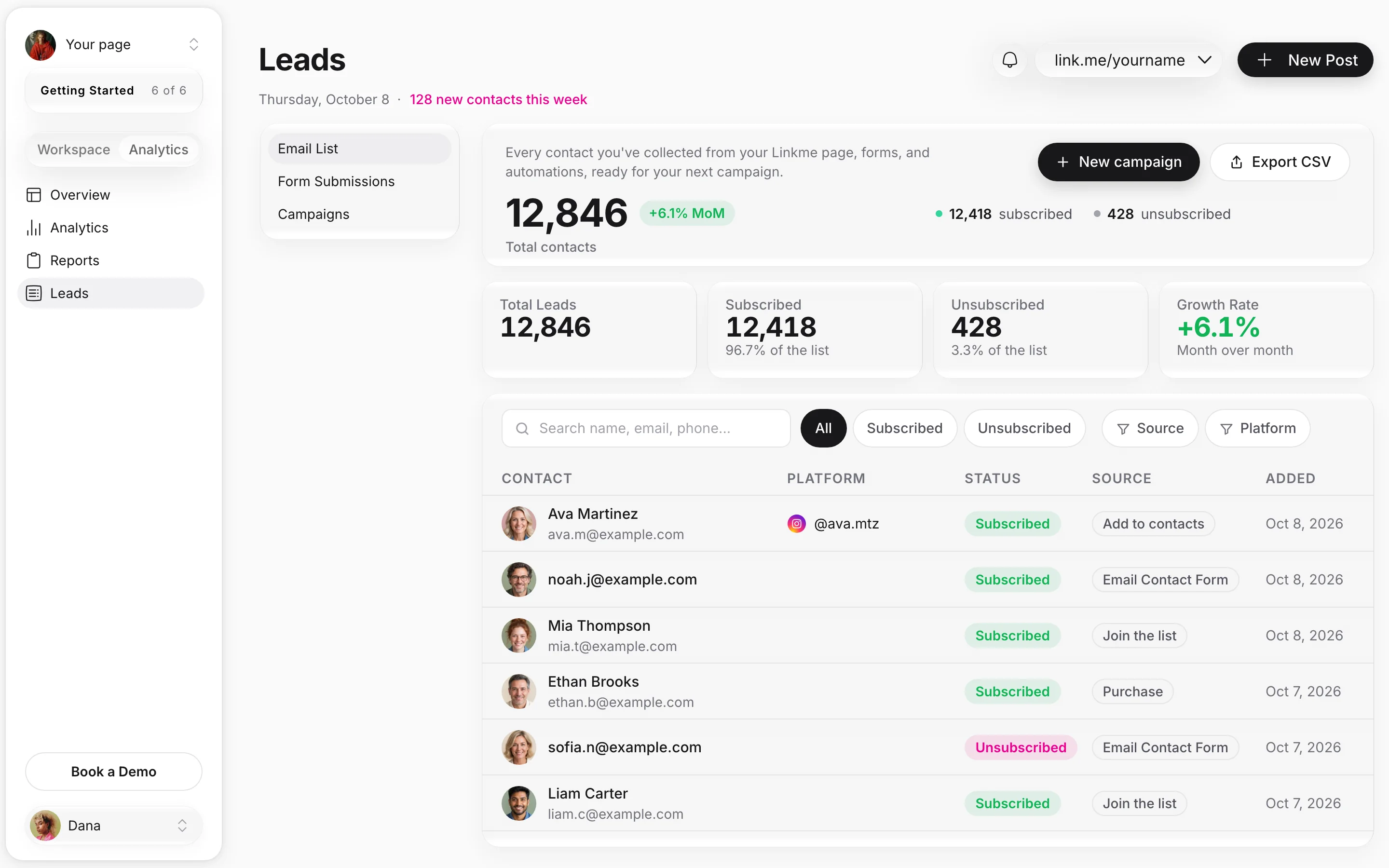





Everyone who signs up on your Linkme page is already on your list. Start from one of 27 templates, fill in each contact's name, send to your whole list or the people you pick, and see how many opened and clicked.
Mall of America opens Leads in Linkme, starts a campaign from the Event invite template, types the subject, inserts a real photo, fills in the words and sends to every active contact. Campaign Details counts the opens and clicks while the email lands on a contact's phone with their first name filled in and the unsubscribe footer. Chips switch to the New York Islanders, Papi Steak and a sample creator newsletter.
01Pick a template27 starters, from Event invite to Newsletter, and the ones you save.
02Make it yoursYour subject, your photos, and each contact's first name.
03Choose who gets itEvery active contact, a filter from Leads or the people you pick. Sending needs Pro or a Business plan.
04See what it didOpen Rate, Click Rate, delivered and every unsubscribe, on every send.
Used by the brands people line up for
FIFA World Cup
Mall of America
New York Islanders
Everything behind one send
Five screens from one LIV Miami campaign. Pick a tab or let the tour play.
LIV Miami's real mark and images. Contacts, counts and rates are illustrative.
A tour of LIV Miami's weekend email in five tabs: saving it as a template, the Email Preview with a sample contact's name, a test sent to dana@example.com, filtering Leads by source so only the subscribers that filter finds get it, and Campaign Details counting delivered, opened, clicked and unsubscribed.
One composer, every kind of list
Four businesses, one journey each: where the contact joined, the email they got and the page their click opened.
Real Linkme pages. The emails are examples, and the creator page and its ebook are samples.
Four use cases play in one phone: American Dream, Papi Steak, Pure Green and a sample creator page. Each shows the real page where a contact signed up, the email they got with their first name, and the page tile the email's button opens, beside the template, recipients and personalization used.
Every starter loads with prompts in brackets, so you swap in your own words and send.
27 starters in categories, searchable by name
Prompts that tell you what to write where
Save as Template for the emails that work
Event invite
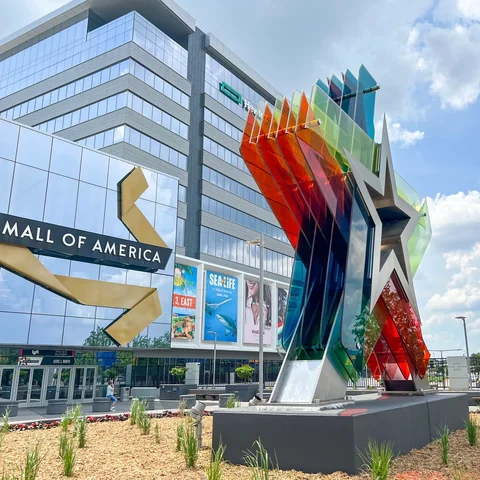
Mall of America
This weekend at MOA
Hi First name,
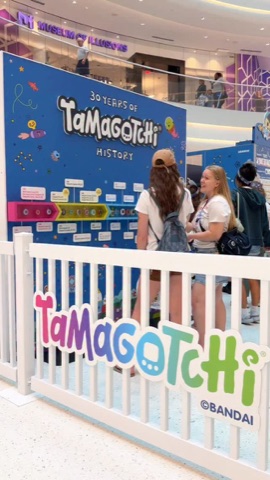
Fear Fest, Taste of Fall and 30 Years of Tamagotchi, all weekend at Mall of America.
See what's on
Early access
New York Islanders
Single game tickets on sale
Hi First name,
2026-27 single game tickets are on sale now. You signed up on our page, so you get the link first.
Get tickets

We miss you

Papi Steak
Dinner at Papi Steak?
Hi First name,
It's been a little while since we last saw you at Papi Steak. Miami Beach and Las Vegas are ready when you are.
See the menu

Newsletter

Your Name
Issue 12: the new studio
Hi First name,
This month: the new studio, two unreleased demos and the merch restock. Hit reply and tell me which one you want first.
Read the full issue
Real brands and photos, one sample creator page. The emails are examples.
Your name, their name
Each contact gets their own version, from your verified domain, with the unsubscribe footer.
First name, Last name, Email and Username
Your own name, email and username as the sender
From: your verified domain; Friend when a first name is missing
Subject This weekend at MOA
Hi First nameJordan,
Fear Fest, Taste of Fall and 30 Years of Tamagotchi, all weekend at Mall of America.
See you there, Your first nameDana
You received this email because you're subscribed to our mailing list. Unsubscribe
{{ }} Personalize
The contact
First name
Last name
Email
Username
You, the sender
Your first name
Your last name
Your email
Your username
From: mallofamerica.comVerified
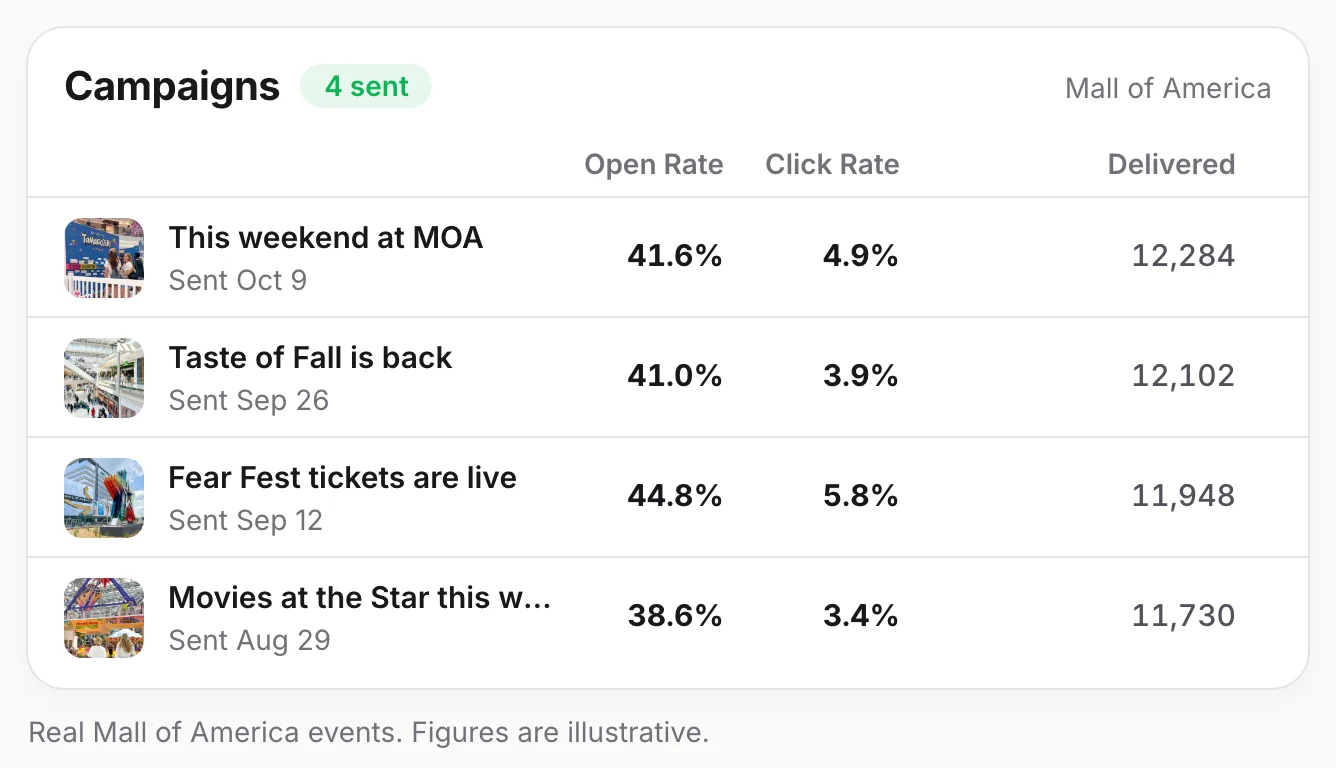
Open and click rates on every send
Every send keeps its Open Rate and Click Rate, so the next email starts from what worked.
Open Rate and Click Rate on every campaign
Delivered, Opened, Clicked and Unsubscribed
Unsubscribes marked in Leads and never emailed again
Real Mall of America events. Figures are illustrative.
Every page keeps its own list
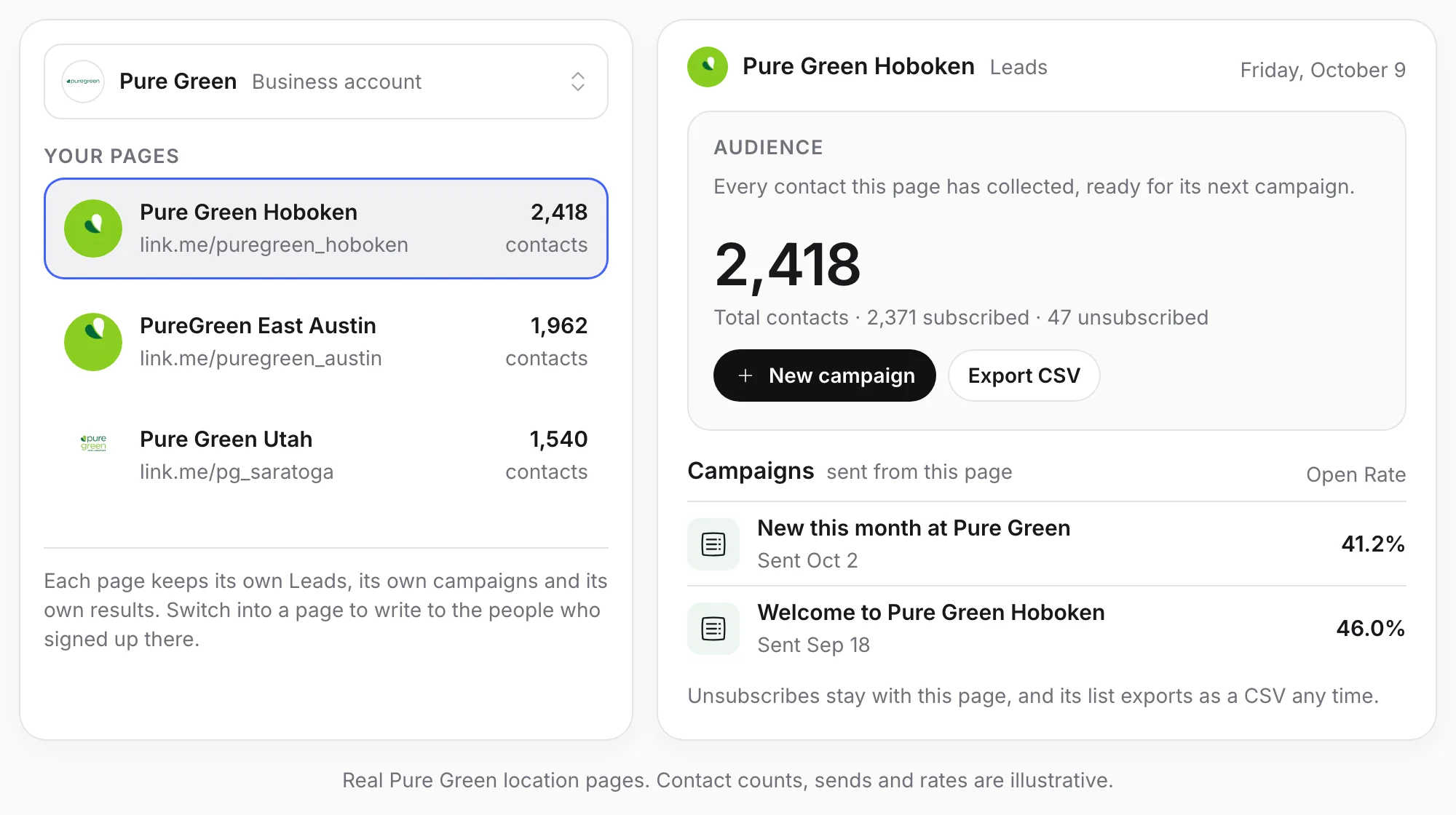
One brand or thirty locations: each Linkme page has its own contacts, its own campaigns and its own results, and your team switches between them from one account. Every Business package includes unlimited Linkme pages.
A list for every pageEveryone who signs up on a location's page lands in that page's Leads, ready for that location's next campaign.
Its own From addressEach page sends from the domain you verified for it, with the unsubscribe footer on every email.
Export any listEvery page's contacts export as a CSV any time, subscribed and unsubscribed marked.
Results for every pageEach page's campaigns keep their own Open Rate and Click Rate, with delivered, opened, clicked and unsubscribed.
Emailing your list, before and with Linkme
The same three jobs, side by side.
The jobBy hand, or with separate toolsWith Linkme
Writing the emailBy handA blank page and a design to work out.With Linkme27 starter templates, from Event invite to Newsletter, and the ones you save.
Who gets itBy handSign ups exported from the page, cleaned up and imported into another tool.With LinkmeEveryone your page and forms collect is already in Leads. Send to every active contact or filter by source, like Email Contact Form. Unsubscribed contacts are always left out.
Knowing it workedBy handNumbers in another dashboard, if anyone checks.With LinkmeOpen Rate and Click Rate on every send, with delivered, opened, clicked and unsubscribed.
LIV Miami: the weekend list starts on the page
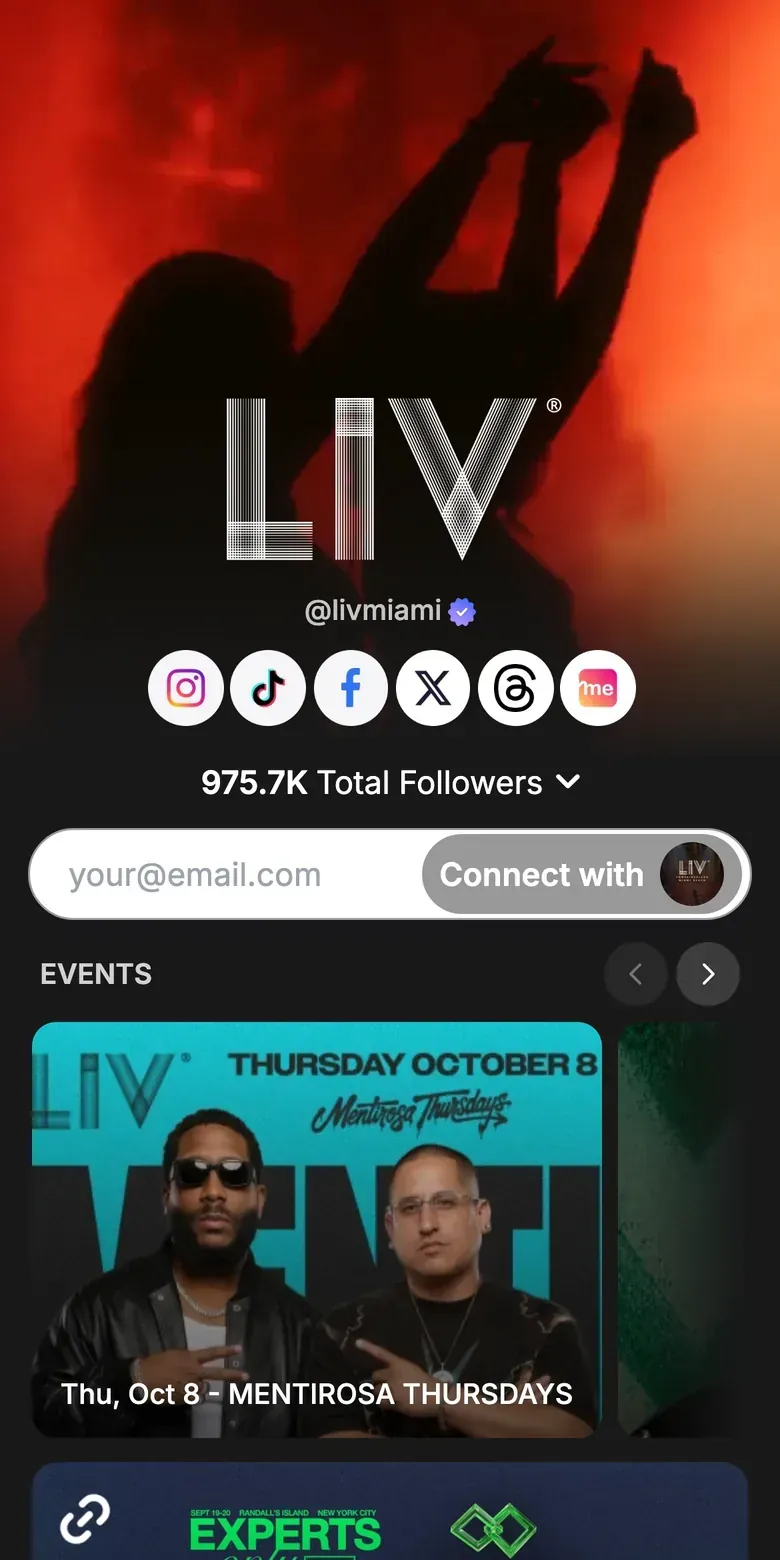
LIV Miami's live Linkme page runs its upcoming nights as an events row, and guests can leave their email right on the page. Every sign up lands in Leads, ready for the next lineup email.
Upcoming nights as an events row
An email sign up on the page itself
Part of Groot Hospitality, with Papi Steak
“We've enjoyed using Linkme as a clean, centralized destination for our audience. It's intuitive, easy to manage, and fits seamlessly into our digital ecosystem.”
To send, yes. On People plans you can draft and preview campaigns for free, and sending comes with Linkme Pro, which adds unlimited sends, open and click tracking and sending from your own domain. Every Business package includes email campaigns.
Can I schedule a send?
No. Campaigns send right away, the moment you press send.
Who gets my campaign?
Your active contacts: everyone on your list who is subscribed. You can also send to the subscribers a filter in Leads finds, to the ones you select, or to a single lead. Unsubscribed contacts never get it.
Can I send from my own address?
Yes, from a domain you have verified. The From menu lists your verified domains.
Can emails go out on their own, like a welcome series?
No. Every email is a campaign you send yourself, once, to the people you choose.
How are unsubscribes handled?
Linkme adds an unsubscribe footer to every email, and it cannot be removed. Anyone who unsubscribes is marked Unsubscribed in Leads and left out of every campaign after that.
Where does my list come from?
Your Linkme page. Everyone who subscribes, taps Connect with to share their details, fills in your Email Contact Form or one of your forms, or buys from you lands in Leads, ready for your next campaign. You can export the list as a CSV any time.