Email Marketing Templates for Promotions and Events
Adapt six email marketing templates for offers, launches and events, with subject lines, complete message copy, calls to action and recipient guidance.
On this page
You know what your business wants to announce. The harder part is turning it into an email that explains the value, includes the right details and gives the reader a clear next step.
These six email marketing templates give you a starting message for an offer, launch or event. Each includes a subject line, suggested preview text, full body copy and a call to action you can adapt to your business.
Use the copy in a suitable email layout, replacing the bracketed details with accurate information. The templates work for product and service businesses, with adjustments for what you sell and whom you want to reach.
Choose the email template that fits your message
| Template | Use it for | Recipient check | Main action |
|---|---|---|---|
| 1. Offer announcement | A promotion or seasonal offer | Relevant subscribers who qualify | View or use the offer |
| 2. Product or service launch | Introducing something new | Subscribers with a relevant interest | Explore the offering |
| 3. Offer-deadline reminder | An offer approaching its real closing date | Subscribers still eligible; check completed purchases or bookings where relevant | Act before the deadline |
| 4. Event invitation | Announcing an event that needs registrations | Relevant subscribers; check existing registrations | Register or reserve |
| 5. Registration-deadline reminder | Event registration approaching its close | Eligible subscribers who have not registered, using current records | Register for the event |
| 6. Post-event resources and follow-up | Sharing a recap or useful resource | Appropriate subscribers; verify attendance before claiming it | Read or access the resource |
The preview lines below are suggestions for editors that support preview text. Keep your sending platform’s required business identity, postal address and unsubscribe controls in the finished email. The body copy does not replace those settings.
Promotional email templates
1. Offer announcement email template
Use it when: You have a defined promotion to announce, including a seasonal offer where the occasion is relevant.
Send it to: Marketing subscribers for whom the offer is useful and who meet its eligibility conditions.
Subject: [Offer] from [Business name], through [end date]
Preview: See what’s included, how to use the offer and when it ends.
Email body:
Hi there,

From [start date] through [end date, time and time zone], you can get [specific offer] on [qualifying products or services] at [Business name].

If you've been planning [relevant purchase or service need], this is an opportunity to take the next step. The offer includes [what is included], and it is available to [eligible customers or locations].

To use it, [redemption method, including a code if one is required]. Please note: [material conditions, exclusions or minimum spend].

View the offer: [offer URL]

If you have a question about whether the offer applies to you, reply and we'll help.

[Sender name]
[Business name]
Adapt it: State the actual benefit, whether that is a discount, a package or another offer. Remove the eligibility or conditions sentence if it adds nothing, but retain any restriction the reader needs to understand. Make the redemption method agree with the destination.
For a service business, the action might be “View eligible appointments” rather than “Shop the offer.” A seasonal reference can go in the opening when it fits your audience. Keep reply-based help only if someone will monitor the reply address.
2. New product or service announcement email template
Use it when: You are introducing something new and want to explain who it is for. A launch does not need a discount.
Send it to: Subscribers whose interests make the announcement relevant.
Subject: Meet [new product or service]
Preview: A new option for [specific use or need], available from [date].
Email body:
Hi there,

We're introducing [product or service name], available from [date].

It's designed for [specific use or customer need]. You can expect [verified feature or service detail] and [second verified detail], so you can decide whether it fits what you need.

You can find it [where it is sold or provided], with [relevant availability, location or booking condition]. The page below explains what's included and [pricing or how to get a quote].

Explore [product or service name]: [product or service URL]

Have a question before choosing? Reply and tell us what you'd like to know.

[Sender name]
[Business name]
Adapt it: Use concrete details instead of unsupported claims about results or popularity. Replace the pricing-or-quote wording with the actual route your business provides. For example, a service launch could explain a new appointment type and link to its service page; a product launch could highlight materials, specifications or intended use.
If the destination is a live booking page, “View appointments” may be a clearer CTA. Do not describe an offering as available now when it is only taking inquiries or preorders. Remove the reply invitation if that inbox will not be monitored.
3. Offer-deadline reminder email template
Use it when: An offer you already announced is approaching a genuine closing date.
Send it to: Suitable subscribers who remain eligible. Check purchase or booking records where available so the reminder is still relevant.
Subject: [Offer] ends [end date]
Preview: Use the offer by [time and time zone] on [end date].
Email body:
Hi there,

A quick reminder: [specific offer] on [qualifying products or services] ends on [end date] at [time and time zone].

If you're planning [relevant purchase or service need], you can still [actual offer benefit] before the deadline.

To use the offer, [redemption method]. It applies to [eligibility], with [material conditions or exclusions].

View the offer: [offer URL]

[Sender name]
[Business name]
Adapt it: Keep the offer, redemption instructions and destination consistent with the original announcement. Use an exact date and time rather than leaving “tonight” in a template that may be reused later.
Do not add a countdown, “last chance” or limited-stock claim unless it is accurate. Check the recipient list again before sending; an apparent non-open is not enough to establish that someone missed the first email or has not already purchased.
Event email templates
4. Event invitation email template
Use it when: You want suitable subscribers to register for an upcoming event.
Send it to: Subscribers for whom the topic and location or format are relevant. Exclude known registrants using available records.
Subject: You’re invited: [event name] on [date]
Preview: Join us for [specific topic or activity]. See the event details and reserve your place.
Email body:
Hi there,

[Business name] is hosting [event name], and we'd like to invite you.

The session is for [intended audience] and will cover [specific topic or activity]. You'll have the opportunity to [what participants can actually learn, see or do].

Here are the details:

Date: [day, month and year]
Time: [start time] to [end time], [time zone]
Location: [venue and address, or online format]
Cost: [actual price and relevant fees, or free if true]
Registration: [requirements and closing date, if applicable]

Reserve your place: [public registration URL]

For questions about attending or access arrangements, contact [monitored contact method].

[Sender name]
[Business name]
Adapt it: For an in-person event, include the venue address and any important arrival information. For a virtual event, replace the location with the online format and explain how registered attendees will receive access, if that process is confirmed.
Use the public registration page in the invitation. Keep private attendee-specific joining links and credentials out of a general promotional send. The date, price and registration conditions must agree with the destination.
5. Event registration-deadline reminder email template
Use it when: Registration is approaching its actual closing date and places are still available.
Send it to: Eligible subscribers who have not registered, checked against current registration records.
Subject: Registration for [event name] closes [date]
Preview: Register by [closing time and time zone] for [event’s main benefit or topic].
Email body:
Hi there,

Registration for [event name] closes on [date] at [time and time zone].

If you'd like to join us for [specific topic or activity], there is still time to register. The event takes place on [event date], from [start time] to [end time], [time zone].

Location/format: [venue and address, or online format].

The cost is [actual price and relevant fees, or free if true]. [Material registration condition].

Register for [event name]: [public registration URL]

If you have a question before registering, contact [monitored contact method].

[Sender name]
[Business name]
Adapt it: Refresh the audience before sending. “Register for [event name]” is the default CTA; use “Complete your registration” only when you have verified that the recipient started but did not finish.
If registration status is unavailable, use a broader suitable subscriber group with conditional wording such as “If you have not registered yet, there is still time to join us.” Do not describe that group as verified nonregistrants or imply that Linkme automatically checks an external registration system.
6. Post-event resources and follow-up email template
Use it when: You have a useful recap or resource to share after an event.
Send it to: Appropriate marketing subscribers interested in the event or topic. Use neutral wording unless attendance is verified.
Subject: Resources from [event name]
Preview: Explore [actual recap or resource] from our session on [topic].
Email body:
Hi there,

Following [event name], we've put together [available recap or resource] on [topic].

It covers [specific content included] and gives you a way to explore [useful idea or information]. You can find it here:

View the resources: [resource URL]

[Relevant access condition or actual availability deadline].

We hope it helps with [relevant task or interest]. If you have a question about the material, contact [monitored contact method].

[Sender name]
[Business name]
Adapt it: Link to something that exists and check that the recipients can access it. Do not promise a recording, slides or download that you cannot provide. Remove the access-condition sentence if no condition applies.
You can add “Thanks for joining us” for a verified attendee group with appropriate marketing eligibility. Registration alone does not establish attendance, and a missing attendance record does not establish that someone stayed away.
If you already promised registrants a recording or other essential material, deliver it through the appropriate event or service-message workflow. That fulfillment should not depend on whether someone is eligible for a separate marketing campaign.
Make the template your own before sending
Choose the message and recipient group first. Replace every bracketed detail with a truthful fact or a working destination, and remove any sentence that does not apply. A CTA such as “View the offer” can become your button label, with your offer URL as its destination.
The brackets in these examples are editing placeholders. They are not functioning personalization fields. If you want to add a recipient’s name, use your editor’s actual controls and check what appears when the name is missing.
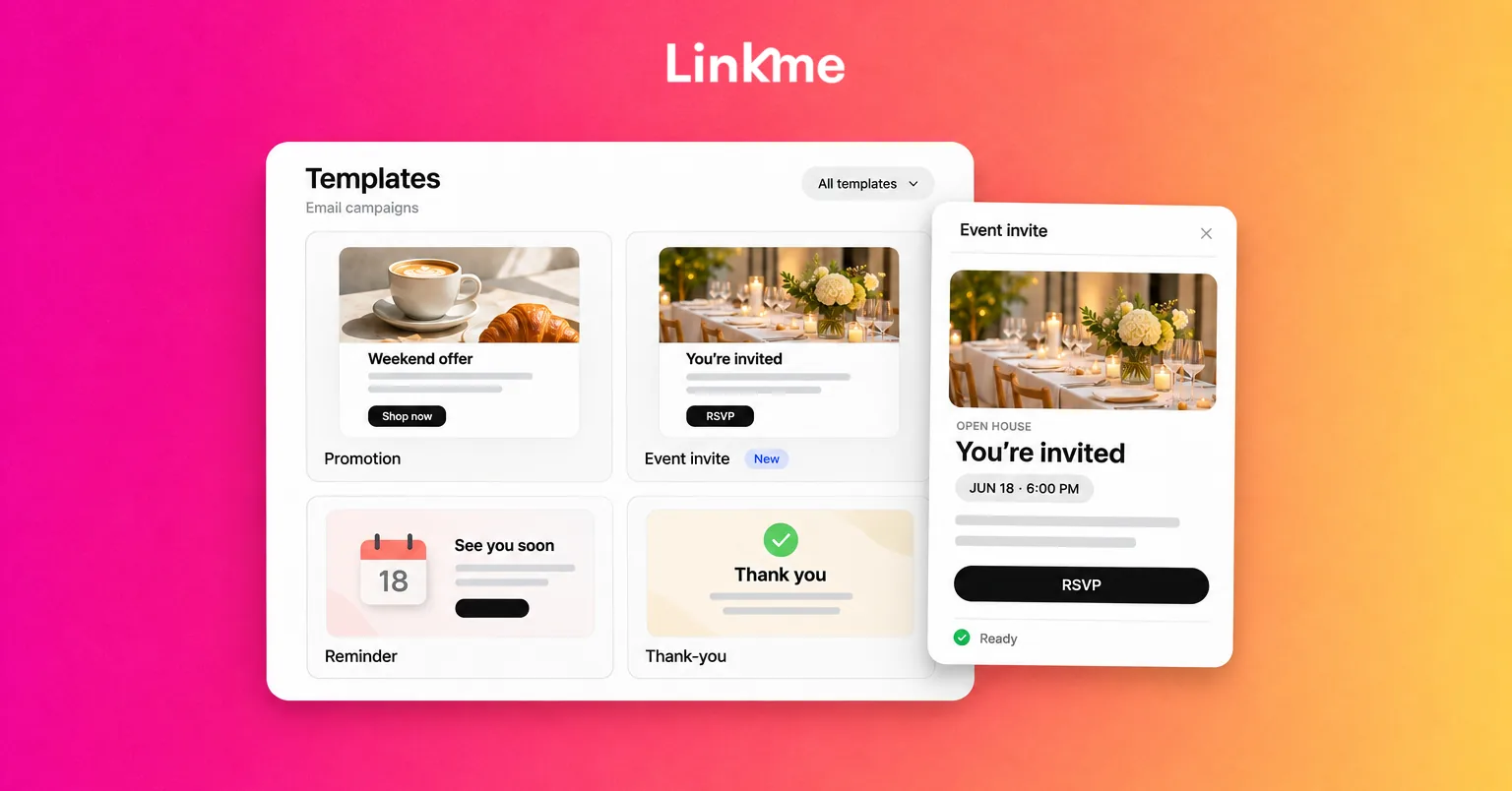
With Linkme’s email campaign tools, you can adapt a suitable layout, personalize the message, preview it, send a test and choose eligible subscribed recipients. Save the adapted email as a template when its structure will be useful again. Before reusing it, refresh the dates, terms, links and recipient selection.
Check the received test as well as the editor preview. A test message may not reproduce all recipient-specific fields, so use the supported preview or testing method to check those values. Keep your business identity, required postal address and unsubscribe handling in the finished email.
Email campaigns are included in Linkme for Business. Campaigns send immediately when you send them; saving a template does not schedule an email or create an automated follow-up series. Assign someone to review the message and handle the send at the intended time.
Frequently asked questions
Are these email copy templates or HTML designs?
These are adaptable words: subjects, suggested preview lines, bodies and CTAs. Add them to a suitable email layout and replace the details before sending. They are not coded designs or an installable template pack.
Do promotional emails need a discount?
No. A relevant product launch, service announcement or event can give subscribers a useful reason to hear from you. Explain the opportunity clearly rather than inventing a saving.
Can I send the same event email to subscribers and registered attendees?
Their next actions differ. An invitation asks suitable nonregistrants to register. People already registered need joining information or other event updates through the appropriate event communication. Registration also does not establish permission for unrelated promotions. Match the message and channel to the recipient’s status.
Can I automate these reminders in Linkme?
Linkme’s current email campaigns are manually sent. You can reuse saved templates, but they do not create scheduled sends or an automated sequence.
Turn a useful message into a reusable campaign
Choose the template that fits the task, replace the details and send it to people for whom it is relevant. Keep the structure that works for your team, while checking the facts on every reuse.
Explore how Linkme helps your team create, reuse and send email campaigns to relevant subscribers. Book a demo to see how it fits your business.