Twitch Viewer Engagement: In-Stream Tactics That Keep Chat Active
Twitch viewer engagement grows when chat has a reason to type and a say in what happens. Talking to chat, commands, polls, predictions, Channel Points and raids all help.
On this page
- Key takeaways
- Know what engagement looks like during a stream
- Talk to chat like a co-host
- Use chat commands for the questions you hear every stream
- Run polls at real decision points
- Add predictions for stakes
- Design Channel Points rewards that change the stream
- Use raids and incoming raids well
- Point viewers to your page without breaking the flow
- Review each stream for ten minutes
- Frequently asked questions
Twitch viewer engagement is what viewers do while you are live: chatting, voting, redeeming rewards, clipping moments and sticking around. It grows when chat has a reason to type, a say in what happens next and a clear place to go when they want more. This guide covers the in-stream tools that create those reasons: talking to chat, commands, polls, predictions, Channel Points and raids, plus how to point viewers to your merch and sign ups without derailing the stream.
Know what engagement looks like during a stream
Viewer numbers alone do not tell you whether people are engaged. Watch these signals instead:
| Signal | What it tells you |
|---|---|
| Unique chatters per stream | How many people felt like joining in |
| Returning chatters | Whether people come back for the experience |
| Poll and prediction participation | Whether viewers want a say |
| Channel Points redemptions | Whether your rewards are worth spending on |
| Clips made by viewers | Which moments people want to share |
Track two of these for a month to see which of the tactics below work for your channel.
Talk to chat like a co-host
Most engagement starts with how you speak, before any tool comes into it.
- Read names out loud. “Good question, Sam” turns a lurker into a participant.
- Ask questions with answers. “Which route should I take, left or right?” gets replies. “How’s everyone doing?” gets fewer.
- Narrate your thinking. Saying why you are making a choice gives chat something to agree or argue with.
- Fill silence with chat. During loading screens, queues or a slow stretch, read and respond to messages instead of waiting.
- Recap for newcomers. Every 20 to 30 minutes, say in one line what you are doing and what is coming up.
Small channels have an advantage here. When five people are in chat, you can reply to every one of them, and that is what makes them come back.
Use chat commands for the questions you hear every stream
If viewers keep asking about your schedule, your setup or where to buy something, a chat bot can answer with a command such as !schedule, !setup or !links. Commands keep you from repeating yourself and let moderators point people to answers.
A short starter set:
!schedulefor when you stream next!linksfor one link that holds everything else!rulesfor chat rules!gameor!buildfor what you are playing and how
Timed messages, where a bot posts on its own every so often, are useful in moderation. One timer for your links, spaced well apart, is enough. Several timers firing in a slow chat drown out real conversation.
Run polls at real decision points
Polls let chat choose what happens next. Twitch polls take a question of up to 60 characters and two to five choices of up to 25 characters each, and only one poll runs at a time, according to Twitch’s Polls API reference. You can optionally let viewers spend Channel Points for extra votes. The same reference lists polls as a feature for Affiliates and Partners.
Good poll moments:
- Which game, map or challenge comes next
- Which loadout, character or route to use
- Which of two thumbnails or titles to use for the VOD
- A rating for a viewer’s submission or setup
Keep the choices short and act on the result straight away. A poll whose result you ignore teaches chat not to vote next time.
Add predictions for stakes
Predictions let viewers bet Channel Points on an outcome: will you win this round, beat the boss in under three tries or hit the target score? They work best for short, uncertain events that resolve within the stream. Use them sparingly, a few per stream, so each one feels like an event. Because viewers bet Channel Points, predictions need Channel Points turned on for your channel.
Design Channel Points rewards that change the stream
Viewers earn Channel Points by watching, with bonuses for actions such as following and coming back for consecutive streams. Twitch has been widening access to these tools: its Monetization for All update says Channel Points, subs, emotes, badges and Bits are available to eligible streamers globally through the Creator Dashboard, while a payout still requires Affiliate or Partner status.
The best custom rewards give viewers a visible effect on the stream:
- Pick my next weapon, song or topic
- Hydrate check: you take a drink on camera
- Add a challenge for the next round, such as no healing items
- Name something in the game, like a pet, a base or a character
- Ask a question that you answer on stream
- Highlight my message, a built-in reward that helps a viewer get noticed
Set cooldowns and per-stream limits on anything that takes time, and price rewards so they feel earned. Retire rewards nobody redeems.
Use raids and incoming raids well
Ending your stream with a raid sends your viewers to another channel instead of letting them drift away, and it builds goodwill with streamers your audience will like. Choose channels close to your own in content and size, and tell chat who you are raiding and why before you send them.
When a raid arrives, stop what you are doing for a moment. Welcome the raiders by the streamer’s name, say in one sentence what your stream is about and invite them to type something, such as their favorite game or their location. That one-minute welcome is often the difference between raiders leaving and raiders following.
Point viewers to your page without breaking the flow
Engaged viewers want more than the stream: merch, a way to support you, your clips elsewhere, a sign up for news. Give them one place for all of it rather than a chat full of separate links.
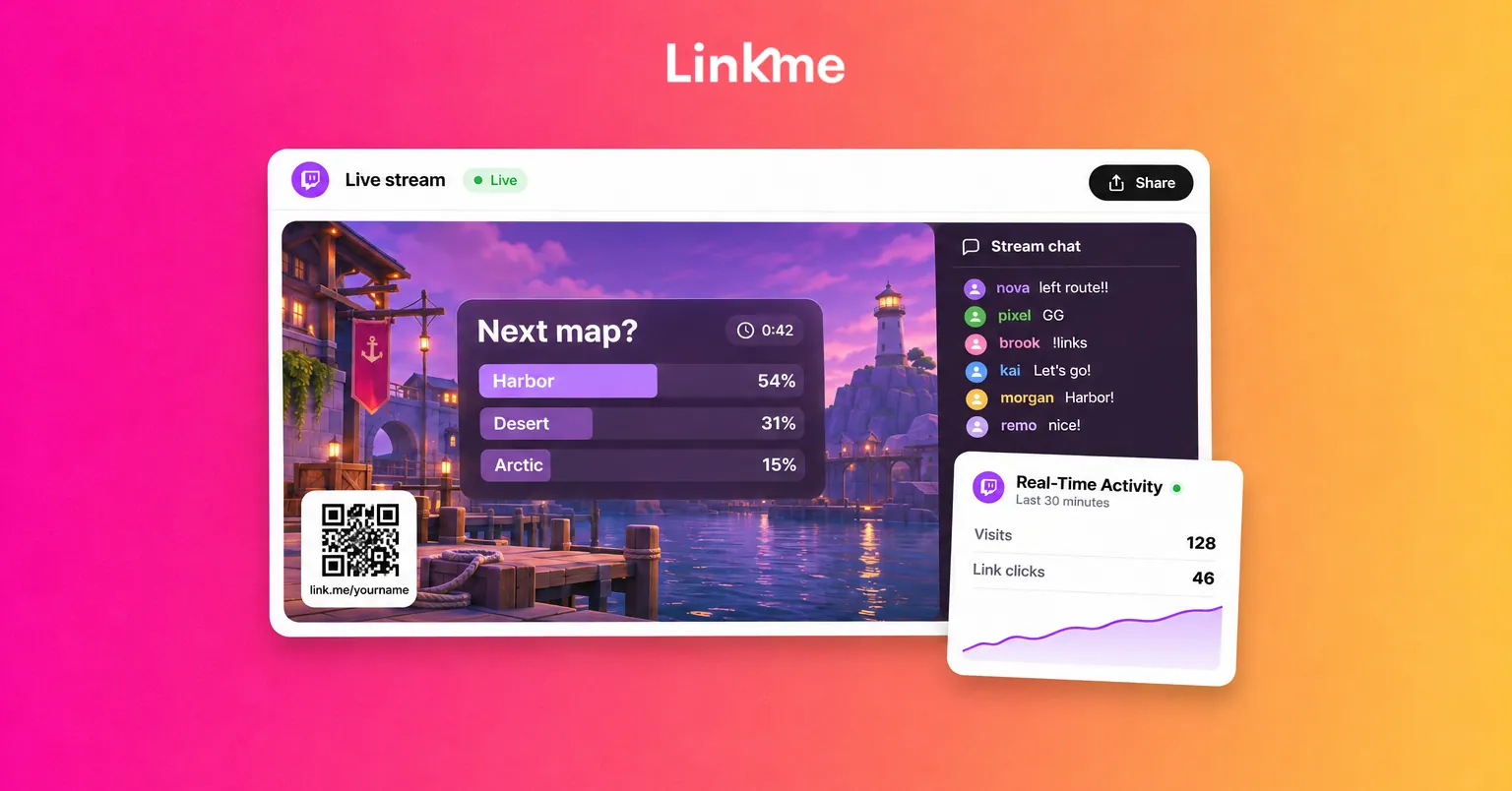
A single Linkme page can hold your merch, tips, other channels, an email sign up and your schedule. Then:
- Make
!linksyour only link command. One address is easier to remember and to type. - Add the page to a panel under your stream so it is there between mentions.
- Put the page’s QR code on an overlay or a “be right back” screen. Every Linkme page has its own QR code, and it keeps working when you change the page.
- Mention it when it is relevant. Point to merch when someone compliments your hoodie, or to the sign up when you tease an announcement. A natural moment works better than a fixed timer.
Selling from the page is covered by Linkme’s Sell & Monetize tools: tips and print on demand merch on every plan, with digital products and courses on Plus and Pro, all with checkout on your page. On Linkme Pro, Real-Time Activity shows visits and clicks from the last 30 minutes, so you can see whether a mention during the stream sent people to the page.
Review each stream for ten minutes
After you end the stream, note when chat was busiest and when it went quiet, which poll got the most votes and which reward was redeemed most. Watch the VOD around the quiet moments. You will usually find a long stretch without a question to chat, which is the easiest thing to fix next time.
Frequently asked questions
How do I get chat engagement on Twitch with very few viewers?
Talk to each chatter by name, ask questions with clear answers and fill quiet stretches by reading chat aloud. With a small audience, personal attention is the most effective tool you have, and it is what turns first-time chatters into regulars.
Do I need to be a Twitch Affiliate to use polls and predictions?
Twitch’s developer documentation lists polls as an Affiliate and Partner feature, while predictions need Channel Points turned on. Twitch has opened Channel Points, subs and Bits to more streamers through the Creator Dashboard, so check there for what your channel can use. Chat bots can run simple text votes on any channel.
What are good Channel Points rewards?
Rewards that change the stream work best: choosing your next game or challenge, naming something in-game, asking a question you answer live or a hydrate check. Add cooldowns to anything that takes time and remove rewards nobody uses.
How often should I mention my links during a stream?
Keep a link command and a panel available at all times, and mention the page out loud when it connects to what is happening, such as a merch question or an upcoming announcement. A few natural mentions beat a constant timer.
Engagement during a stream comes from giving chat reasons to take part and a clear next step when they want more. When you are ready to give viewers that next step, see how streamers, creators and athletes run their page, sales and posts on Linkme for creators and athletes.


