How to Monetize as a Streamer: Income Beyond the Platform
Subs and ads depend on a platform's rules. Merch, digital products, pay to unlock posts, tips, courses and brand deals give streamers income they run themselves.
On this page
To monetize as a streamer, most people start with what the platform offers: subs, Bits, ads, memberships. Those depend on the platform’s programs and rules, and they stop at the edge of one site. Income you run yourself, such as merch, digital products, paid unlocks, tips, courses and brand deals, works whichever platform you stream on and builds a direct relationship with your buyers. This guide covers each of those income streams, what suits different kinds of streamers and how to sell from your own page.
Why income off the platform matters
Platform programs change. On Twitch, for example, tools such as Channel Points, subs and Bits are now open to more streamers, but Twitch says a streamer still needs Affiliate or Partner status to receive a payout. Other platforms have their own thresholds and rules.
Income you run yourself has three advantages:
- It does not depend on a partner program. You can sell merch or a guide before you qualify for anything.
- It follows you across platforms. If you stream on Twitch, Kick and YouTube, the same shop serves all three audiences.
- You get the customer relationship. You know who bought, and you can reach them again.
Map your income options
| Income stream | What viewers get | Effort to set up | Best for |
|---|---|---|---|
| Tips | A direct way to support you | Low | Every streamer, from day one |
| Merch | A shirt, hoodie or mug with your designs | Low to medium | Channels with in-jokes, catchphrases or a recognizable logo |
| Digital products | Overlays, settings guides, presets, wallpapers, music | Medium | Streamers with a skill or a look people want to copy |
| Pay to unlock posts | Extra videos, tutorials, behind the scenes | Medium | Channels with a loyal core who want more |
| Courses | Structured lessons with video | High | Coaches, educators, high-skill players |
| External products | Your existing store, books or apps | Low | Streamers who already sell elsewhere |
| Brand deals | Sponsored segments, product placement | Varies | Channels with a defined niche and engaged chat |
You do not need all of these. Pick the one your chat already asks about. If people keep asking for your settings, sell a settings guide. If they quote your catchphrase, put it on a shirt.
Ideas by type of streamer
Competitive and skill-based gaming. Sensitivity and graphics settings guides, coaching sessions sold as a course, VOD review videos behind a pay to unlock post.
Variety and community streamers. Merch built around community jokes and emotes, tips, and exclusive “director’s cut” highlight videos.
Creative streamers (art, music, building). Brushes, presets, sample packs, wallpapers and process videos. Musicians can sell downloads directly.
IRL and lifestyle streamers. Merch, travel or gear guides, and pay to unlock vlogs of the parts that did not make the stream.
Educational streamers. Courses with sections and video lessons, with downloadable worksheets attached.
Sell from your own page
Viewers buy when the path from interest to checkout is short. A single page in your bio, panels and overlays should hold everything you sell, with checkout on the page itself.
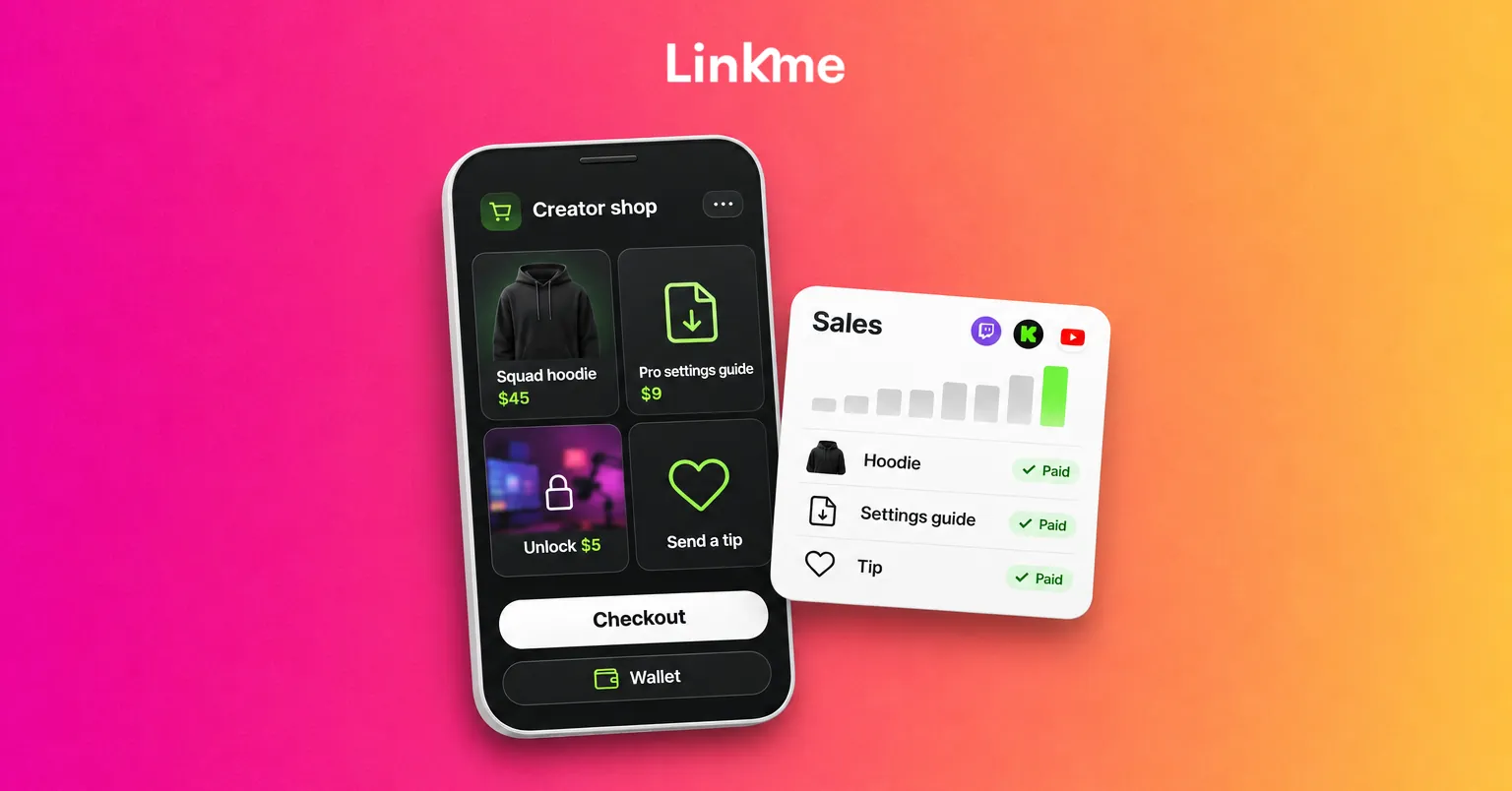
On Linkme, Sell & Monetize covers each income stream above:
- Tips and merch on every plan. Merch is print on demand: you design it, including with AI, set your price above the base cost, and each order is printed and shipped for you, so you hold no stock. The merch guide shows the steps.
- Digital products and courses from Plus. Upload a file, set a price, and buyers get the download the moment they pay. Choose Pay to Unlock to show a blurred preview that unlocks after payment. The digital products guide covers presets, templates, ebooks and music.
- Presales. Schedule a release and buyers can pay now, with the product reaching them on release day.
- Products you already sell elsewhere can be listed with a title, price and link, so buyers check out in your own store.
Buyers pay with Apple Pay, Google Pay or a card, and everything also lives at link.me/yourname/shop. You connect one Stripe account and payouts go to your bank. Linkme takes a platform fee set by your plan, plus Stripe processing, and both are shown before you publish a product and on every order. You can export the emails of your buyers from Sales, which gives you a list to tell about your next drop.
Promote without turning the stream into an ad
A few habits keep selling natural:
- Wear or use what you sell on stream, and mention it when someone asks.
- Add one
!shopor!linkscommand and a panel under the stream, so the link is there without repeating it. - Launch with a moment. Reveal a new design live, let chat vote on colors or run a presale during a special stream.
- Thank buyers on stream, with their permission, the same way you thank subscribers.
Treat brand deals like a business
Sponsors look for an audience that matches their product and a creator who delivers what was agreed. Before you pitch or reply to a brand:
- Know your numbers. Average viewers, chat activity, follower counts on each network and where your audience is located. On Linkme Plus, your page can show one total of followers across your connected accounts, and analytics show the countries and cities your visitors come from.
- Define what you offer. A sponsored segment, a product in a stream, a dedicated video, a link on your page for a set period.
- Put it in writing. Deliverables, dates, usage rights and payment terms.
- Disclose every time. Use the streaming platform’s own branded content or paid promotion setting where it offers one, and check its current rules before the stream. In the US, the FTC’s guidance for influencers says a live stream disclosure should be repeated periodically, so viewers who join partway through still see it.
Brands can also use Linkme’s creator marketplace to find creators who run their pages on Linkme, so a complete, current page is part of being found.
Frequently asked questions
How do small streamers make money?
Tips and merch are the usual starting points because they need no audience threshold. A small, loyal community will often buy a shirt or a useful guide well before the channel qualifies for a partner program.
Do I need to be a Twitch Affiliate to sell merch?
No. Merch, digital products and tips sold from your own page do not depend on your Twitch status. Twitch’s own payouts for subs and Bits do require Affiliate or Partner status.
What digital products sell well for streamers?
Products viewers already ask about: settings and sensitivity guides, overlays, presets, wallpapers, sound or sample packs and tutorial videos. If a question comes up in chat every week, the answer might be a product.
Do I have to disclose sponsored streams?
Yes. Use the platform’s disclosure setting where it has one, and say it out loud during the sponsored segment. Repeat it, because viewers join a live stream at different times, which is also what the FTC’s influencer guidance asks for in the US.
Income you run yourself gives your streaming a base that does not move when a platform changes its rules. To see how streamers and creators run their pages, sales and posts together, visit Linkme for creators and athletes.