Best Instagram Automation Tools for Creators and Businesses in 2026
Compare Instagram automation tools for DMs, comment replies and publishing. Explore features, pricing models and limitations to find the right fit.
On this page
- Key takeaways
- Instagram automation tools at a glance
- Which kind of Instagram automation do you need?
- Six Instagram automation tools to consider
- How to choose the right Instagram automation tool
- What Instagram automation can and cannot do
- Frequently asked questions
- Choose a workflow you can put to use
The best Instagram automation tool depends on the work you need it to do. Publishing a week’s prepared posts, sending a guide to someone who comments a keyword, and organizing a team’s inbox are different jobs.
Linkme, Manychat and Chatfuel are worth considering for comment and messaging workflows. Buffer and Later focus on planning and publishing content. Sprout Social combines publishing and team workflows with Instagram DM bots on its Advanced plan.
Start with the action you want automated. Then compare the relevant features, human controls and cost of running that workflow.
Instagram automation tools at a glance
Paid prices below are in US dollars. Annual-billing rates are monthly equivalents of an annual commitment, not month-to-month charges.
| Tool | Main reason to consider it | Pricing entry point | Main buying consideration |
|---|---|---|---|
| Linkme | Comment and DM responses connected to a business publishing workflow | Business pricing through a demo; separate People plans | Match the package to the accounts, response rules and team controls you need |
| Manychat | Structured Instagram messaging flows | Essential (Active Contacts model): $14/month billed annually, with 250 monthly Active Contacts | Contact overages, AI tier and separate Inbox-seat allowances |
| Chatfuel | AI-assisted Instagram conversations | Business: $18/month billed annually, with $20 in monthly usage credits | AI conversations and AI-assisted setup can require additional credits |
| Buffer | Prepared publishing for creators and lean teams | Essentials: $5/channel/month billed annually for the first channel | Team approvals require Team; first-comment scheduling is not a follower-triggered reply |
| Later | Visual Instagram planning and scheduled publishing | Starter: $18.75/month billed annually | Social-set allowances, post limits and the tier needed for collaboration or inbox access |
| Sprout Social | Publishing, inbox operations and team workflows | Essentials: $79/seat/month billed annually; Advanced: $399/seat/month billed annually for bots and rules | The publishing entry plan and the conversational-automation plan serve different needs |
Which kind of Instagram automation do you need?
Messaging and comment responses
A messaging tool can respond to a qualifying comment or incoming DM with prepared information. Some also support more complex flows or AI-assisted conversations.
For example, a customer comments GUIDE on a product Reel and receives the relevant product guide privately. The trigger, first response and any subsequent conversation each need appropriate support.
Content publishing
Publishing tools organize content you have prepared and release supported formats on schedule. They can help keep a week’s posts moving while you focus on other work.
Caption suggestions, publishing a first comment and replying to an audience member’s comment are separate functions. A tool that schedules your own first comment does not necessarily respond when a follower asks for information.
Team and reporting workflows
A larger operation may need review, message tagging, internal rules, reporting and clear responsibility for conversations.
Check what happens automatically. A shared inbox may make manual work easier, while a rule can tag or organize messages without sending a customer response. Neither should be assumed to include a conversational bot.
Six Instagram automation tools to consider
1. Linkme: comment and DM automation alongside business publishing
Linkme suits businesses that want to respond to recurring Instagram requests while managing the content that generates those conversations.
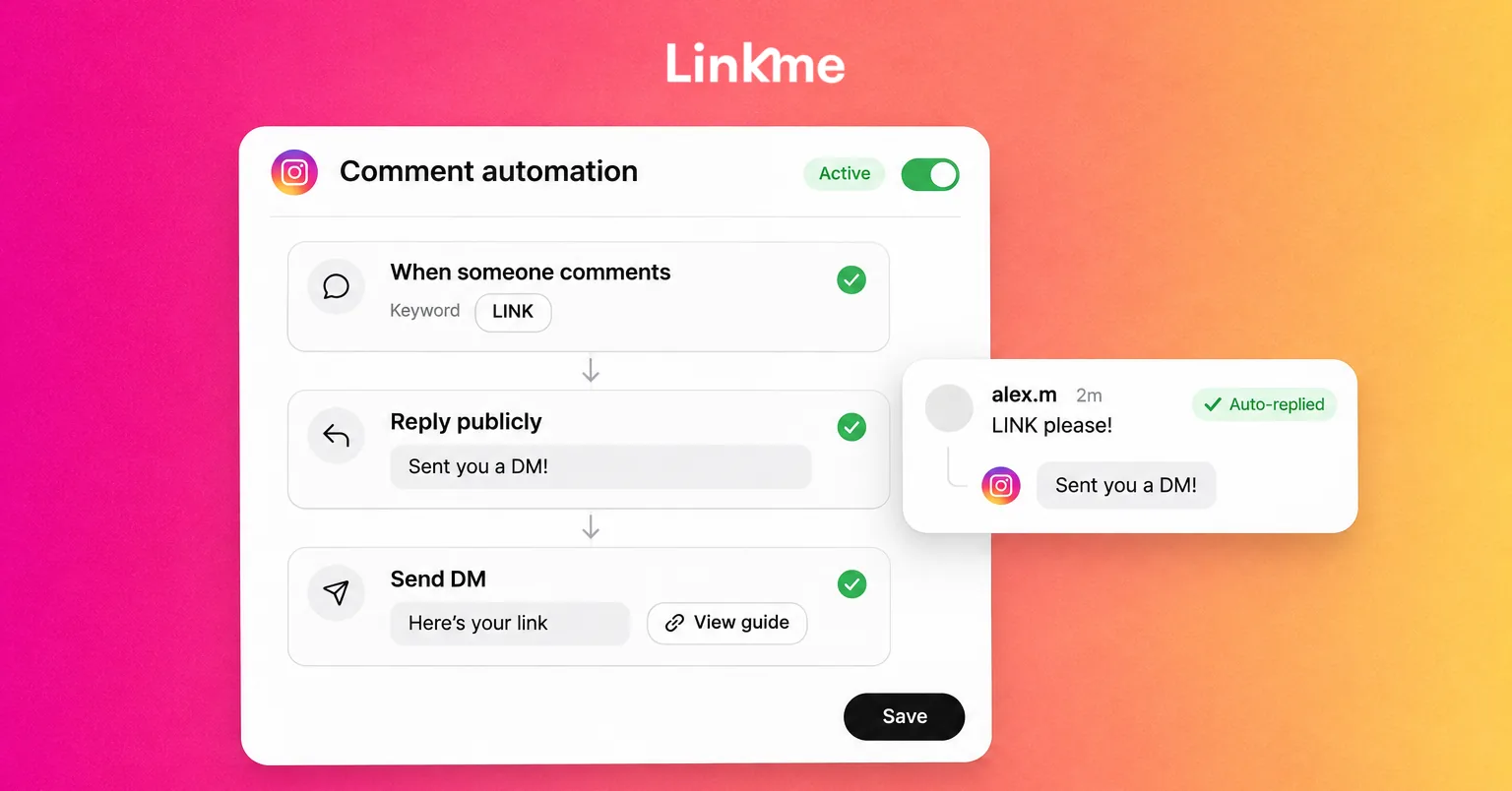
With Linkme’s Instagram comment and DM automations, you can configure keyword or any-comment triggers on selected posts or broader supported content. Public replies, private replies to commenters and responses to incoming DMs are distinct actions.
Consider a hypothetical product campaign. Your post invites people to comment GUIDE. A configured private reply supplies the product-guide link. If someone asks a question that needs an individual answer, a person responds instead of relying on another generic message.
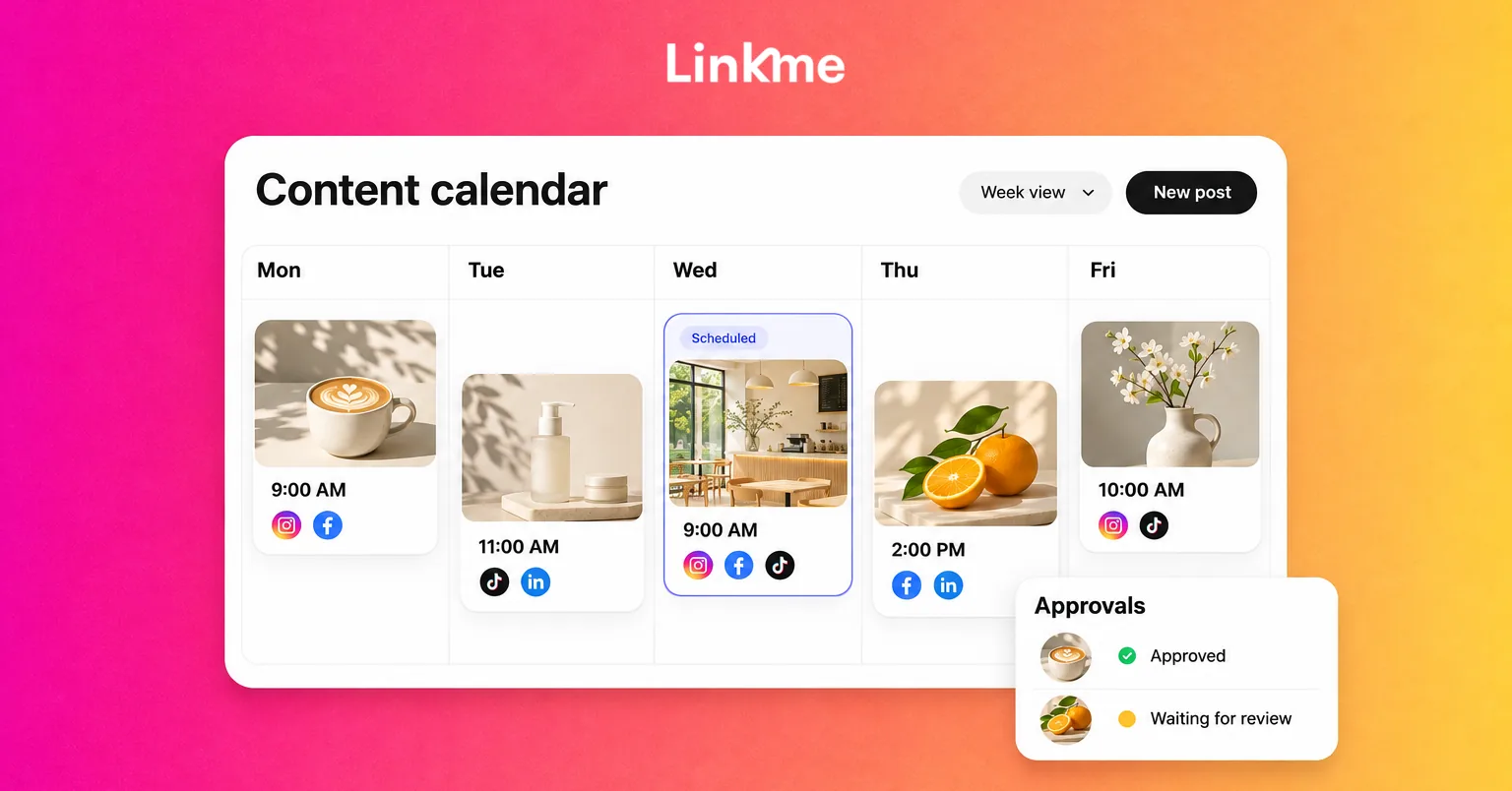
You can also publish and schedule with Linkme, using shared drafts and publishing approvals where your team needs them. Publishing permissions and automation access are separate, so check who can configure rules as well as who can publish content.
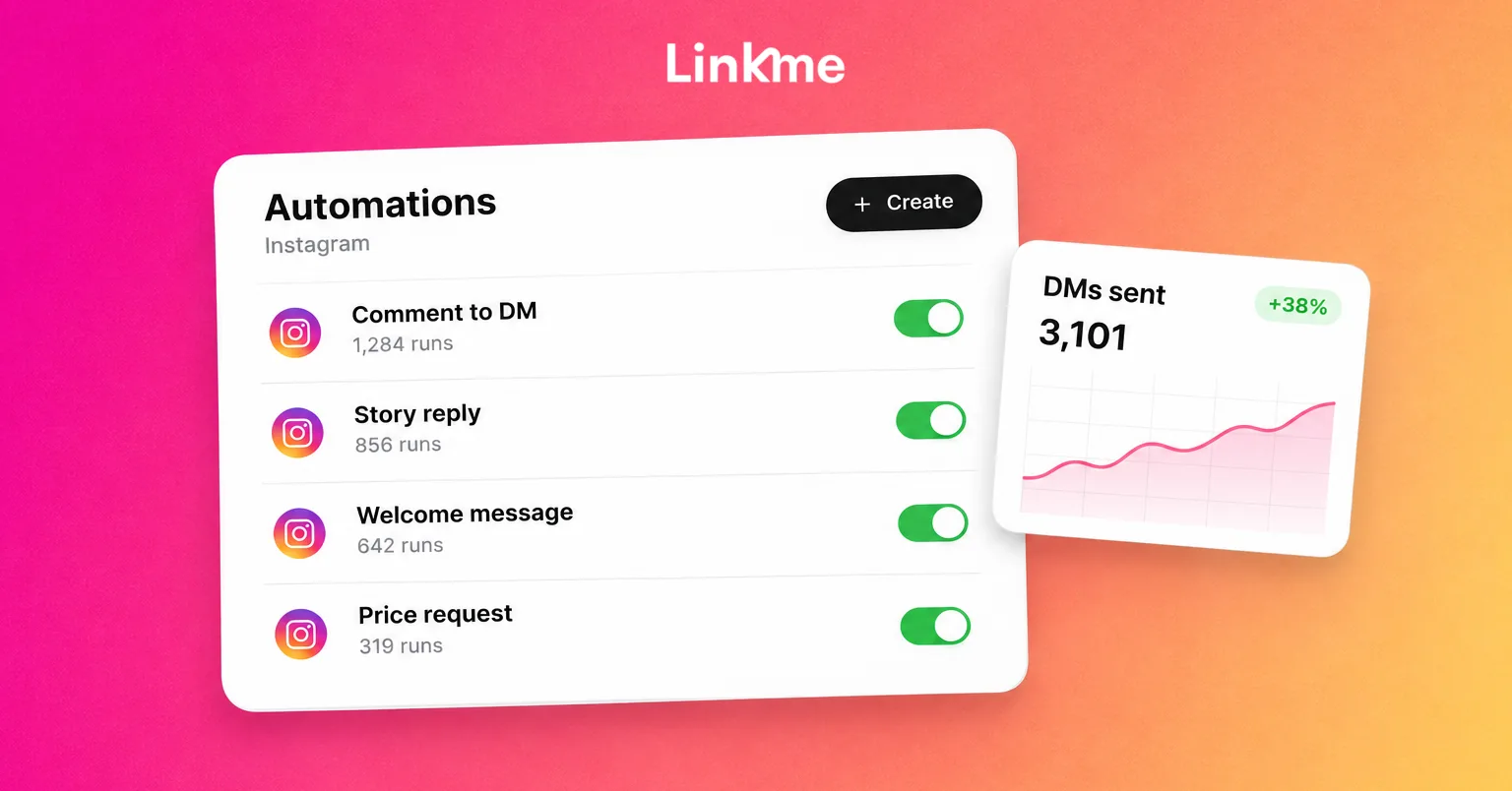
For personal follow-up, Linkme’s Social Inbox supports pausing automation for a conversation, answering and resuming it when appropriate. A manual reply does not pause the automation automatically. Automation activity, clicks and click rate help you assess the response workflow; completed enquiries or sales need their own outcome measurement.
Pricing and fit: Linkme for Business packages are priced through a demo. Creators have separate Free, Plus and Pro People options on the Linkme plans page. Those offers should not be treated as identical Business workspaces or allowances.
Linkme suits prepared, rule-based responses connected to publishing. If your main requirement is multi-step AI qualification or advanced branching, confirm that exact workflow’s availability in the Business package before choosing it.
To evaluate the combined workflow, you can discuss your business workflow in a demo.
2. Manychat: Instagram messaging flows for creators and businesses
Manychat is a useful option when Instagram conversations are the main task. It supports comment-triggered private responses, incoming-DM automations and structured flows built through templates or its Flow Builder.
That suits a creator delivering a requested resource or a business organizing a conversation around a specific customer need. Check the interaction required at each step: the initial private reply and the continuing conversation follow different messaging rules.
Manychat provides inbox tools for personal responses alongside automation. Its account-user allowance and Inbox seats are separate, which matters when several people need to answer messages. Essential includes two account users but one Inbox seat; Pro includes three users and two Inbox seats.
For relevant Quick Automations, reporting includes Sends, Clicks and CTR. Use those figures to assess the message or link, then measure the destination’s business outcome separately.
Pricing and fit: For accounts using the newer Active Contacts model, Manychat pricing starts at $14/month for Essential when billed annually at $168, with 250 monthly Active Contacts. Monthly billing is $17. Availability and migration to this model vary by account and region, so check which model applies to your account. Pro includes 2,500 Active Contacts and AI conversations at $29/month billed annually, or $39 on monthly billing.
An Active Contact is a person interacting through Manychat during the billing month, not your total follower count. Overages can increase the cost. Free includes 25 monthly Active Contacts, so assess whether that allowance fits the intended campaign.
Manychat is a strong shortlist candidate for structured messaging. If your main need is a publishing calendar, evaluate that requirement separately rather than assuming it comes with the messaging subscription.
3. Chatfuel: AI-assisted Instagram response workflows
Chatfuel is worth evaluating when you want Instagram conversations to draw on business information as well as fixed responses.
Its Instagram tools support public and private replies to post and Reel comments, incoming DMs and other documented conversation sources. Public and private comment responses can be controlled independently, and responses can use fixed text or AI where configured.
For example, a business might deliver a product-information link while also answering supported questions from its knowledge setup. Test a customer-specific question before relying on that behavior. Check what happens when the answer is missing, the question needs a person or more than one rule could apply.
Chatfuel has shared conversation tools and role-based team access. Review conversation records and the actual destination outcome rather than treating an automated answer as evidence that a sale or booking was completed.
Pricing and fit: Chatfuel pricing starts at $20/month for its entry Business subscription, or $18/month equivalent billed annually at $216. It includes $20 in monthly usage credits.
AI replies and setup through Chatfuel’s AI Co-Worker consume credits. Conversation length, knowledge needs and usage affect how far the balance goes, and top-ups may be needed. Unlimited contacts or teammates do not mean unlimited AI service for the base price.
Chatfuel fits buyers exploring broader AI-assisted conversations. Evaluate the exact Instagram actions, knowledge setup, human-response process and expected credit use together. A feature advertised for another messaging channel should not be assumed to work identically on Instagram.
4. Buffer: prepared content publishing for creators and lean teams
Buffer is a useful choice when the repeated task is preparing and publishing content on a manageable schedule.
You can organize content in a queue or calendar and automatically publish supported Instagram formats. Account type and connection method affect available features; some content or native features require notification-based completion in Instagram.
Paid plans also support first-comment scheduling. That publishes your account’s own comment alongside its scheduled post. It serves a different job from a keyword rule responding to someone else’s comment.
Buffer’s Community tools help people work through comments. Evaluate that as human community management rather than assuming it supplies the comment-to-DM flows described in the messaging entries. Essentials includes advanced analytics for assessing post performance.
Pricing and fit: Buffer pricing includes a Free plan with three channels, one user and ten queued posts per channel. Essentials starts at $5/channel/month with annual billing, or $60/year for the first channel, and includes one user.
Team starts at $10/channel/month billed annually and adds unlimited team members and approval workflows. On monthly billing, the rates for channels 1–10 are $6/channel for Essentials and $12/channel for Team. Higher channel counts can use graduated rates.
Buffer fits a creator or lean team prioritizing prepared publishing and a clear review process. If a comment must trigger an immediate private resource reply, evaluate that as an additional requirement rather than substituting a first scheduled comment.
5. Later: visual planning and scheduled Instagram content
Later suits creators and teams who want to organize content visually and manage a publishing schedule.
Its visual planner, scheduling and Auto Publish features help prepare supported Instagram posts. Check the account type, format and native features required before deciding that every planned post can publish without an app-completion step.
Later prices around social sets. A set contains one profile from each supported network, so an allowance of eight profiles does not mean eight interchangeable Instagram accounts. Several Instagram accounts can require several sets.
Growth and Scale include collaboration tools and Social Inbox. The inbox is a desktop beta for managing supported comments and DMs through human replies; it should not be treated as an included keyword-to-DM campaign builder. Later Social and separate Later Creator partnership offers also need to be assessed as their respective products.
Pricing and fit: Later pricing starts at $18.75/month billed annually for Starter, with one social set, one user and 30 posts per profile per month. Growth is $37.50/month billed annually, with two sets, two users and 180 posts per profile per month. The current social plan offer includes a 14-day trial.
Reporting history varies too: Starter includes up to three months of platform analytics, Growth one year and Scale two years with custom reporting. Collaboration and approval features are plan-dependent. Check permissions and what an approval status actually controls, particularly for already scheduled content.
Later fits a visual publishing workflow. If messaging automation is the deciding requirement, test that exact trigger and response instead of treating inbox access as an automatic answer.
6. Sprout Social: publishing and workflow coordination for social teams
Sprout Social suits teams that need publishing, inbox work and reporting to operate together, with more advanced automation available at the relevant tier.
Its publishing calendar and Smart Inbox support coordinated content and conversations. Automated inbox rules can organize work through actions such as tagging or completing messages. Those internal actions differ from sending a response to a customer.
Sprout’s Bot Builder supports Instagram DM conversations through features including Ice Breakers, Quick Replies and Keyword Commands. These are inbound-DM conversation capabilities; do not treat a keyword inside a bot conversation as the same trigger as a public comment requesting a private message.
Team permissions determine who can create, edit or activate bots. Include the users who need those functions in your plan comparison.
Pricing and fit: Sprout Social pricing includes Essentials at $79/seat/month billed annually, or $99 on monthly billing, for an entry publishing workflow with five profiles. Profile and post-level reporting is included.
Advanced is $399/seat/month billed annually and includes documented chatbots and Smart Inbox Automated Rules. Premium Analytics and Listening are separate add-ons, so the price of the publishing entry plan does not represent every reporting or messaging workflow.
Sprout is a relevant option when the larger team’s publishing, conversation handling and reporting needs justify the platform and per-seat cost. Compare the plan supporting your actual automation, especially if bots or internal rules are central to the decision.
How to choose the right Instagram automation tool
Start with one task and the exact trigger
Write the requirement as an action: “Send our guide to people who comment GUIDE on this Reel,” or “Publish our prepared weekly posts after review.”
Then ask whether the product performs that action on the selected account and format. A shared inbox, an AI-writing feature and an automated customer response are different capabilities.
Check account support, people and control
Confirm the account type and authorization route. A linked Facebook Page is not universally required across all modern connection methods, but your chosen tool may have specific requirements.
Check who can configure rules, who reviews content and how someone can pause automation or answer personally. If a vendor promises automatic routing, test that exact behavior. A manual pause-and-response process can also be useful, but it is a different control.
Include how requests to stop are honored and what happens if an account connection breaks.
Compare the cost of the workflow you will actually run
Imagine a business with two Instagram profiles, three distinct users and a product-guide request campaign. Two people prepare content; a separate reviewer checks it.
Use the same requirement sheet for each candidate:
| Buying input | What to count |
|---|---|
| Instagram profiles | Brand or location accounts, plus any separate workspace or subscription required |
| People | Account users, paid seats and separate Inbox seats |
| Messaging volume | The product’s actual unit, such as Active Contacts or AI credits |
| Publishing volume | Planned posts, queue allowances and the required publishing tier |
| Controls | Approvals, conversation handling, integrations and reporting at the usable tier |
Do not assume the reviewer is free, two messaging channels mean two Instagram profiles, or one social set holds any combination of accounts. Compare the quote or configured plan that fits those inputs.
Test the requested outcome and the exception
For messaging, test matching and nonmatching comments using a setup that accounts for the tool’s repeat-trigger restrictions. Separate eligible test accounts may be needed so an earlier comment or suppressed repeat does not make the result misleading.
Check actual private delivery, the destination link, requests to stop and how a person handles a question outside the prepared response or knowledge setup.
For publishing, test the supported format, time zone, approval behavior and actual publication status. Confirm which steps still need someone in the Instagram app.
A native option available to your account may be sufficient for a small requirement. Assess it against the same task before deciding that a paid subscription is necessary.
What Instagram automation can and cannot do
Prepared publishing, requested replies and internal workflows serve useful business tasks. Fake engagement, mass following and unsolicited spam are different activities. An authorized connection does not guarantee immunity from restrictions or better performance.
For private replies to post or Reel comments, Meta’s private-reply rules allow one initial private reply within seven days. Follow-up messages require the recipient to respond and must be sent within 24 hours of that response.
An external link click is not the same as a reply or an email subscription. A product’s cooldown does not create new messaging permission either.
Frequently asked questions
What is the best Instagram automation tool?
Choose around the task. Linkme is worth considering for prepared comment and DM responses connected to publishing; Manychat for structured messaging flows; Chatfuel for AI-assisted conversations; Buffer or Later for prepared publishing; and Sprout Social for larger team workflows. Compare the exact action and usable plan before deciding.
Can one tool schedule posts and send automated DMs?
Yes, some products combine those capabilities. Linkme supports publishing alongside comment and incoming-DM automation. Confirm the accounts, triggers, formats and permissions needed for your workflow rather than assuming every feature applies to every channel.
Are Instagram automation tools free?
Some offer limited free plans. Manychat’s Free plan under the newer Active Contacts model includes 25 monthly Active Contacts; Buffer Free includes three channels and ten queued posts per channel. Linkme has a separate People Free option, while Business packages are priced through a demo. A time-limited trial, such as Later’s current offer, is a different arrangement.
Is a social inbox the same as DM automation?
No. An inbox can let a person read, organize and answer messages. Saved replies, AI drafts, internal rules and automatically sent responses each do different work. Check which action happens without manual sending.
Will automation grow my followers or sales?
It can reduce repetitive work and deliver requested information consistently. Outcomes still depend on your content, audience, offer and customer experience. Measure useful actions and completed outcomes separately instead of treating an automated reply as a sale.
Choose a workflow you can put to use
Pick the repetitive Instagram task that matters most, compare the supported action and usable cost, and test it with one real campaign.
Book a Linkme demo to explore how Instagram comment replies, requested links and publishing could fit your business.