Discord for Brands: Should Your Business Run a Server?
Who a brand Discord server suits, what moderation really costs, when an Instagram broadcast channel or a Telegram channel is the better choice, and how to keep announcements in step.
On this page
Discord for brands works when your customers already want to talk to each other, not just to you. It suits products people use daily and care about, such as games, software, hobbies and fan communities, and it rarely suits a business people buy from once and forget. Before you open a server, be honest about the moderation it needs, compare it with lighter options like Instagram broadcast channels and Telegram, and decide how announcements will reach it without extra work.
Who Discord suits, and who it does not
Discord is built around ongoing conversation in a space members visit by choice. That makes it powerful for some brands and a quiet, empty room for others.
Good fits
- Games, apps and software. Players and users swap tips, report bugs and help each other, which reduces support work and gives the product team direct feedback.
- Hobby and enthusiast products. Sneakers, cameras, fitness, collectibles, music gear. Customers already compare notes somewhere; a server gives that a home you can see.
- Fan communities around teams, artists and events. Members talk before, during and after the moment, and announcements reach people who opted in.
- Membership and education businesses. Courses, coaching and paid communities, where members benefit from peer help between sessions.
Weak fits
- Low-involvement purchases. Few people want to join a server for their dentist, dry cleaner or insurance provider.
- Local businesses with occasional visits. A restaurant or a store usually gets more from Instagram, Google reviews and an email list.
- Brands without someone to run it. A server that answers questions days late does more harm than not having one.
A quick test: list five things members would talk about in the server if your brand posted nothing for a week. If you cannot, the community probably is not there yet.
What moderation really costs
The tools are free. The time is not. Plan for these before launch:
Rules and roles
Write short, specific rules: what is on topic, how to report a problem, what happens on a first and second offense. Decide who has which permissions, and keep admin rights with a small number of trusted staff.
Coverage
Members post at all hours. Decide which hours are staffed, say so in a pinned message, and set expectations for response times. A global audience usually means volunteer moderators from the community, and they need training, clear escalation paths and recognition.
Automated filtering
Discord’s AutoMod filters keywords, spam and mention spam, and can block messages, alert moderators or time out users. According to the Discord AutoMod FAQ, it requires Community features to be enabled on the server. Treat it as a first filter, not a replacement for people.
Incidents
Agree in advance who decides on bans, who speaks for the brand during a heated thread, and when legal or customer support gets involved. Keep a record of actions taken.
Ongoing programming
Communities fade without reasons to return: release notes, Q&A sessions, previews, member showcases. Someone has to plan these, the same way someone plans your social calendar.
A rough rule: if you cannot name the people who will moderate in the first month and the hours they will cover, wait.
The alternatives: broadcast first, conversation later
Many brands do not need a full community. They need a reliable way to reach their most engaged followers. Two lighter options do that well.
Instagram broadcast channels. A one-to-many chat inside Instagram. You share updates such as text, photos and polls; followers who join can read and react but cannot post freely. Eligibility has changed over time and depends on account type, so check the option in the app before planning around it.
Telegram channels. Telegram channels can have unlimited subscribers, and Telegram groups hold up to 200,000 members, according to the Telegram FAQ. A channel is for broadcasting. A group is for conversation and needs moderation, like a Discord server.
| Discord server | Instagram broadcast channel | Telegram channel | |
|---|---|---|---|
| Main use | Ongoing member conversation | Updates to your existing followers | Updates to subscribers |
| Who posts | Members and staff | Brand only; members react | Brand only |
| Moderation load | High | Low | Low |
| Discovery | Invite links and your other channels | Inside Instagram, from your profile | Links and search inside Telegram |
| Best for | Products people use and discuss daily | Brands already strong on Instagram | Audiences who already use Telegram |
A sensible path: start with a broadcast channel, watch what questions come back, then open a server when members ask for a place to talk to each other.
If you do open a server, start small
- Keep the first version to a handful of channels: announcements, a welcome and rules channel, one general chat, and one channel for your main topic (support, feedback or showcase).
- Make announcements read-only. Discord’s announcement channels, available on Community servers, let other servers follow them, so fan servers can receive your news too.
- Seed it before you promote it. Invite your most engaged customers first so newcomers arrive to an active room.
- Link it from one place. Put the invite on your link-in-bio page rather than in every bio and post, so you can change it if you need to.
- Review monthly. Archive channels nobody uses and split busy ones.
For the setup details of channels, roles and events, a creator-focused guide to Discord communities goes deeper. The decision for a brand is whether the commitment pays back.
Keep announcements in step with your other networks
The most common failure for brand servers is not toxicity, it is silence. News goes out on Instagram and TikTok, and the announcements channel gets it two days later or not at all.
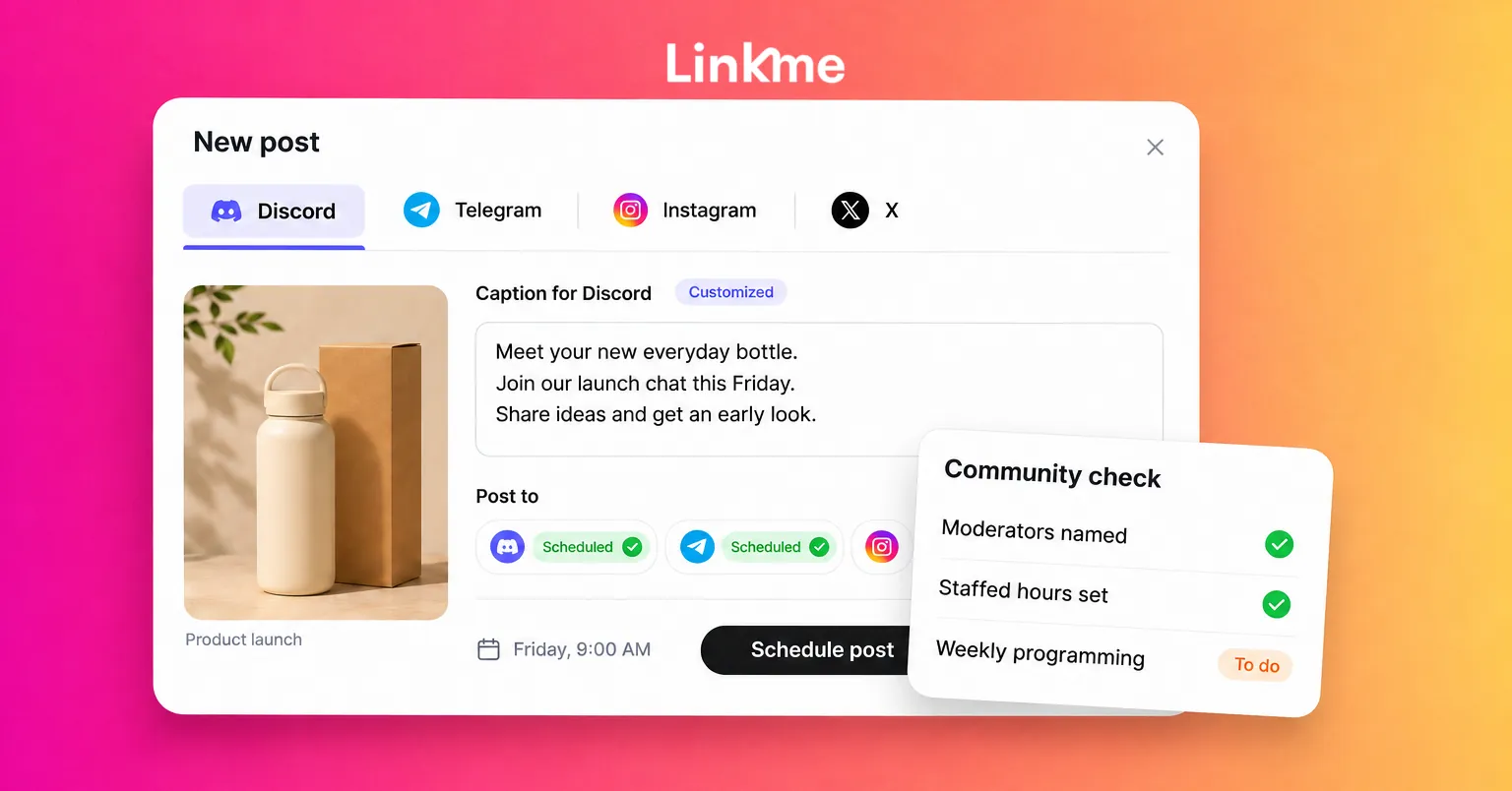
Linkme Business handles this with Post to All, which publishes one post to 13 networks: Instagram, TikTok, Facebook, YouTube, X, Threads, LinkedIn, Pinterest, Reddit, Bluesky, Telegram, Discord and Google Business Profile. You can write one caption for every network or a caption of its own for each, which matters here: an announcement in Discord can be longer and more detailed than the caption on Instagram. Schedule it or post it now, and each network shows its own status, with a retry for any that missed. The Post to All feature page lists the formats and limits per network.
Two practical notes:
- Conversations inside Discord stay in Discord. Linkme’s Social Inbox covers Instagram and Facebook comments and DMs, so plan your server moderation separately.
- If announcements need sign-off, post approvals hold them in the Publishing Queue until the required approver clears them, the same as any other post.
For tools that help a team handle replies across networks, see community management tools for social media teams.
Frequently asked questions
Is Discord good for marketing a brand?
It is good for retention and feedback, less so for reach. Discord is where existing customers talk, not where new ones discover you. Use your public networks for discovery and the server for people who already care.
How many moderators does a brand Discord server need?
It depends on activity and time zones, not member count alone. Start with at least two people who can cover your busiest hours, add AutoMod, and recruit volunteer moderators from active members as the server grows.
Discord vs Telegram: which is better for a brand?
Telegram channels are better for one-way updates to a large audience. Discord is better when members need to talk to each other in organized topics. Many brands use a broadcast channel first and add a server later.
Can I post to Discord and Telegram at the same time as Instagram?
Yes, with a tool that supports them. Linkme Business publishes one post to Discord, Telegram and 11 other networks, with a caption per network and scheduling.
If a server is the right call, run it like a product: clear purpose, staffed hours and regular updates. Book a Linkme demo to see announcements going out to every channel from one composer.