Social Media Campaign Template: Posts, Offers and Reporting
Copy a social media campaign template for goals, offers, posts, owners and reporting. Use a worked example to connect your plan to measurable actions.
On this page
- Copy this social media campaign template
- Fill in the brief before planning the posts
- Give each post a job and a clear handoff
- A filled campaign example for a local workshop
- Check the campaign before launch and when details change
- Review the outcome and choose the next action
- Put the campaign plan to work in Linkme
- Frequently asked questions
A campaign can have polished posts and still miss something basic: the offer page has the wrong date, a reminder runs after registration closes, or nobody checks the inquiries.
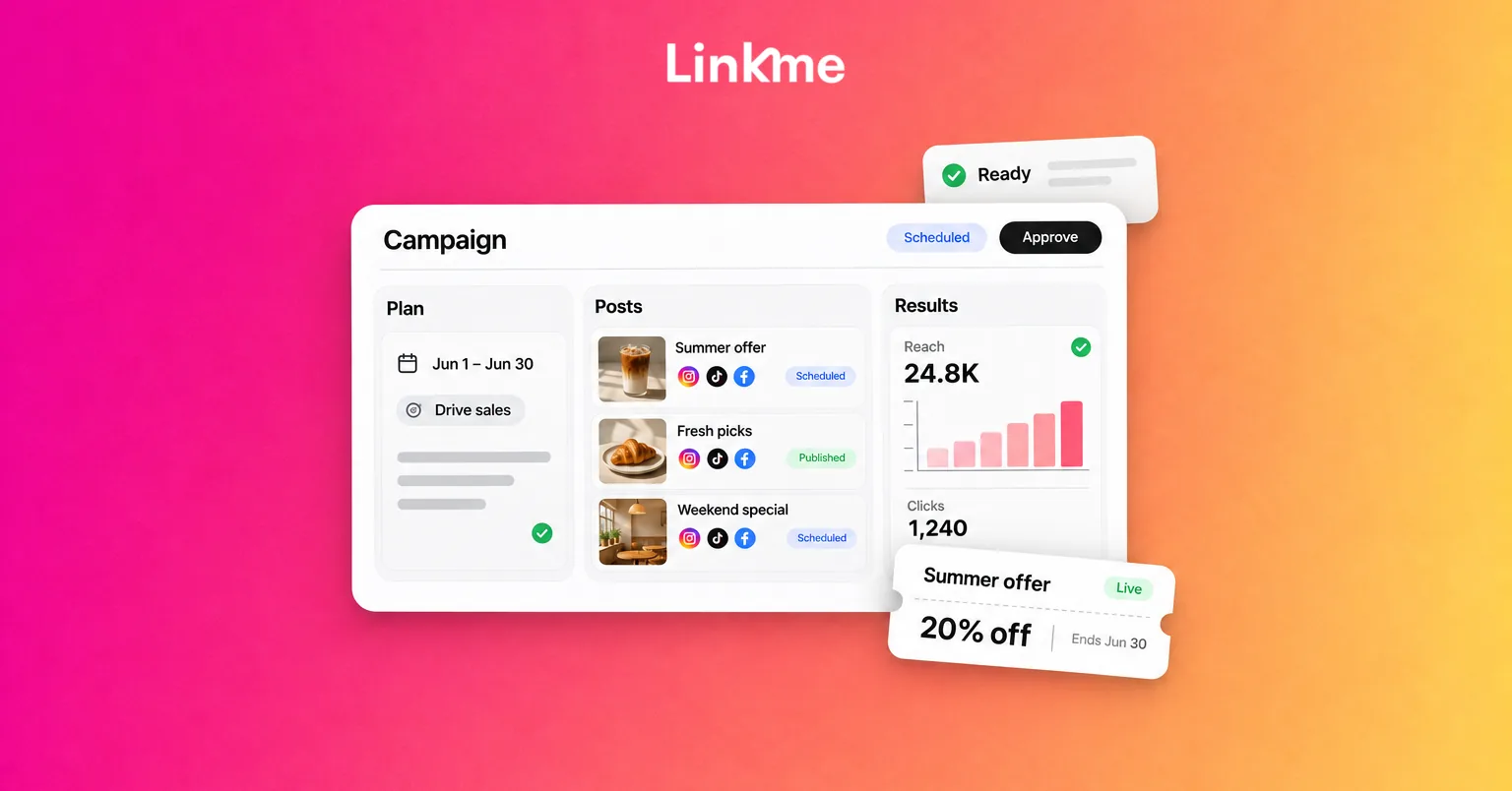
A social media campaign template connects those details. It records the goal, audience, offer, individual posts, responsibilities and results for a coordinated effort with a defined start and end. A content calendar covers the publication schedule; the campaign plan also explains what the work should achieve.
Use the copyable template below to plan a promotion, launch, resource or event, then follow the filled workshop example to see how the pieces connect.
Key takeaways
- Choose one primary objective, a defined audience and a clear action.
- Give each post a purpose and a usable route to the offer.
- Record ownership, approval and publication separately.
- Decide how to count the intended outcome before launch.
- Review the result alongside its source, reporting period and next action.
Copy this social media campaign template
Copy all three modules into a document or spreadsheet, then duplicate the plan for each campaign. Give each occurrence its own campaign ID, especially for recurring events or promotions.
Keep the campaign header with every table you copy. The combination of Campaign ID and Post ID identifies a placement across the content, delivery and tracking records. If you combine campaigns in one table, add a Campaign ID column to every row.
These are planning fields you can adapt to your team’s tools. Use “not applicable” for a field that does not apply and “not available” for information you cannot obtain.
1. Campaign brief and offer
Campaign name: [name] | Campaign ID: [ID]
| Field | Fill in |
|---|---|
| Campaign name and stable campaign ID | [Name / ID] |
| Business, brand or location; campaign owner | [Scope / accountable person] |
| Business objective and audience need | [What should change / who benefits and why] |
| Primary action, success measure and counting rule | [Action / source / how a valid completion is counted] |
| Baseline, target and target deadline | [Baseline or unavailable / justified planning target / date] |
| Campaign dates and time zone | [Start / end / named time zone] |
| Core message and supporting proof | [Main point / approved evidence or asset] |
| Offer or value proposition | [What the audience gets / price if relevant] |
| Terms, availability and offer cutoff | [Eligibility / capacity or stock / genuine deadline] |
| Primary call to action and destination | [Action wording / exact destination / destination owner] |
| Selected accounts and channel roles | [Network and exact account / purpose in this campaign] |
| Organic/paid scope, budget and resources | [Paid spend and currency / people / production costs] |
| Approver and launch dependencies | [Reviewer / decision deadline / prerequisites] |
| Questions and follow-up owner | [Who responds / what happens after an inquiry or registration] |
| Checkpoints and change owner | [Launch check / progress review / closeout / person updating changed details] |
An offer does not have to be a discount. A useful workshop, a new service or access to a relevant resource can give the audience a reason to act. Choose a target you can explain using capacity, past evidence or a stated planning assumption.
2. Post content and delivery plan
Use one row per network/account placement. The same creative can need different captions, routes, deadlines and publication checks on different accounts.
Campaign name: [name] | Campaign ID: [ID]
| Post ID | Job in the campaign | Network/account and format | Message or copy/asset reference | Call to action and actual route |
|---|---|---|---|---|
| [ID] | [Announcement, explanation, reminder or another role] | [Exact account / format] | [Working copy or accessible reference] | [Wording / clickable placement, profile link or other supported route] |
Connect the delivery record to the same placement.
Campaign name: [name] | Campaign ID: [ID]
| Post ID | Draft owner / reviewer / review deadline | Approved version and approval status | Planned date, time and time zone | Publisher / actual publication status and live URL | Change, failure or dependency note |
|---|---|---|---|---|---|
| [Same ID] | [Names / deadline] | [Reference / status] | [Date / time / zone] | [Person / result / URL when live] | [Issue / owner / next action] |
Keep approval separate from delivery. “Approved” means the designated reviewer signed off on that version. “Scheduled” means publication is planned. “Published,” “partially published” and “failed” describe different delivery outcomes. Use labels that match your process and record what actually happened.
For each distinct link placement, complete a tracking block:
Campaign name: [name] | Campaign ID: [ID]
| Tracking field | Fill in |
|---|---|
| Post ID and link placement | [Placement being identified] |
| Destination URL and final tagged URL | [Exact destination / URL used in the post] |
| Source, medium and campaign | [utm_source / utm_medium / utm_campaign, when used] |
| Creative identifier | [utm_content, when used] |
| Optional campaign identifier | [utm_id if required by your measurement setup] |
| Measurement destination and naming convention | [Where parameters are captured / agreed spelling and casing] |
| Tracking owner and test outcome | [Person / check date / result or issue] |
UTM parameters are labels added to a URL to identify referring activity in compatible analytics. Google’s campaign URL guidance explains the fields. Use source, medium and campaign together when tagging; content can distinguish placements. Keep naming consistent and personal identifiers out of the parameters. Tags need working measurement at the destination.
3. Measurement, results and decisions
Choose the main outcome first, then add supporting signals that will help explain it.
Campaign name: [name] | Campaign ID: [ID]
| Measure | Source, filter and counting basis | Baseline / target and rationale | Reporting period and time zone | Review owner and date |
|---|---|---|---|---|
| [Primary outcome] | [Report or records / campaign identification / valid completion] | [Available baseline / justified target] | [Dates / zone / outcome lag if relevant] | [Person / checkpoint] |
| [Supporting signal, if useful] | [Matching source and scope] | [Relevant context] | [Same or explicitly different period] | [Person / checkpoint] |
Use a separate results record so a target cannot be mistaken for an achieved outcome.
Campaign name: [name] | Campaign ID: [ID]
| Measure | Actual result | Context or measurement limitation | Decision / action | Owner / due date |
|---|---|---|---|---|
| [Same measure] | [Complete after launch] | [Relevant observation] | [Continue / inspect / change / next test] | [Person / date] |
Leave actual results blank until the campaign runs. Later, distinguish a measured zero from information that is missing or unavailable.
Fill in the brief before planning the posts
Choose the objective, audience and offer together
Start with the business action you want: registrations for an event, qualified inquiries about a service, purchases of a product or another defined outcome. Choose a primary measure that can answer that question. Supporting measures explain the path toward it.
Review what you already know about the audience’s needs, comparable campaigns and available assets. State the benefit clearly and connect it to evidence you can use, such as an agenda, product details or a demonstration. Only include genuine deadlines and availability.
Decide which accounts have a useful role. A campaign does not need every network. Record paid spend, if any, along with the people and creative resources required for organic work.
Make the destination match the promise
The post, destination and transaction or inquiry process should agree on the offer, price, dates and eligibility. Name the person responsible for keeping those details current.
Check the actual route from each placement. A clickable feed link, a profile link, a Story link and a direct message are different routes. Do not rely on a caption URL being clickable on every surface.
With Linkme Pages & QR, you can organize the relevant destination on a page and give an individual link a start and end time. Coordinate that availability with the offer itself. Removing a link does not close an external booking form or update its capacity.
Plan what someone sees after the offer expires. Older posts may still send visitors to the page. A clear closure message or useful replacement destination is better than leaving people searching for an offer they can no longer use.
Give each post a job and a clear handoff
Build the sequence around audience questions: What is this? Is it relevant to me? What do I get? What should I do next?
An announcement can introduce the proposition, an explanation can address uncertainty, and a reminder can communicate a genuine cutoff. Use the roles the campaign needs rather than filling an arbitrary posting quota.
For every placement, assign the draft owner, reviewer and publication owner. Put the review deadline before the planned publication time and keep the approved version identifiable.
Linkme’s Post to All supports network-specific captions, scheduling, an approval queue and per-network publishing statuses. Use those controls to deliver the plan, then check failures or partial publication. Give someone responsibility for recovery so a scheduled item does not get treated as completed work.
A filled campaign example for a local workshop
Imagine an independent bicycle shop planning a free maintenance workshop. This fictional example assumes 20 available places and a planning target of 12 confirmed attendee places. The example has no achieved results.
D0 means the workshop date you choose. Replace the relative dates with calendar dates before using the plan. All example times use America/New_York. Replace [YYYYMMDD] in the campaign ID with the workshop date, and give each later workshop a different ID. The page, account and asset references below are placeholders to replace before launch.
Example campaign brief and offer
Campaign name: Bike maintenance workshop | Campaign ID: bike_workshop_[YYYYMMDD]
| Field | Example plan |
|---|---|
| Campaign name and stable campaign ID | Bike maintenance workshop / bike_workshop_[YYYYMMDD] |
| Business, brand or location; campaign owner | Fictional independent bicycle shop / shop manager |
| Business objective and audience need | Fill useful workshop places; help local riders understand basic maintenance |
| Primary action, success measure and counting rule | Confirmed attendee places in this workshop’s booking records; a valid three-person booking counts as three places; count each participant once, exclude tests and canceled places, and have the manager resolve duplicate participant entries |
| Baseline, target and target deadline | Comparable baseline unavailable; target 12 confirmed places within an assumed 20-place capacity, chosen for this example; count at D−1, 18:00 |
| Campaign dates and time zone | Promotion D−14, 09:00 through D−1, 18:00; workshop D0, 10:00; closeout D+1; America/New_York |
| Core message and supporting proof | Learn basic maintenance at the shop; illustrative agenda: tire-pressure checks, puncture-repair overview and basic cleaning; confirm instructor and approved assets before launch |
| Offer or value proposition | Free maintenance workshop; advance booking required |
| Terms, availability and offer cutoff | 20 places assumed; registration closes D−1, 18:00 or when capacity is reached; manager confirms attendance requirements and booking terms before launch |
| Primary call to action and destination | Reserve a workshop place; [public-page-URL] → workshop booking link → [booking-URL]; shop manager maintains the destination |
| Selected accounts and channel roles | [Shop Facebook Page] for announcement/reminder; [shop Instagram account] for an explanatory carousel |
| Organic/paid scope, budget and resources | Organic promotion; paid-media spend USD $0; coordinator prepares the image/carousel and copy, manager reviews; record actual production time and costs separately |
| Approver and launch dependencies | Shop manager; first review D−15, 15:00; confirm instructor, terms, assets, account access and tested booking route before launch |
| Questions and follow-up owner | Shop manager answers booking questions and checks confirmation records; confirm that the booking process gives registrants the event details |
| Checkpoints and change owner | Launch check D−14 before 09:00; progress review D−7 at 09:00; final availability check D−1 before 09:00; manager closes registration at cutoff/capacity and reviews outcome D+1 at 10:00 |
The primary measure counts attendee places rather than booking transactions. A separate attendance count after the event would answer a different question. The workshop total includes places booked from any channel unless the records support a more specific source breakdown.
Example post content plan
Campaign name: Bike maintenance workshop | Campaign ID: bike_workshop_[YYYYMMDD]
| Post ID | Job in the campaign | Network/account and format | Message or copy/asset reference | Call to action and actual route |
|---|---|---|---|---|
| P01 | Announcement | [Shop Facebook Page] / image | P01-v1: free workshop, chosen date, benefit and booking cutoff; [approved workshop image] | Reserve a workshop place; clickable tagged link to [public-page-URL], then the workshop booking link |
| P02 | Explain what participants will learn | [Shop Instagram account] / feed carousel | P02-v1: agenda, who the workshop suits and confirmed attendance requirements; [carousel asset] | View workshop details; profile link to [public-page-URL], then the workshop booking link |
| P03 | Reminder | [Shop Facebook Page] / image | P03-v1: registration cutoff and availability checked before publication; [reminder image] | Reserve before the cutoff; clickable tagged link through the same page, only while places remain |
Example delivery plan
Campaign name: Bike maintenance workshop | Campaign ID: bike_workshop_[YYYYMMDD]
| Post ID | Draft owner / reviewer / review deadline | Approved version and approval status | Planned date, time and time zone | Publisher / actual publication status and live URL | Change, failure or dependency note |
|---|---|---|---|---|---|
| P01 | Content coordinator / shop manager / D−15, 15:00 | P01-v1 submitted for review; approval pending | D−14, 09:00; America/New_York | Coordinator / planned, unpublished / live URL blank | Manager confirms terms, assets and booking-route test before scheduling |
| P02 | Content coordinator / shop manager / D−8, 15:00 | P02-v1 submitted for review; approval pending | D−7, 12:00; America/New_York | Coordinator / planned, unpublished / live URL blank | Manager confirms agenda and requirements; coordinator checks profile destination |
| P03 | Content coordinator / shop manager / D−2, 15:00 | P03-v1 submitted for review; approval pending | D−1, 09:00; America/New_York | Coordinator / planned, unpublished / live URL blank | Manager rechecks places before publication; pause or revise if full, changed or canceled |
These are planned placements. Replace their delivery status with the actual result and live URL after publication.
Example link tracking
Campaign name: Bike maintenance workshop | Campaign ID: bike_workshop_[YYYYMMDD]
| Tracking field | P01 | P03 |
|---|---|---|
| Post ID and link placement | P01 / Facebook announcement link | P03 / Facebook reminder link |
| Destination URL | [public-page-URL] | [public-page-URL] |
| Final tagged URL | P01 URL below | P03 URL below |
| Source / medium / campaign | facebook / social / bike_workshop_[YYYYMMDD] | facebook / social / bike_workshop_[YYYYMMDD] |
| Creative identifier | p01 | p03 |
| Optional campaign identifier | Not used in this example | Not used in this example |
| Measurement destination and naming convention | Tagged page arrival, if the configured measurement captures it; lowercase values with the chosen date | Same destination and convention |
| Tracking owner and test outcome | Coordinator; test D−15 before approval; result pending | Coordinator; test D−2 before approval; result pending |
Campaign name: Bike maintenance workshop | Campaign ID: bike_workshop_[YYYYMMDD]
P01 final tagged URL
[public-page-URL]?utm_source=facebook&utm_medium=social&utm_campaign=bike_workshop_[YYYYMMDD]&utm_content=p01
Campaign name: Bike maintenance workshop | Campaign ID: bike_workshop_[YYYYMMDD]
P03 final tagged URL
[public-page-URL]?utm_source=facebook&utm_medium=social&utm_campaign=bike_workshop_[YYYYMMDD]&utm_content=p03
The base URL and date are nonfunctional placeholders. Use the real URL and replace the date before building and testing the final link; preserve any existing query parameters correctly.
Distinct tags do not establish P01/P03 reporting in Linkme Analytics. Use placement-level results only if parameter capture and reporting are verified. Otherwise, keep the supported page/link observations.
Campaign name: Bike maintenance workshop | Campaign ID: bike_workshop_[YYYYMMDD]
P02 tracking note: The Instagram carousel uses the profile link to [public-page-URL], with no P02-specific tags. The content coordinator owns the route check, planned for D−8 before the 15:00 review; its result is pending. P02-specific attribution is unavailable through this shared route. Do not claim post-specific results without a separately supported and tested way to distinguish the placement.
The next click from the Linkme page to the booking service is another step. Do not assume the original campaign parameters travel with it. Check the actual route and what each system records.
Example measurement and review plan
Campaign name: Bike maintenance workshop | Campaign ID: bike_workshop_[YYYYMMDD]
| Measure | Source, filter and counting basis | Baseline / target and rationale | Reporting period and time zone | Review owner and date |
|---|---|---|---|---|
| Confirmed attendee places | Workshop-specific booking records; valid participant places after tests, duplicates and canceled places are removed | Baseline unavailable; illustrative target 12 within capacity 20 | Registrations during the promotion; snapshot D−1 at 18:00, America/New_York; record later cancellations separately | Manager checks D−7 at 09:00; records cutoff snapshot; reviews D+1 at 10:00 |
| Page visits and workshop-link clicks | Linkme-page activity for the promotion period and clicks on the workshop destination link | No assumed target; supporting context | D−14 at 09:00 through D−1 at 18:00, America/New_York; use the available reporting range and note differences | Coordinator prepares for D−7 review and D+1 closeout |
| Native post exposure/response | Each network’s available post analytics, with its own definitions and selected placements | No assumed target; supporting context | Campaign placement activity during the stated period; note source time-zone/range differences | Coordinator prepares for D−7 review and D+1 closeout |
Whole-page visits can include other traffic. Native post activity, page clicks and workshop bookings are separate observations; these rows do not automatically connect them into individual customer journeys.
Actual results below are intentionally blank because the fictional campaign has not run.
Campaign name: Bike maintenance workshop | Campaign ID: bike_workshop_[YYYYMMDD]
| Measure | Actual result | Context or measurement limitation | Decision / action | Owner / due date |
|---|---|---|---|---|
| Confirmed attendee places | Workshop total includes all sources unless booking records identify otherwise | At review, compare the valid-place count with the target; record what to retain or change | Manager / D+1, 10:00 | |
| Page visits and workshop-link clicks | Page activity may include traffic outside these three posts | If link activity rises while confirmed places stay low, inspect destination clarity and booking usability | Coordinator with manager / D+1, 10:00 | |
| Native post exposure/response | Definitions differ by network; shared-profile traffic does not isolate P02 | Inspect the relevant content and audience response before choosing a change | Coordinator / D+1, 10:00 |
The conditional actions are questions to investigate. They are not findings about what caused a result.
Check the campaign before launch and when details change
Before the first post, check five things:
- Content and offer: Confirm copy, asset access and usage rights, terms, dates and the actual destination route on the intended device or surface.
- Access and delivery: Confirm the correct account, supported format, current review status, publication owner, dates and time zones.
- Final links: Follow the exact URL through intermediate pages or redirects. Check that required campaign parameters reach the measured destination.
- The intended action: With the measurement owner, test the booking, form or purchase route and confirm the appropriate record or event is collected. Identify test records so they do not become campaign success. Immediate real-time activity alone does not validate final attribution.
- Operational ownership: Confirm who handles questions, capacity changes, closure and publishing failures.
When details change, record what changed, who approved it and which queued posts, page links or prepared replies need updating. Recheck the current version before publication. In Linkme, content edits can make a previous approval stale, so the old sign-off should not be treated as approval of the revised content.
Review the outcome and choose the next action
At each checkpoint, use the agreed source, period and counting rule. Fill the actual-result cells, add relevant context and assign a next action with an owner and date.
Use native social analytics for post distribution and interaction. Use Linkme Analytics for visits and link activity on Linkme pages, including period comparisons. Use the booking, website, form or sales records for the defined downstream outcome. For qualified inquiries, the team’s customer relationship management system or qualification records may be needed.
Keep known tracking changes, spend, publication volume and outcome delays with the record. A higher activity count can prompt an investigation; it does not explain the cause by itself. Reported campaign credit also does not prove every outcome was caused by the campaign.
The campaign record gives the team a concise outcome and decision log. If stakeholders need a broader report, carry these findings into that report rather than rebuilding the campaign plan around every available metric.
Put the campaign plan to work in Linkme
In Linkme Business, a campaign record brings together the objective, dates, owner, linked landing page and related posts. Identify the corresponding record by name or reference; the campaign ID in this template is your planning identifier.
Apply the plan through a short sequence: group the campaign work, prepare the destination, review and schedule suitable posts, check publication status, then review the appropriate records. The booking or sales record supplies the business outcome; page activity helps explain what visitors did on the destination.
Explore Linkme for Business for coordinating your campaign posts and page destinations. Book a demo to discuss your team’s workflow.
Frequently asked questions
What should a social media campaign template include?
Include the goal, audience, offer, intended action and destination, followed by individual placements, owners, review and publication dates, measurement sources and next decisions. Keep the campaign reference with each copied module.
How is a campaign template different from a content calendar?
A campaign template connects the objective, offer, delivery and outcome of one bounded effort. An ongoing content calendar organizes the broader publication schedule, which can include several campaigns and routine posts.
Does every campaign need a discount?
No. An event, useful resource, product launch or service benefit can be the proposition. Explain its value and use genuine terms and deadlines.
Can I use one campaign template across several networks?
Yes. Keep one shared plan, with a separate placement row for each network/account. Adapt the format, message, route and timing, and record measurement definitions from the relevant source.
How do I know which campaign produced a booking or lead?
Use captured source identifiers and configured records where available. Check what survives each step from the post to the destination and completed action. A shared profile link, tagged URL or named form source alone does not establish the full journey. State any gaps and keep all-source outcomes separate from outcomes your records can attribute.