Social Media for Photographers: Portfolio, Bookings and Presets
How photographers turn followers into booked shoots and sales: a portfolio page, an inquiry form, presets and prints, and one shoot posted to every network.
On this page
- Key takeaways
- Decide what social media should do for your photography business
- Build a photography portfolio page your bio can point to
- Turn interest into bookings with an inquiry form
- Sell presets, guides and prints from the same page
- Post one set of work to every network
- Measure what brings inquiries
- Frequently asked questions
A follower saves your engagement photo, a brand manager likes your product shot, and a stranger asks in the comments which editing settings you used. Each is a lead, but only if the next step is obvious.
Social media for photographers works best as a front window: the networks show your work, and one page behind your bio does the selling. That page holds a short portfolio, an inquiry form for shoots and the presets or guides people can buy right away. This guide covers each piece and how to post one shoot to several networks.
Decide what social media should do for your photography business
Photographers usually sell to two different groups at once: people who hire you and people who buy from you. Mixing them up is why many accounts get likes but few bookings.
| Buyer | What they want to see | Next step on your page |
|---|---|---|
| Couples, families, portrait clients | Finished galleries, real reactions, what a session feels like | Inquiry form with date and location |
| Brands and businesses | Consistent style, product and team shots, turnaround | Commercial portfolio section and contact form |
| Other photographers and hobbyists | Before and after edits, settings, locations | Presets, editing guides, location guides |
| Print buyers | Landscape, street or fine art series | Print shop link or downloadable print files |
Pick the one or two rows that matter most this year. Your captions, highlights and page order should all point to those.
Build a photography portfolio page your bio can point to
Most networks give you limited room for profile links. A single page that holds everything is easier to keep current than links scattered across apps.
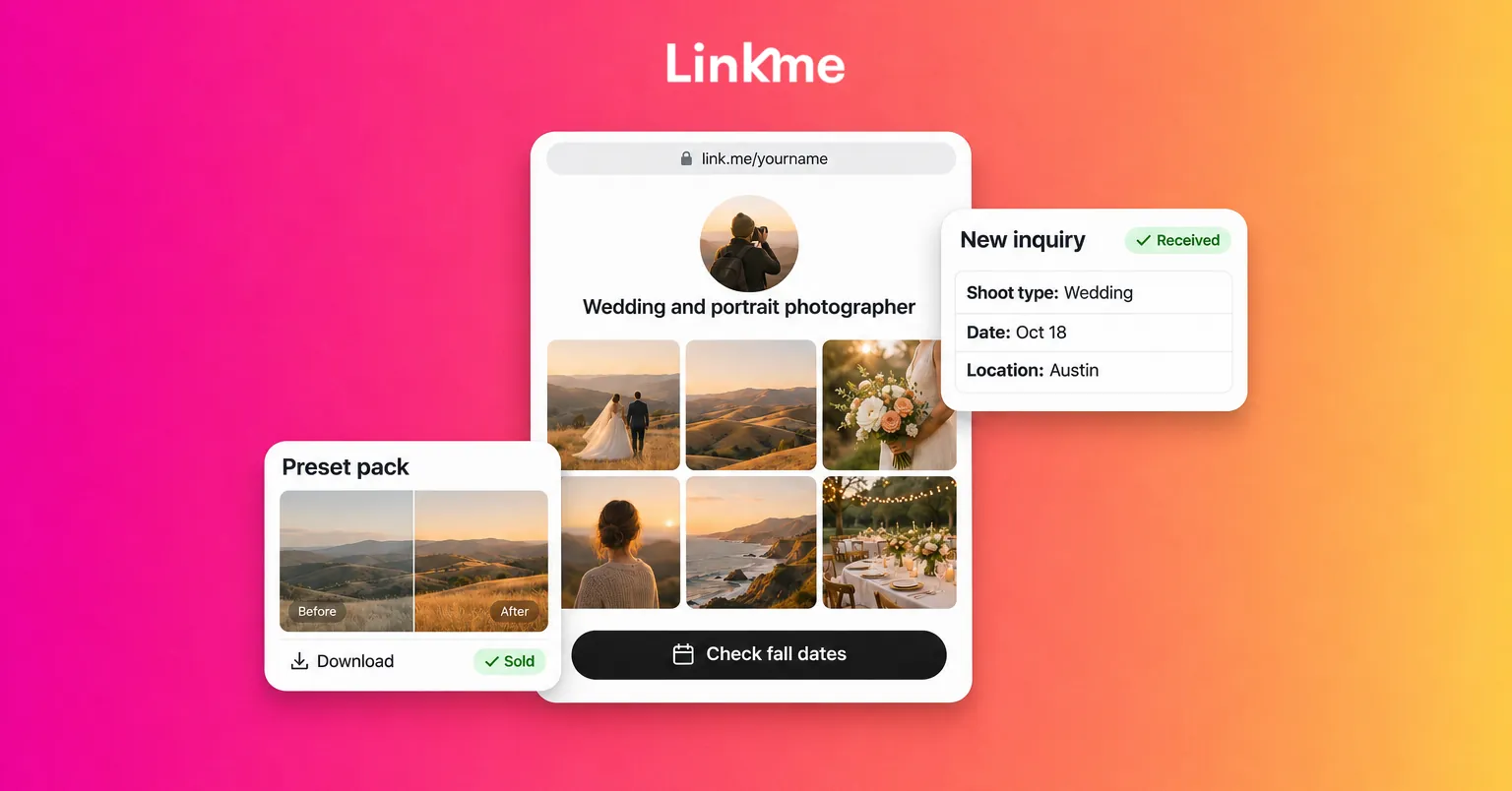
On a Linkme page, a photographer link in bio usually works best in this order:
- A short bio line that says what you shoot and where: “Wedding and portrait photographer, Austin and travel.”
- A gallery with your strongest 12 to 20 images. Linkme pages include a photo and video gallery, so the portfolio sits on the page instead of behind another click.
- Headers for each service, such as Weddings, Portraits and Commercial, with a featured link under each to a full gallery or a pricing guide.
- The inquiry form, high enough that nobody has to scroll for it.
- Your shop, for presets, guides and prints.
- Your channels, so a visitor from TikTok can find your Instagram and YouTube.
Links can be small, medium, big or a button, with their own thumbnail, and a long list can run as a carousel. Use the big size for the one action you care about most this month, such as “Check fall dates.”
Every Linkme page also has its own QR code that always opens the live page, so you can print it on business cards and print sleeves and keep editing the page.
A portfolio page is not an archive. Remove work you no longer want to be hired for and refresh the gallery each season.
Turn interest into bookings with an inquiry form
“DM for pricing” creates long threads that end without a date. A short form gives you what you need to reply once, usefully.
Linkme does not have a calendar or booking feature, so treat the form as a photographer booking form for inquiries. Forms are on the Plus and Pro plans and can include name, email, mobile and custom text fields. A practical set:
- Name and email (required)
- Mobile number (optional)
- Type of shoot: wedding, portrait, family, brand, event
- Date or date range
- Location or venue
- Rough budget or package of interest
- How they found you
Every answer lands in Form Submissions. On Pro, anyone who leaves an email is also added to Leads, where you can export a CSV. The lead forms guide covers setup. If you take paid consultation calls through a scheduling tool, add that link directly under the form.
Answer comments with the right link
When people comment “price?” under a wedding reel, you can reply with a link by DM automatically. Linkme DM automations run on Instagram business or creator accounts and on Facebook Pages, on every plan. Set a keyword such as PRICING or DATES on the post, write a short public reply, and send a DM with a link to your pricing guide or inquiry form. Tell people the keyword in the caption so they know what to comment.
Sell presets, guides and prints from the same page
Teaching and selling your editing style is a natural second income for many photographers, and it suits buyers who are not ready to book you.
On Plus and Pro, Linkme sells digital products that deliver the moment someone pays: presets, templates, ebooks, guides and other downloadable files. You set a title, description, price and cover image, upload the file and connect your payout method. Paid products need a verified Stripe account.
Products that tend to fit photographers:
- Preset packs. Show before and after pairs on the cover and in your posts. Say which editing software the files work with and what light they suit.
- Location guides. A city guide to golden hour spots, permits and parking, aimed at other photographers or clients planning a session.
- Client guides. A what to wear or session prep guide. You can price it at zero and use it to collect inquiries.
- Print-ready files. High resolution files of a series, sold with a clear personal use license in the description.
For physical prints, add them as external products with a title, price and link to the print lab or store that fulfills the order. If you want merch, such as a tee with a signature image, Linkme’s print on demand merch handles production and shipping with no inventory.
To promote a launch, take the pay to unlock option for a short tutorial, or schedule a presale so buyers can pay now and receive the file on release day.
Post one set of work to every network
A single shoot can fill a week if you plan the formats up front. While you cull, save:
- 8 to 10 finished frames for a carousel
- A 20 to 40 second behind the scenes clip
- One before and after edit
- One strong single image
Then adapt rather than duplicate. Instagram and LinkedIn suit the carousel, TikTok and YouTube Shorts suit the clip, and Threads and X suit the single image with a short story about the shoot.
With Post to All, you upload once, write one caption or one per network, and publish now or on a schedule to Instagram, TikTok, YouTube, Facebook, X, Threads and LinkedIn. The free plan includes 10 posts in total, and Plus and Pro are unlimited. Studios that also need Pinterest or Google Business Profile can use Linkme Business, which publishes to 13 networks.
Measure what brings inquiries
Likes do not tell you what books you. Once a month, check three things in your Linkme analytics:
- Link clicks per link. Is the inquiry form getting clicks, or is everyone tapping the gallery and leaving?
- Traffic sources (Plus and above). Which network sent the visitors who clicked through?
- Form submissions and sales. Which posts ran in the week inquiries came in?
Move the best link up and cut the ones nobody uses.
Frequently asked questions
What should a photographer put in their link in bio?
Put a short portfolio, an inquiry form, a pricing or services guide, any products you sell and links to your other channels. Order them by what you most want people to do, with the inquiry form near the top if bookings are your main income.
Do photographers still need a website?
A website is still useful for search, long blog posts and full client galleries. A link in bio page does a different job: it gives social visitors a fast, mobile path to book or buy. Many photographers keep both and link from one to the other.
How do I sell presets on Instagram?
Put your page in your Instagram bio and add the presets as a digital product on it. Show before and after edits in posts and Reels, and use a comment keyword so people who ask get the product link by DM.
Can clients book a session directly on my page?
Not with a calendar on Linkme. Use an inquiry form to collect the date, location and shoot type, then confirm by email. If you already use a scheduling tool for calls or mini sessions, link to it from your page.
Your photos already do the hard work of getting attention. A page that shows the right portfolio, asks the right questions and sells your editing style lets that attention turn into booked shoots and sales. Start with the digital products guide to set up your first preset pack.